NVIDIA GPU issue
When using Kahua's desktop host on a computer with certain models of NVIDIA GPUs, visual distortions may appear on the login screen and other pages due to a bug in those particular GPUs.
Until the GPU bugs are resolved by NVIDIA, the Kahua desktop host will test for the presence of an impacted GPU and, if detected, prompt you with an option to switch to software rendering. Software rendering eliminates the visual distortion issue but may result in a slightly slower performance.
To switch to software rendering, click Try Software Rendering on the log in page.
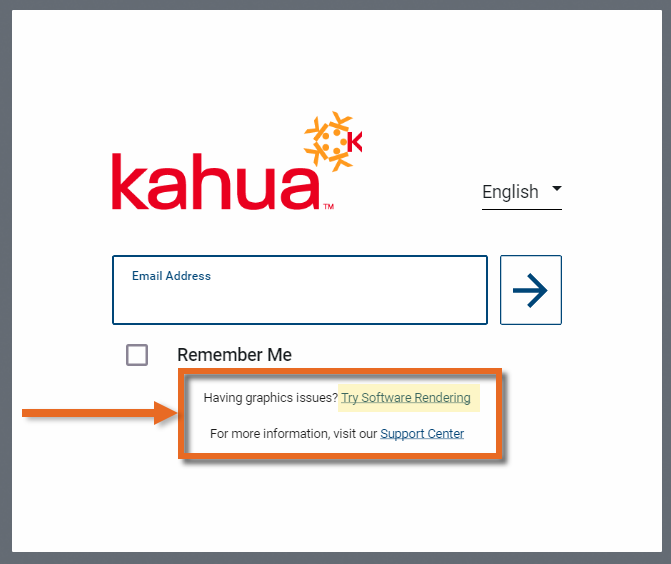
When this option is selected, the desktop host restarts and switches to software rendering. A new log in page appears. Enter your credentials and continue the log in process.
Note To return to the original default rendering, select Use Default Rendering on the second log in page.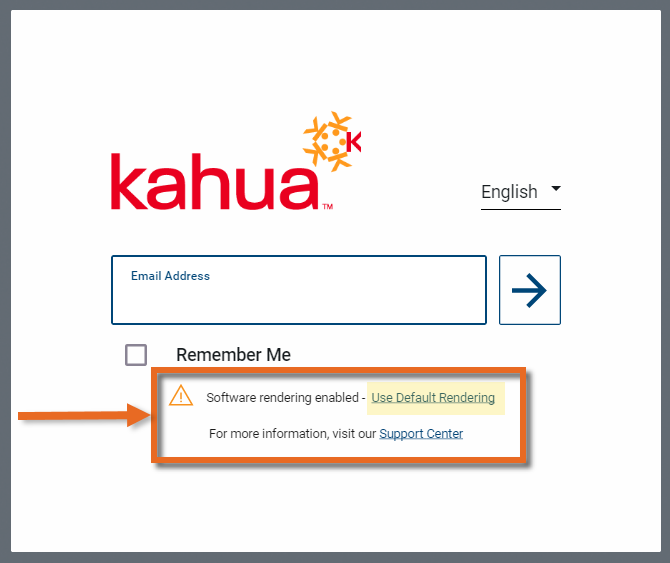
Alternatively, you or your IT department may be able to resolve the rendering issue by performing one of the following modifications on the impacted device:
 Set a per-application GPU preference
You can modify the Microsoft Windows display settings to ensure that it uses a non-impacted GPU when running the Kahua for Desktop app.
To do so, complete the following steps:
-
Open the Microsoft Settings app.
Note This can be done in one of several ways: press Win+I on the keyboard, select Start > Settings, enter "Settings" in the Taskbar Search, etc.
-
Navigate to System > Display.
-
Scroll to the Related settings section and select Graphics.
-
In the Custom settings for applications section, select Add Microsoft Store app. Select "Kahua for Windows". Once selected, it appears in the list of apps.
-
In the app list, click on Kahua for Windows to expand the section.
-
Click the drop-down list for GPU preference. If available, select "Power Saving". This option is typically the lower power, lower performance, integrated GPU.
-
Save your changes. If the Kahua for Desktop app is open, you may need to close and re-open it for the changes to take effect.
Update the NVIDIA Control Panel settings
If you have access to the NVIDIA Control Panel, modifying the settings as described below may resolve the problem.
To do so, complete the following steps:
-
Open the NVIDIA Control Panel application.
-
Under 3D Settings, select Manage 3D Settings.
-
Under the Preferred graphics processor, select "High-performance NVIDIA processor".
-
Under Settings, navigate to Threaded Optimization and select "Off".
-
Navigate to Vertical sync and select "Off".
-
At the bottom of the view, select Apply. If the Kahua for Desktop app is open, you may need to close and re-open it for the changes to take effect.