Product Roadmap
Productboard is the tool we use to communicate with you regarding our product roadmap. We are able to share information about what we're currently working on, what we're planning to work on, and what work is already complete. You can share your thoughts on these items with us, and also submit ideas for items that are not yet on our roadmap.
All new ideas and comments on existing ideas that you share here are reviewed by Kahua product managers. The page is updated on a regular basis as releases go out.
How to . . .
 Access Kahua's Productboard page
The Kahua Product Roadmap on Productboard can be accessed by clicking this link. You don't need an account to access the page, but you will need to enter and confirm your email address to submit a new idea or a comment on an existing idea.
Navigate Productboard tabs
Each idea on Productboard is represented by a card. The card contains text about the idea and may contain an image as well. Each card resides on a tab. The tabs are as follows:
-
Strategic Initiatives - This tab contains strategic items that are actively being worked on and are currently in progress. These items may be in the design phase, or they may already be in development or may be nearly ready for release.
-
Updates and Enhancements - This tab contains items that are incremental improvements to existing applications.
-
User Experience - This tab contains potential updates to the behavior of Kahua across the platform.
-
Gauging Interest - This tab contains items that we may work on in the future and are currently seeking input on. You can add your comments and let us know which ideas are most important to you. Refer to Provide feedback on existing items.
-
Releases - This tab contains information about our releases. At the top are the items that are part of our current or upcoming release, depending on where we are in the release cycle. Below that is a summary of each release with a link to the release notes. And below that are the individual cards for items in previous releases.
-
Specialty Apps - This tab contains information about new applications that are being developed and enhancements that are being made to existing specialty applications.
Search Productboard
To search for a topic on Productboard, click the search icon  and enter a search term. All cards that contain that term will appear. Click on a card to learn more and provide feedback.
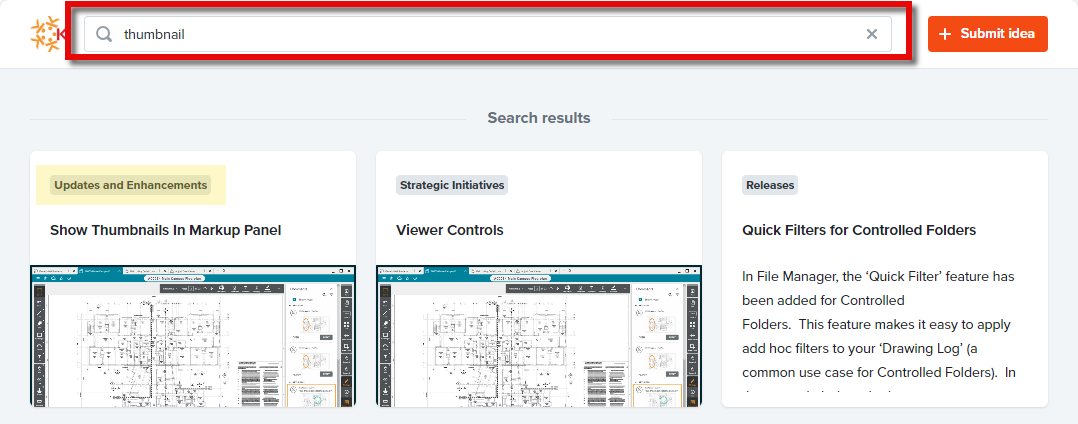
Provide feedback on existing items
You can share with the Kahua product management team how important an existing idea is to you and add your own comments. To provide feedback on an existing idea, complete the following steps:
-
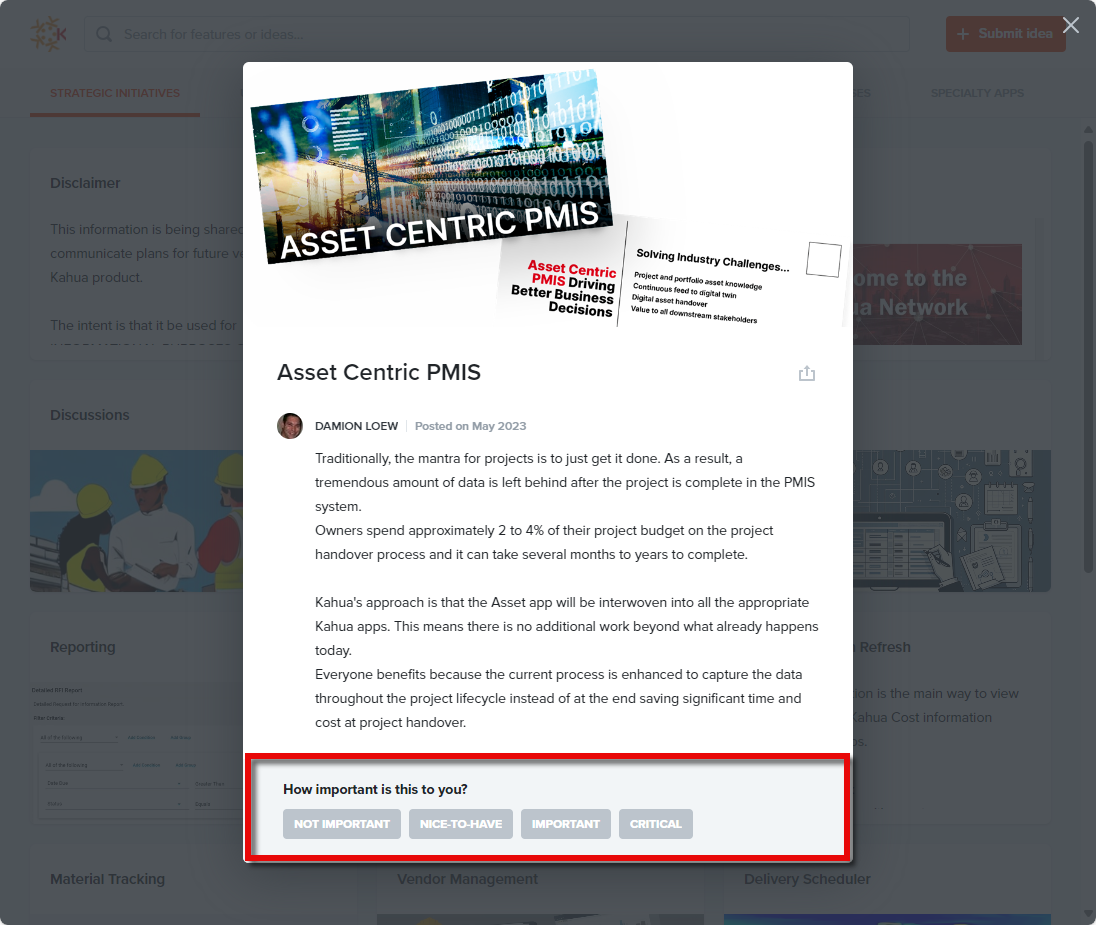
Click on a card to open it.
-
At the bottom, select the option that most closely reflects How important is this to you?.
-
Once you make that selection, the comments box will appear. Enter any feedback that you'd like to provide to the Kahua product management team.
-
Enter your email address and click Submit. You will be required to confirm your email address for your comments and feedback to be sent to Kahua.
Submit a new idea
To submit your own idea for review by the Kahua product management team, complete the following steps:
-
Click on Submit Idea at the top of the page.
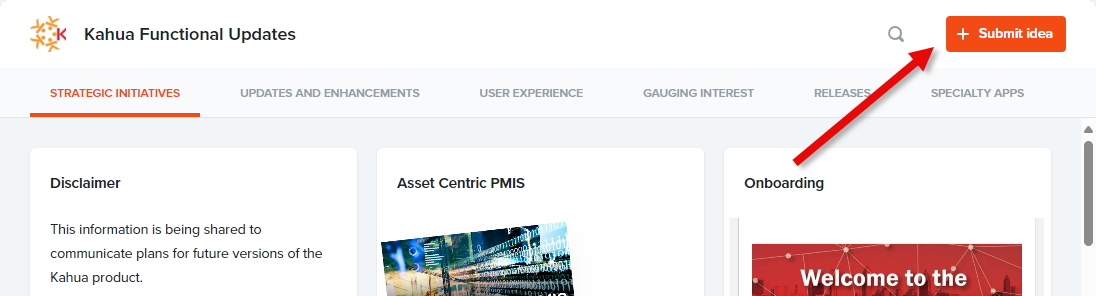
-
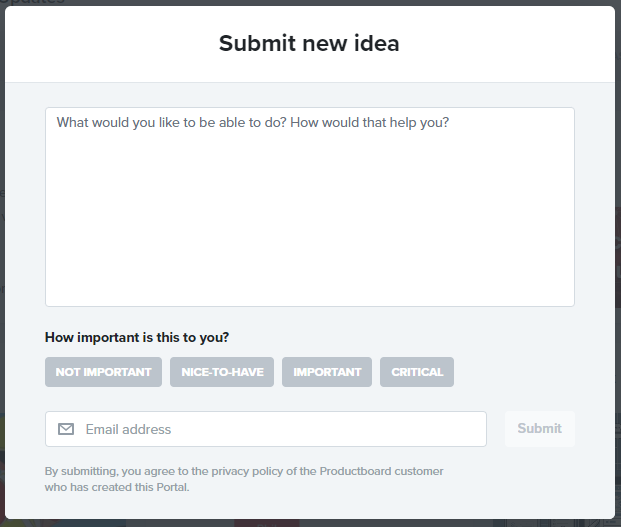
The Submit new idea page will open.
-
Enter information about your idea and include what is the problem you are trying to solve.
-
Select the option that best describes how important this is to you.
-
Enter your email address. You will have to confirm your email address to complete the submission of your idea. If you are submitting multiple ideas in one session, you can confirm your address after entering the first one and you will not be required to confirm it again for the remainder of the session.