Composite Documents
A composite document is a single multi-page PDF file that contains selected documents. The composite document can include a portable view of the current record, reference files from the record, and any other documents that you have access to in the domain. The document is saved as a PDF file in the References section.
Key things to know about composite documents are the following:
-
The record must be in edit mode to add or update a composite document.
-
You can control the order in which the documents appear in the composite document.
-
You cannot add markups to composite documents.
-
When you select documents from the References section, markups on those documents are not included. If you use Add Kahua Doc to select a file from File Manager that includes markups, you can include either the version with markups or the version without markups.
-
Composite document reflects the state of the source documents at the time the composite is created. If a source document is updated after a composite is created, those changes will not be reflected in any composites created before those changes to the source documents were made.
-
You can edit an existing composite document to add, remove, or re-order files.
How to . . .
 Create a composite document
Composite documents are created from the References section of a record.
To create an composite document, complete the following steps:
-
Review the header to ensure that you are in the correct project or partition.
-
Navigate to the application.
-
Select the appropriate record to open it in the detail pane and click Edit.
Note You must be in Edit mode to add a composite document.
-
In the References section, select Add Composite Doc. You may need to click the More icon
 to access the option.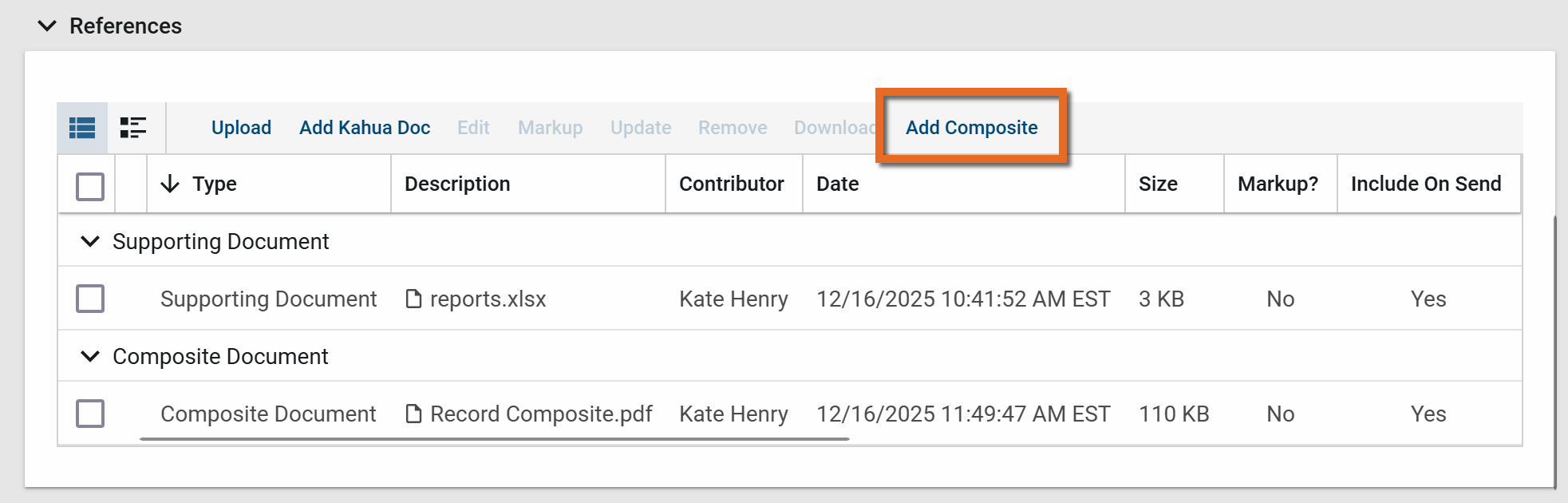
-
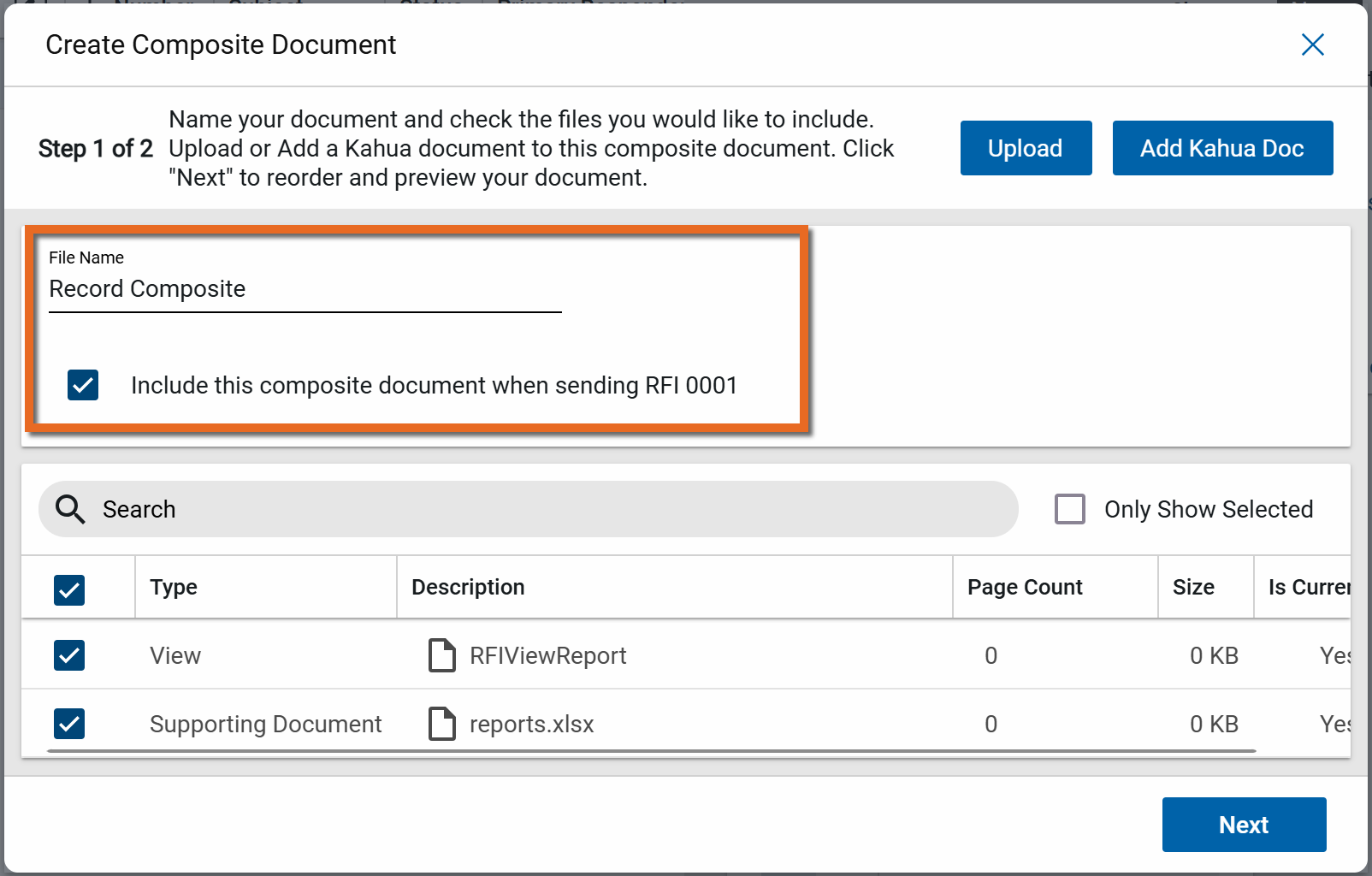
The Create Composite Document dialog appears. Enter a name for the resulting file. Consider including information that identifies the original record, such as the item number and name. To include this composite document when sending the record, select Include this composite document when sending . . . .
-
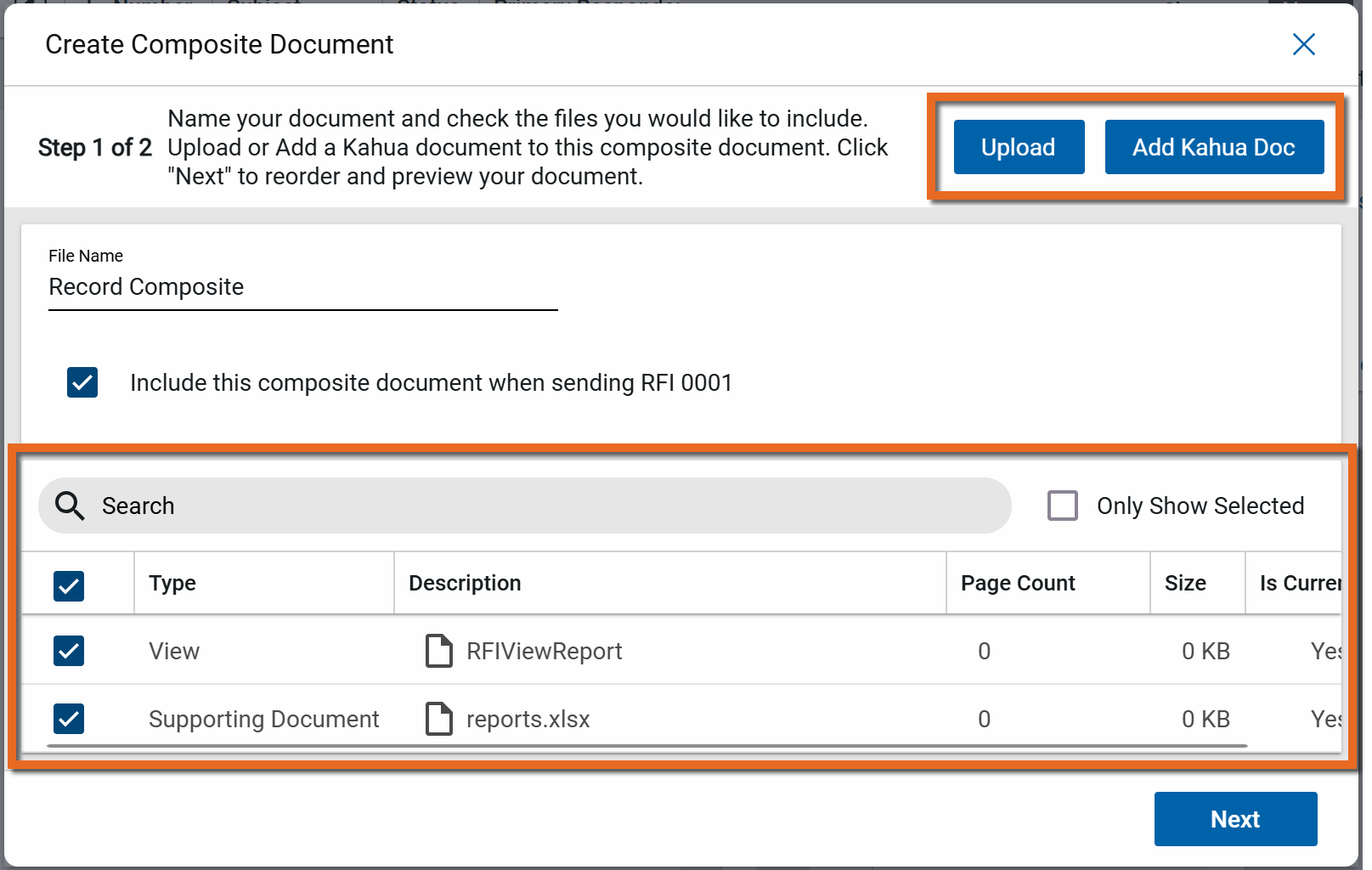
The file list includes the portable view of the record with the type "View". This is a summary PDF of the original record.
Any additional reference files from the record also appear. You can add additional files from your computer by selecting Upload, or select Add Kahua Doc to add existing documents from the File Manager app.
Select the files to include in the composite doc by clicking the check box next to the appropriate files. To only include the original document, select the "View" file.
-
Click Next when you have added all the appropriate files. You must enter a File Name and select at least one file to move to the next step.
-
In this next step, you can re-order documents by selecting the grabber icon
 next to an item and dragging it to the appropriate location. You can also select Move to Top or Move to Bottom, or use the
  icons. Click Remove to remove a file.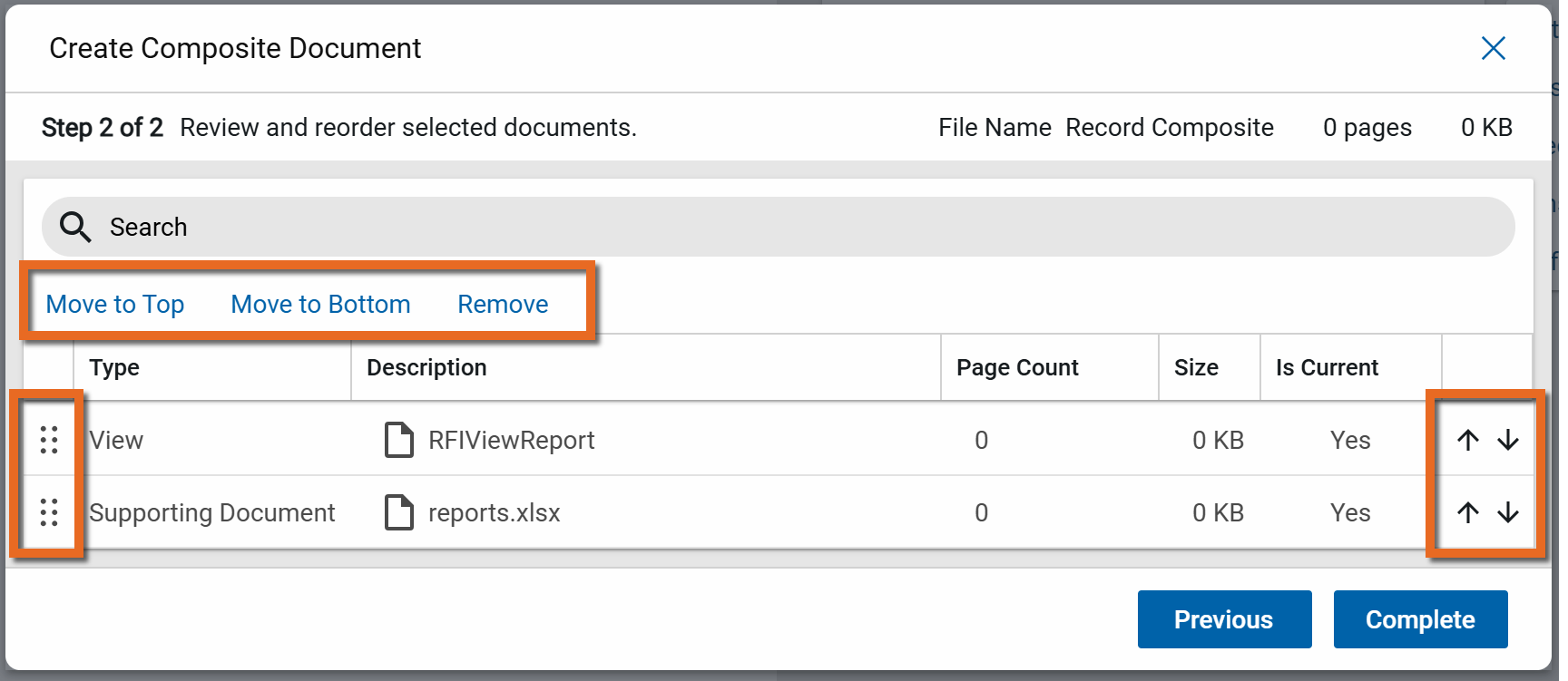
-
Once you are satisfied with the order of the included documents, click Complete. The new document with the assigned file name appears in the record's References section under the Composite Document grouping.
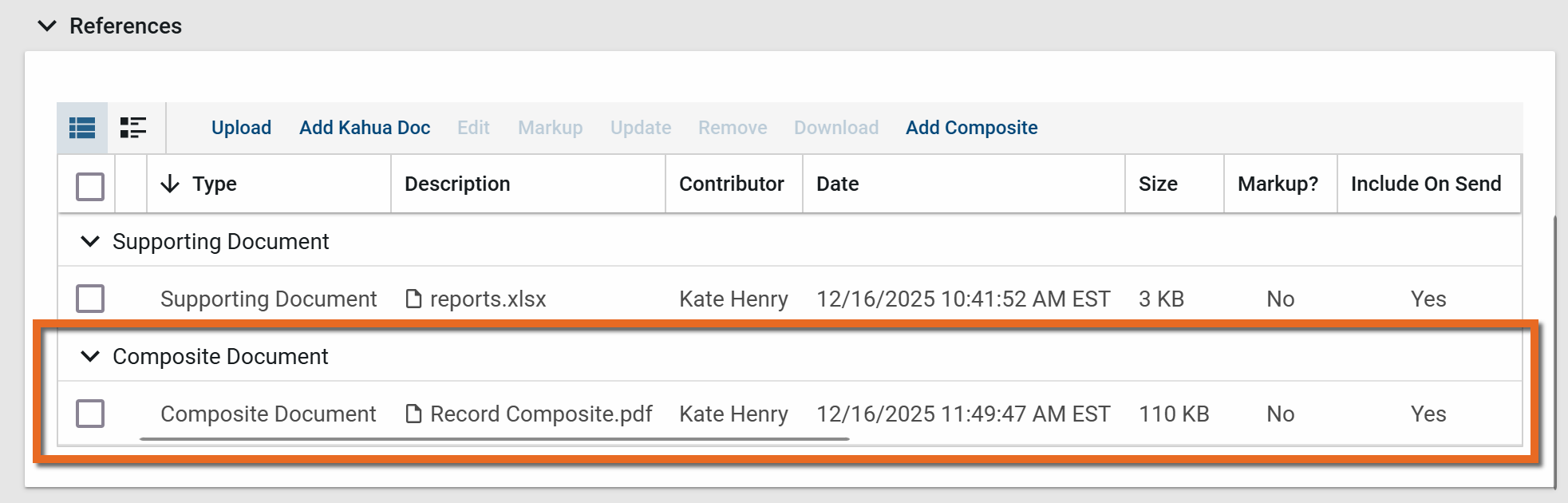
Note It may take several minutes for the composite rendering to finish. The composite document can be viewed once the Preview Status appears as "Rendered".
-
Click Save to save the record.
Important You must save the record to save the newly created composite document.
Modify an existing composite document
To modify an existing composite document, complete the following steps:
-
Review the header to ensure that you are in the correct project or partition.
-
Navigate to the application.
-
Select the appropriate record to open it in the detail pane and click Edit.
Note You must be in Edit mode to edit a composite document.
-
In the References section, select the composite document and click Edit in the action bar.
-
The Edit Composite Document dialog appears. For information on fields to complete and how to add, remove, or re-order files, refer to Create a composite document.
-
When you are satisfied with your changes, click Complete.
Note It may take several minutes for the composite rendering to finish. The composite document can be viewed once the Preview Status appears as "Rendered".
-
Click Save to save the record.
Important You must save the record to save the edited composite document.
View a composite document
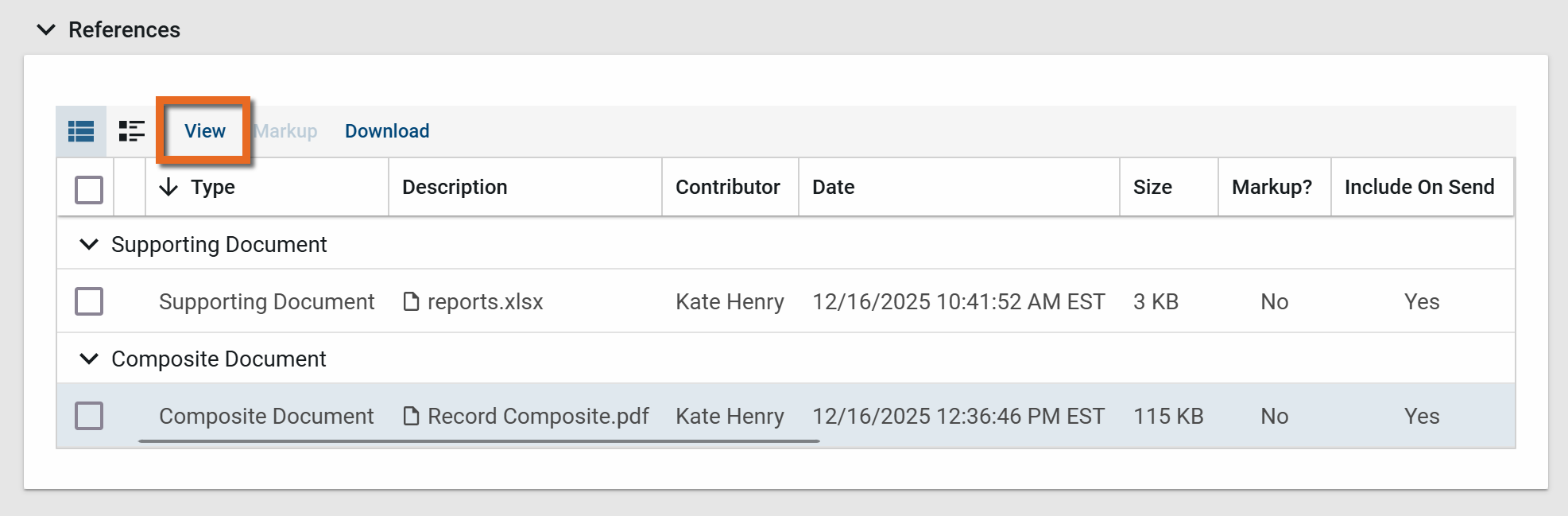
To view an existing composite document, select it in the References section and click View in the action bar. This will open the PDF file in the viewer.
To review a list of the records included in the composite document, scroll to the rightmost column in the References section and click More.
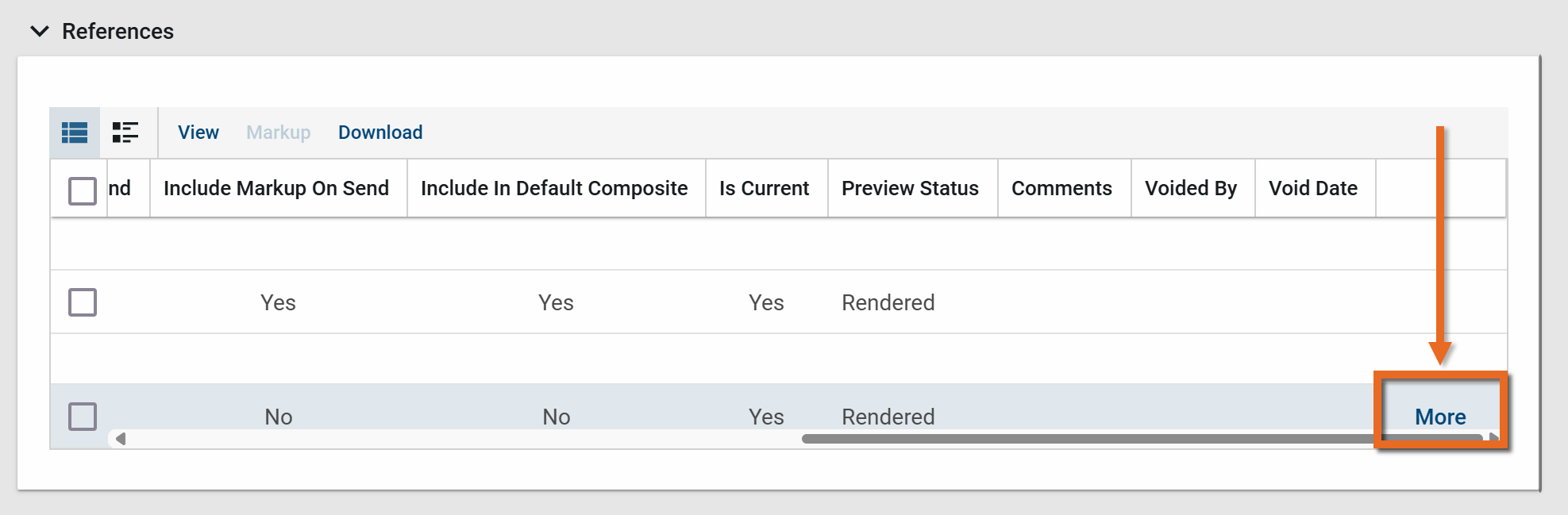
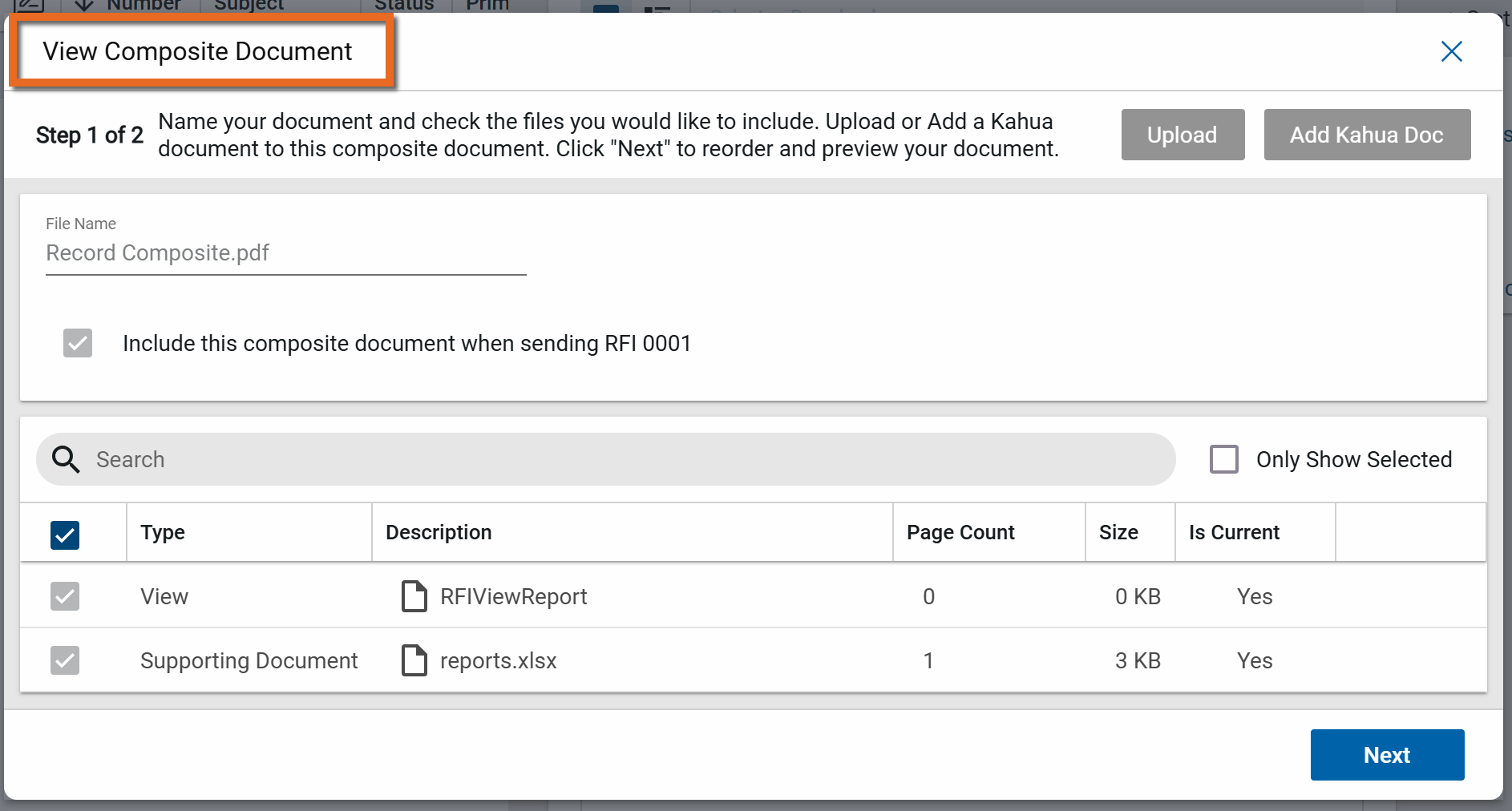
The View Composite document dialog appears, allowing you to review the list of included records.