Using the Data Store
The Kahua Data Store is a read-only SQL database that contains data from your domain and is kept in sync with the production database in near real-time. When enabled, it can be used for a number of purposes, including to create cross-application reports, connect to PowerBI or other analytics tools, or to replicate data to an enterprise data warehouse.
Important This article outlines basic information for accessing and enabling the data store. You can find more detailed information using the data store in this article in the Developer Help.
Key elements of the data store feature are as follows:
-
Typically data in the data store is updated within seconds of a change to the production data. However, this update is asychronous, so it is theoretically possible that updates could take longer than a few seconds, particularly if bulk data updates are made that create a large amount of data changes that need to synced to the database at once.
-
Kahua apps define what entity and attribute data the app publishes to the data store. If an app, extension, or supplement does not define an entity or attribute as enabled for the data store, then it won't appear for use in the data store.
While most all relevant data is available for most apps, it is possible that certain pieces of data may not be enabled for data store in an app, and modifications must be made to the app to make it available in the data store.
-
Entity history and configuration data are currently not available in the data store.
-
Apps must be individually enabled in order for the data within those apps to be available in the data store.
How to . . .
 Enable the data store
Enabling the data store can be done from within Kahua by any domain administrator. The Kahua data store provisions the creation of a domain specific database which can be used for various reasons.
Kahua apps define what entity and attribute data the app publishes to the data store. If an app, extension, or supplement does not define an entity or attribute as enabled for the data store, then it won't appear for use in the data store.
To enable the data store, complete the following steps:
-
Login to your Kahua site as a domain administrator.
-
Navigate to Apps > Administration > Domain Settings > Data Store.
-
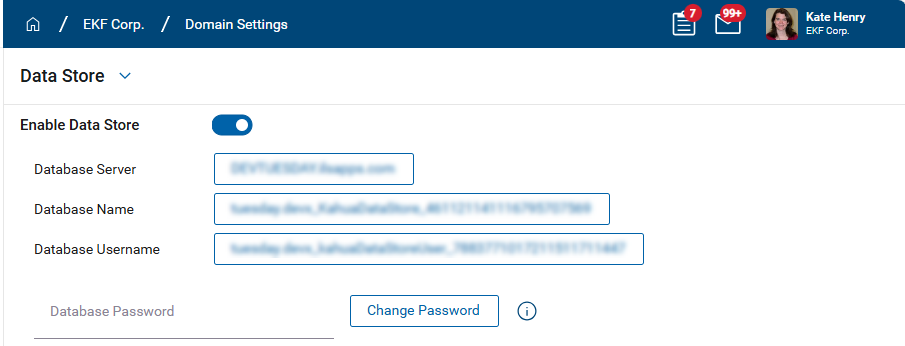
Select the Enable Data Store toggle.
-
Enter the Database Password.
-
Select Save.
Configure the data store
Once the data store is enabled, you must select applications in the list that contain the data you want to publish to the data store.
To select the applications, complete the following steps:
-
Navigate to Apps > Administration > Domain Settings > Data Store.
-
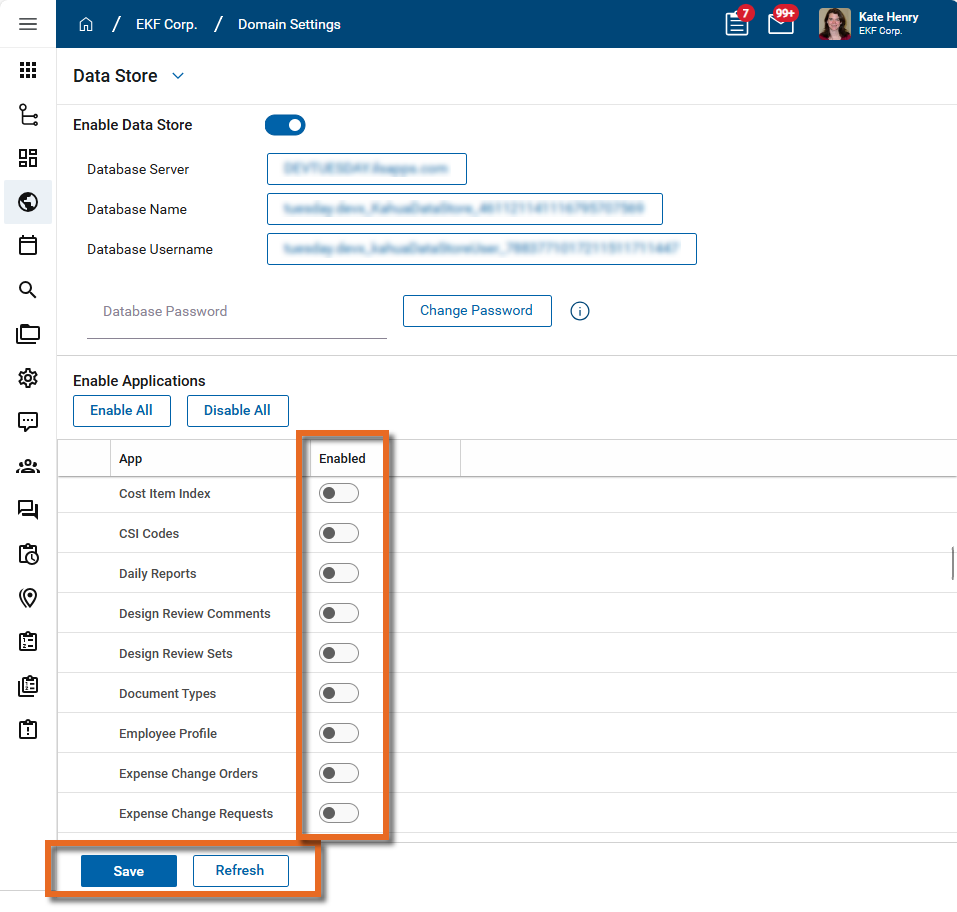
In the Enable Applications section, select the toggle for the applications you want to enable. To find a specific application, enter its name in the Search bar.
-
To assist with managing your selections, you can select Enable All or Disable All as appropriate, or use the built-in All, Enabled, and Disabled filters.
Important We encourage you to only enable the applications you know you will need for the Data Store. This helps prevent unnecessary resource usage and ensures that only the required tables are generated.
-
It is a best practice to enable the following apps, as they are commonly referenced from other applications.
-
Companies
-
People
-
Projects (or Portfolio Manager, depending on how your domain is set up)
-
kahua AEC Cost (if using the data store for cost related apps)
-
-
Click Save when you are done. On save, Kahua creates tables in the data store for the selected applications and populates them with data from Kahua.
-
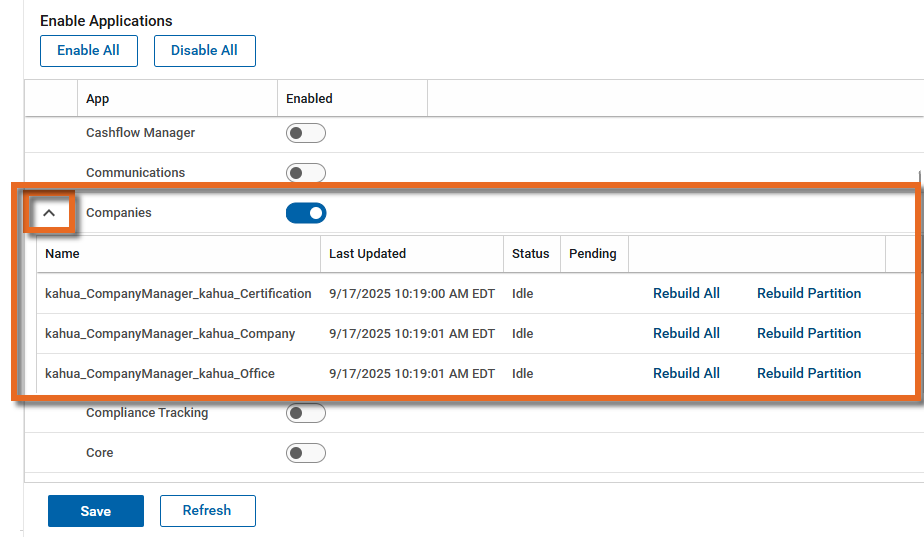
Select Refresh to enable the detail view under each selected application. The detail view includes the names of the tables being created and status of the data being published to each table.
Access the data store
How you interact with the data store depends on your target usage. Direct SQL connections to the data store are not supported for security reasons, but there are tools available to utilize the data store, including the data store table API.
For more detailed information, refer to this article in the Developer Help.