Review Installed Apps
The Installed Apps application allows domain administrators to view a list of all the applications installed on your domain, including any extensions.
Note Extensions are used to customize applications, separate from the modifications available in the app configuration.
Important things to know about the app include the following:
-
Only domain administrators have access to the app.
-
The app is a domain-level app. All installed apps appear on the list, regardless of what project is open when you access the app.
-
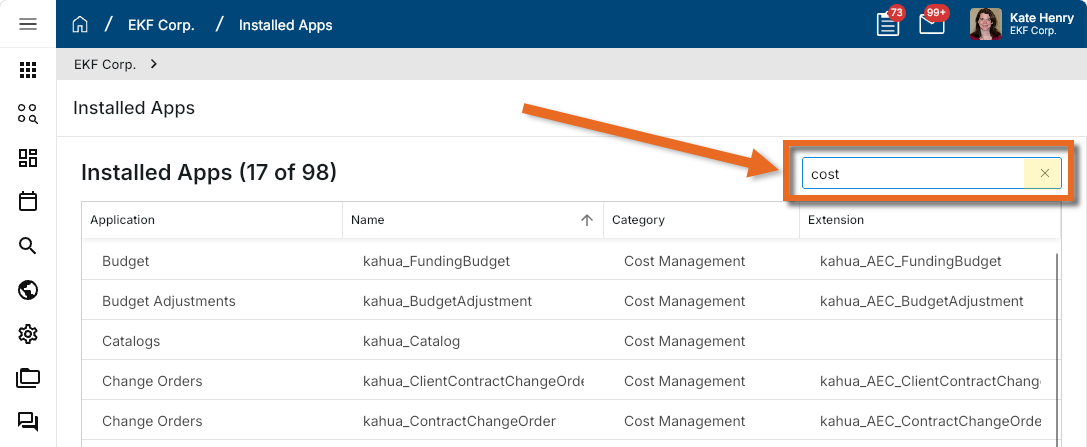
You can use the filter field to search for an app by name, category, or extension.
-
In the list view, you can review basic details for each app, including name, category, and any applied extensions.
-
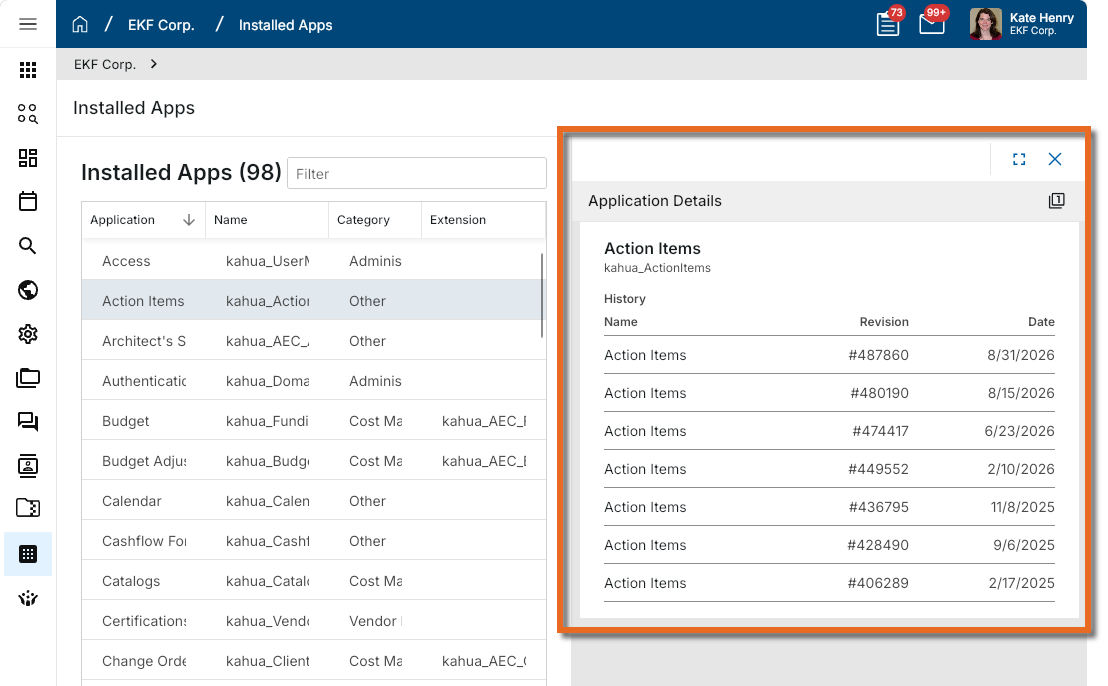
You can click on any app in the list to open a detailed view of revisions by date applied.
How to . . .
 Filter the list of apps
You can filter the list of apps by all the values that appear in the list view.
Enter a search term in the Filter field. As you type, the list will be filtered by the content of the field. The filter is applied to all columns. To remove the applied filter, click the Remove icon  in the Filter field.
Click on any column header to alternatively sort the list by ascending or descending values.
View installed applications
To view the list of installed applications, complete the following steps:
-
Navigate to the Installed Apps application (All Apps > Administration > Installed Apps). As this is a domain level application, you do not need to be in a specific project to view the installed apps in this domain.
-
Review the information in the log view. Click on a column header to sort by that column.
The following columns appear in the log view:
Field Description Application The name of the app as it appears in the user interface. Name The internal application name used by Kahua. Category The application category. If there is no category, the label "Other" is used. Extensions If applicable, lists any installed application extensions. -
Click on the app name to open a detailed view of application revisions by date applied.