Understanding the Data Store table structure
When the data store is enabled, data is pushed to the data store on an app by app basis, depending on what apps are enabled in the data store configuration (in Domain Settings). The structure of the data store tables is determined by the entity definition in the app, and as such can be different from domain to domain depending on what custom extensions and apps are installed in that particular domain. This document details the logic that determines how the schema of the data store is determined based off of the entity definition for the app.
Enabling the data store in your app definition
Its important to understand that the app definition must define what data it allows to be published to the data store. If the app definition does not explicitly define the entities and attributes to allow publishing to the data store, then the data will not be pushed to the data store even if the app is enabled in the data store configuration. The Data Store element is used to define which entities and attributes are published to the data store. Consider the kahua_Contract app, which has entity definitions for the main Contract:
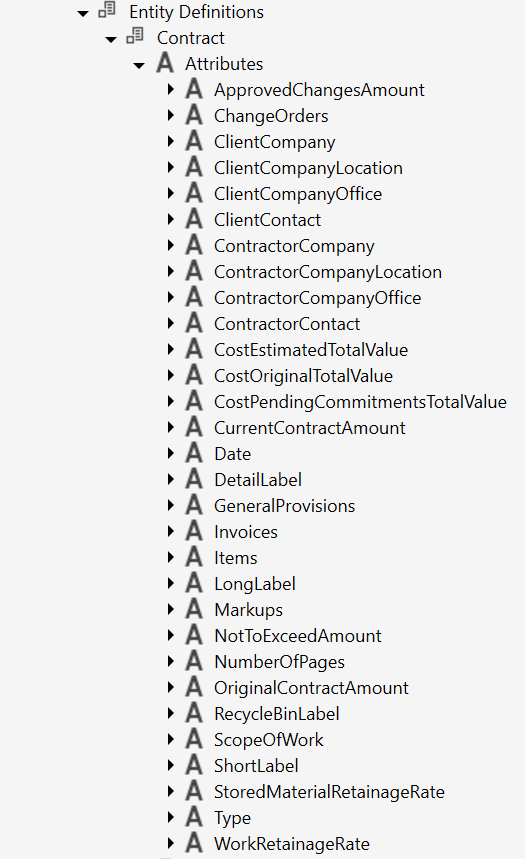
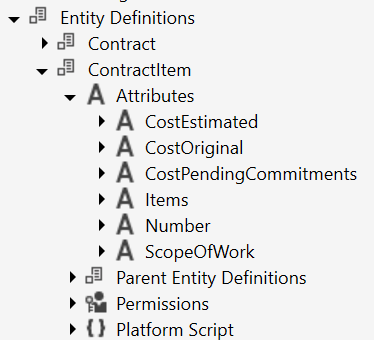
The Data Store portion of the app definition then determines which of these entities and attributes can be pushed to the data store:
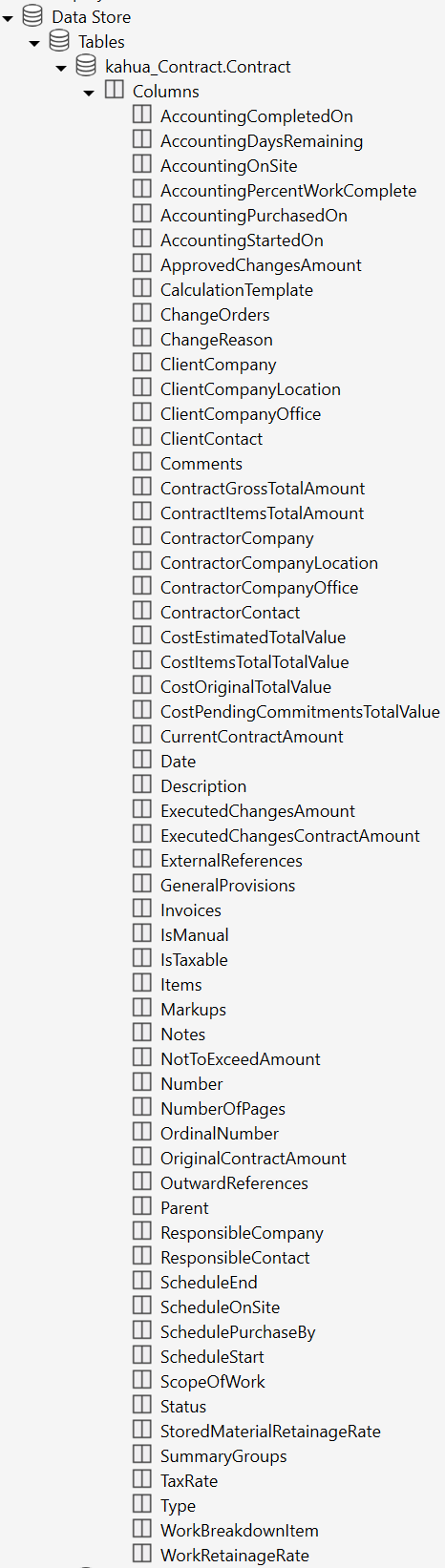
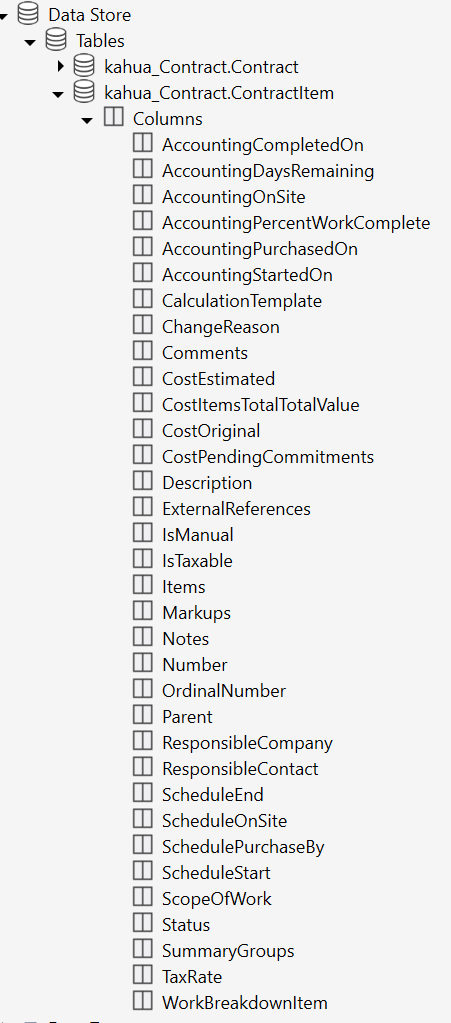
Note that you can see the Data Store definition is pushing attributes into the data store that are inherited via the Parent Entity Defs, in addition to the attributes explicitly defined in the app
Data store schema and naming convention
Once an app is enabled for the data store, tables are built in the data store that are driven by the entity definition as such:
For each Entity being pushed to the data store, a table will be created with the name <app_name>_<entity_name>. For instance, using the kahua_Contract app, there will be the following tables:
-
kahua_Contract_Contract
-
kahua_Contract_ContractItem
The columns in the table will be named after the attributes in the entity definition, and the data types are also determined by the data types in the app definition.
Child entity relationships
When there is a one to many relationship between entities in an app, an associative table will be created that contains pairs of ID values between tables. For instance, the Contract entity has an Items attribute that is a one to many relationship with the ContractItem entity, so there is a table named kahua_Contract_Contract_Items with the following columns:
-
Contract_Id: Contains the ID from the kahua_Contract_Contract table
-
Items_Id: Contains the ID from the kahua_Contract_ContractItem table for a child item (line item) of the contract
When there is an attribute of data type “Entity” that is a one to one cardinality with another entity, you will find an attribute in the data store with an _id suffix containing the ID of referenced entity. For instance, in the Contract entity there is a ClientContact attribute defined that references a kahua_PeopleManager.kahua_Contact entity. In the data store this will create a ClientContact_Id column in the kahua_Contract_Contract table containing the ID of the contact. Note that in order to resolve that ID to contact details in the data store, the kahua_PeopleManager app must be enabled in the data store as well.
Joining parent and child data
Note that links between child entities and their parents typically require joining with an associative table. For instance, using our kahua_Contract example, we may want to query the data store for all Contract Items for Contract Number 12345. Using the associative table that query would look like this:
SELECT *
FROM kahua_contract_contract c
JOIN kahua_contract_contract_items ci
ON c.id = ci.contract_id
JOIN kahua_contract_contractitem i
ON ci.items_id = i.id
WHERE c.number = '12345'You may find yourself wanting to join the child items table directly to the contract table without needing to use the associative table. However, there is not automatically a “Contract_Id” column in the kahua_Contract_ContractItems table that references the parent contract, which would be needed to do that. To enable this, note that it is a best practice that child entities define a parent entity of kahua_Core.kahua_ChildBase. Adding this as a Parent Entity in your entity definition will add the Parent attribute to your entity, and the Kahua platform will automatically set that attribute to reference the parent item (in this case the Contract). That parent entity can be pushed to the data store and will show up as the Parent_Id column in the child table, enabling a simpler query without using the associative table, like this:
SELECT *
FROM kahua_contract_contract c
JOIN kahua_contract_contractitem ci
ON c.id = ci.parent_id
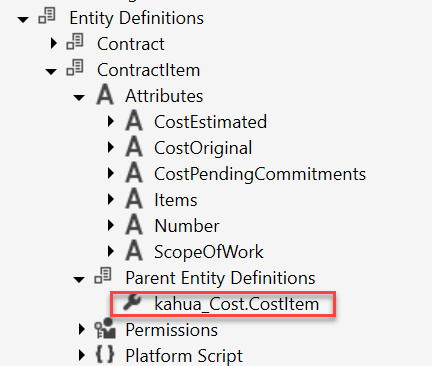
WHERE c.number = '12345'Note that in the case of kahua_Contract.ContractItem, the ContractItem entity has a parent entity definition of kahua_Cost.CostItem, rather than kahua_Core.kahua_ChildBase. In this case, the kahua_Cost.CostItem entity ultimately has a parent of kahua_Core.kahua_ChildBase, so the Parent attribute is inherited through that association:
Filtering by project
Another frequent requirement will be filtering or grouping data by project. Each entity table in the Data store (with the exception of the associative tables) will contain a “DomainPartitionId” column which is a relation to the project that the data belongs to. You can directly filter by the project if the Kahua ID of the project is known:
SELECT *
FROM kahua_contract_contract c
JOIN kahua_contract_contractitem ci
ON c.id = ci.parent_id
WHERE c.number = '12345'
AND c.domainpartitionid = 100200More often, you may want to query by project name or join to the project tables in order to provide more information on the project. The kahua_Project_Project table contains all the project information, and you can join other tables from your app in order to work with other properties of the project. The query below will display the project name as well:
SELECT p.id,
p.NAME,
c.*
FROM kahua_contract_contract c
JOIN kahua_contract_contractitem ci
ON c.id = ci.parent_id
AND c.number = '12345'
JOIN kahua_project_project p
ON c.domainpartitionid = p.id