Setting up Postman
Setting up Postman
Postman is a free tool used to create and test ad hoc queries to REST APIs. It is the preferred tool to use when working with the Kahua APIs, as it provide sample documentation and allows for live query testing. Postman can be downloaded here: https://www.postman.com/downloads/
Once Postman is installed, you can download the Kahua Platform API postman collection. There is a link to download the collection at the bottom of this page.
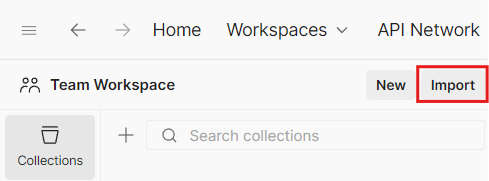
Once downloaded, you can then import the collection by pressing the import button in the top left of Postman and selecting the file to import:
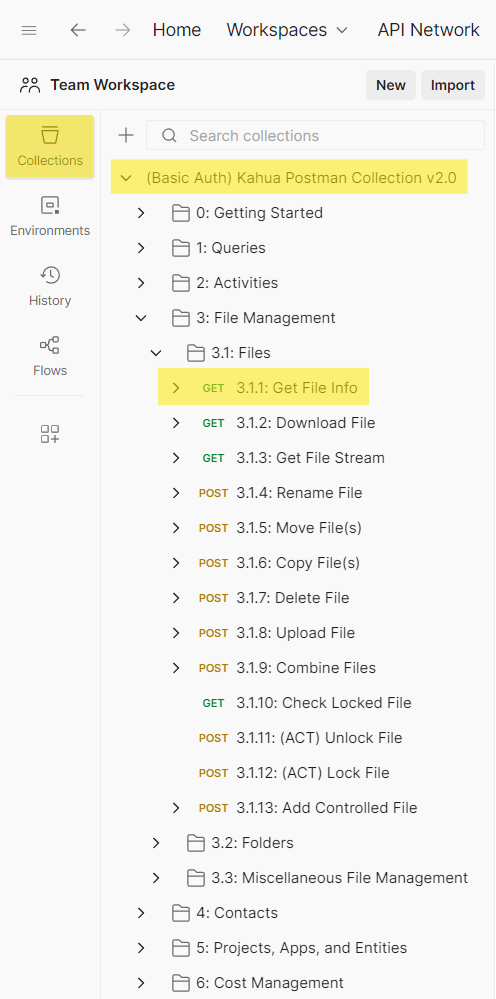
The imported collection will then show up under the Collections tab in the left bar. You can browse all API calls and select them to perform a live test of the API.
Setting up and using Environments and Variables
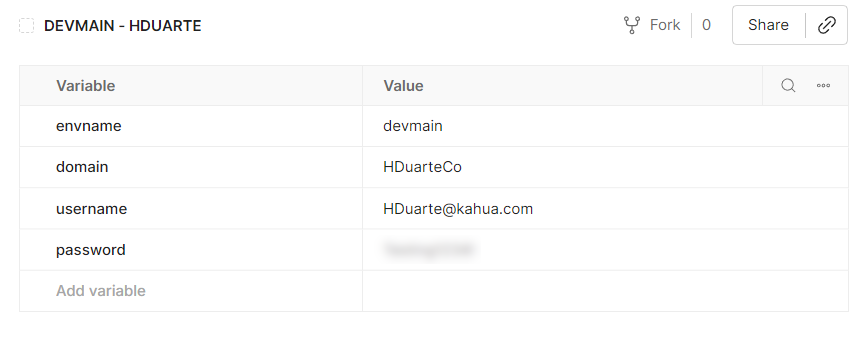
This collection uses environment variables to allow you to specify values specific to your Kahua domain and environment in order to tailor the requests to your needs. This allows easily switching data elements in the API calls for different environments and accounts without having to edit each API call. For instance, you may have environments for DevWeekly and DevMain to test calls in each environment. Anywhere you see double curly brackets surrounding a value, that is an environment variable that must be defined in order to complete the data for the request. For example, this URL has environment variables for the environment, domain, and projectId: https://{envname}service.kahua.com/v1/domains/{{domain}}/projects/{{projectId}}/info
To create an environment, there are two methods available:
-
Click the "No environment" dialog in the top-right corner of Postman, then select "Create Environment" from the "No Environments" dialog that appears.
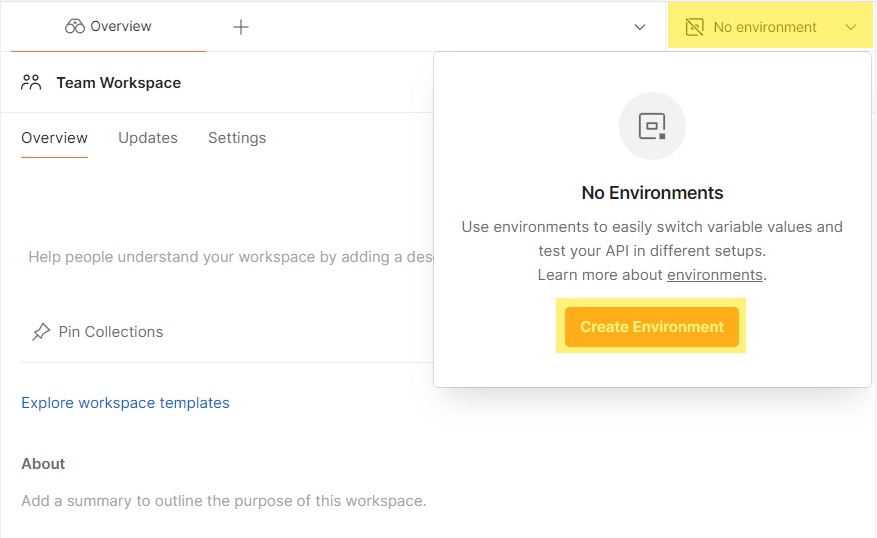
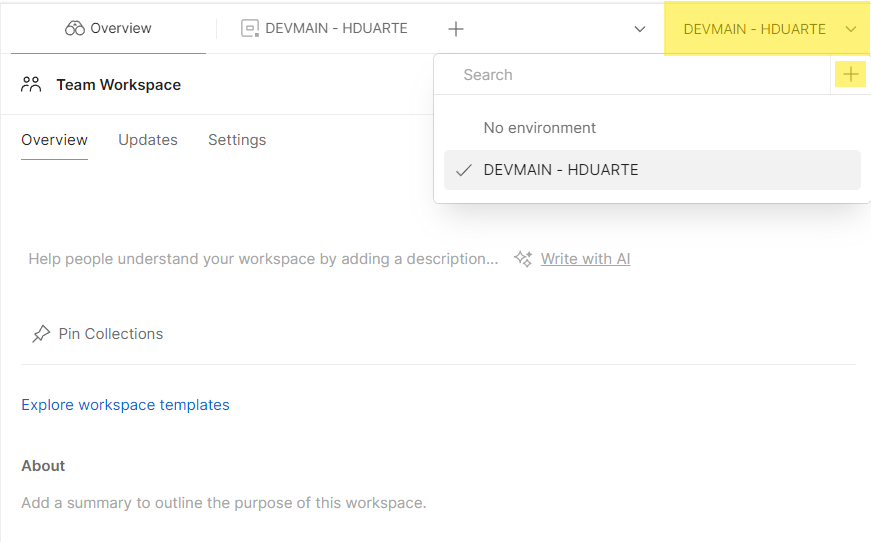
(If you already have an environment created, you can add a new one by clicking the "+" button displayed when selecting in this menu.)
-
Alternatively, navigate to the Environments section under Collections in the sidebar and click "Create Environment."
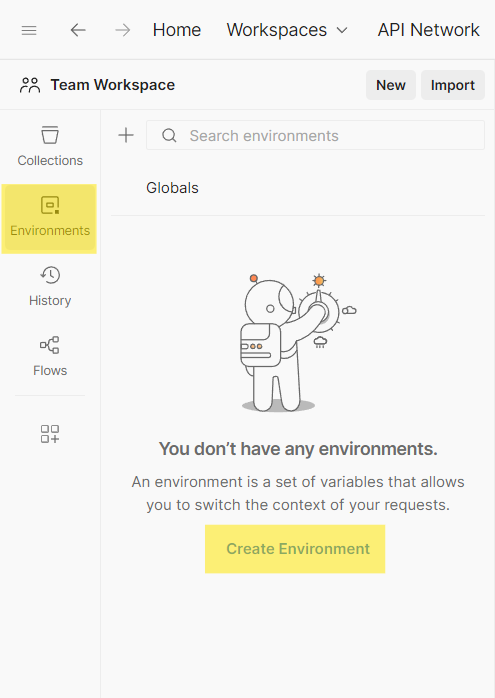
You can learn more about how to use variables and environments here:
https://learning.postman.com/docs/postman/variables-and-environments/variables/https://learning.postman.com/docs/postman/variables-and-environments/managing-environments/
The screenshot below shows the variables currently used in the collection:
Viewing API Documentation in Postman
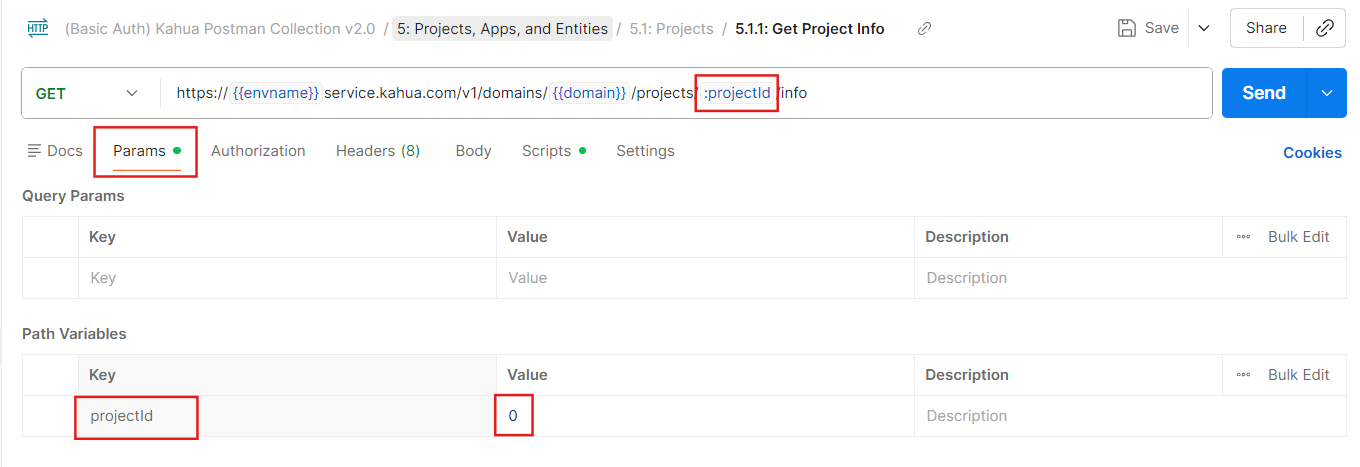
The postman collection also uses request parameters to allow for easy entering of URL and query values to build the requests. Request parameters have a colon prefix in the request URL, and the values can be entered in the Params tab of the request:
For more information on how to use Postman to create and execute API requests, refer to the Postman documentation at https://learning.postman.com/docs/postman/launching-postman/introduction/.
Downloading the Kahua API Postman Collection
You can download the latest Postman collection from this link.