Diagnostics access
In this document, we will provide the steps to access the new Multi-Edit Data Table under development.
-
Click on https://devupdatelaunch.kahua.com/ to access the environment with the Multi-Edit Data Table.
-
Enter your login credentials.
-
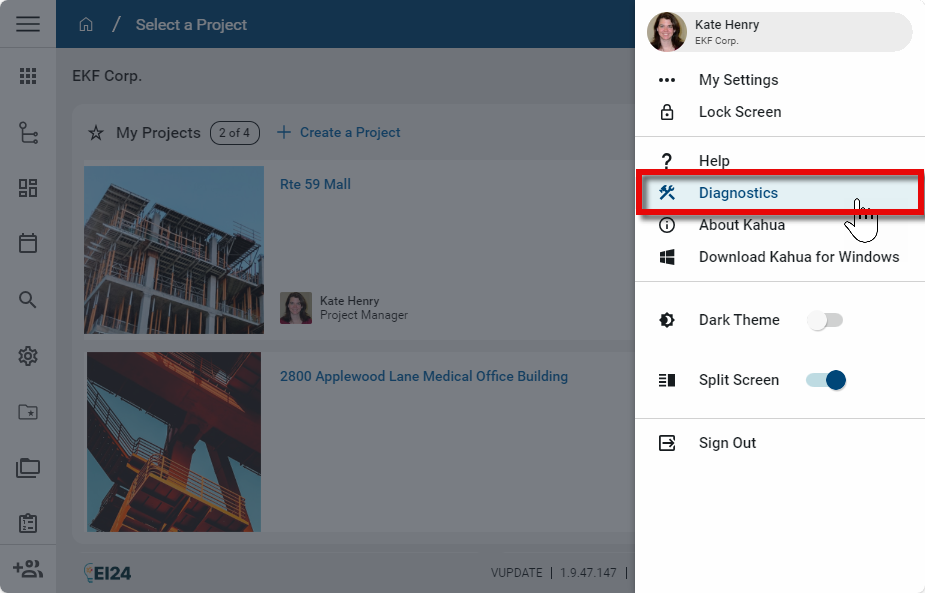
Click on your profile icon in the header. Select Diagnostics.
-
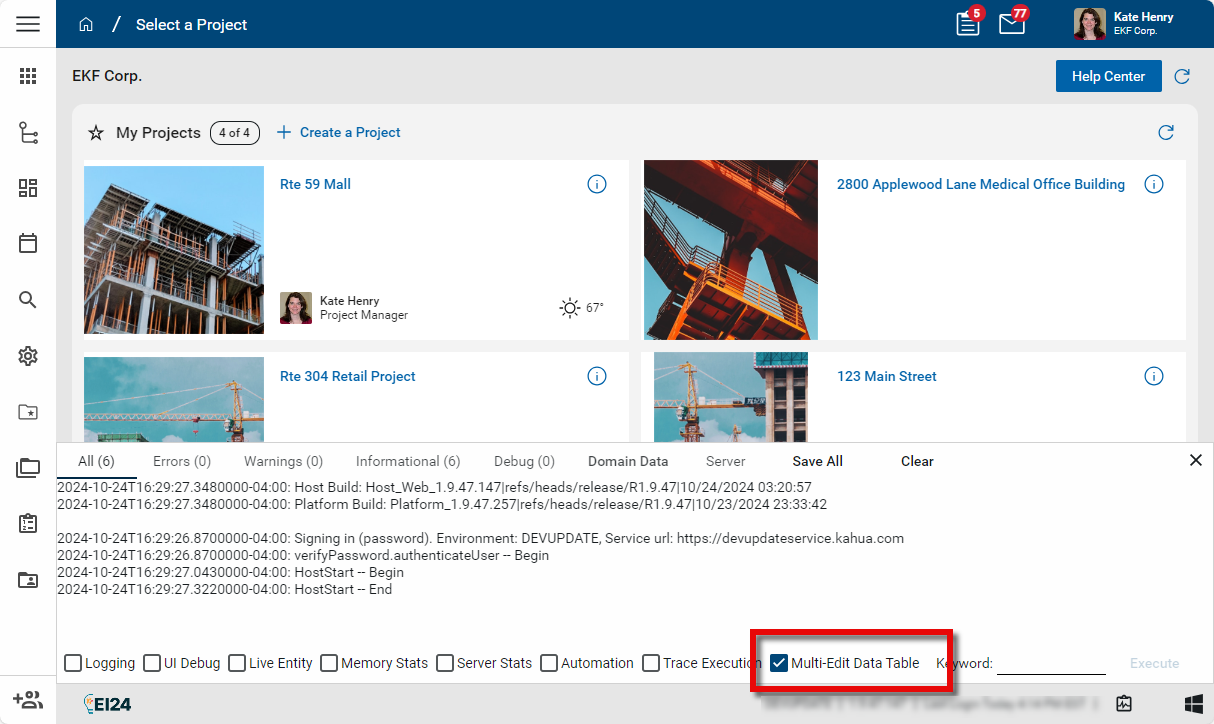
The Diagnostics panel opens. Select Multi-Edit Data Table to enable the new Multi-Edit page.
-
Open an application that uses multi edit, such as File Manager. From the log view, select a number of records, then select Multi Edit from the action bar.