Conditional Approvals
Conditional Approvals allow approver lists to be determined based on more nuanced conditions than just document value. For example, the system can evaluate a different approver list for a change order related to a construction-type contract vs a change order to a leasing-type contract, plus refine the final approval list based on the change order value.
Key things to know about Conditional Approvals include the following:
-
The criteria available to for inclusion in the condition are as follows:
-
Data on a current document.
-
Data on a parent document, such as the contract for a change order.
-
Data on related documents, such as specific fields on related companies for a contract.
-
Data on the parent project or program, also known as the partition.
-
-
The syntax of the condition relies on standard kBuilder query conventions. Some examples are described below. For more information on conditionals, including the proper syntax, refer to this article on the Kahua Wiki.
Note If you do not have access to the Kahua Wiki, please reach out to Kahua Enablement at enablement@kahua.com. Note that you will be required to complete certain prerequisites before being granted access to the Kahua Wiki.
-
When creating a set of conditions, the Priority number is important. The priority number controls the order in which the conditions are evaluated. Kahua evaluates the approval path from the beginning and stops when it reaches the first "true" condition. The implication is that the more specific a condition is, the higher in the list it should be. Otherwise, it may never get triggered.
How to . . .
 Add conditional approvals
To add conditions to an approval, complete the following steps:
- Review the header to ensure that you are in the correct project or partition. To enable and configure an approval process at the domain level, ensure that you are in the root domain.
-
Navigate to the Configuration application (Apps > Administration > Configuration).
-
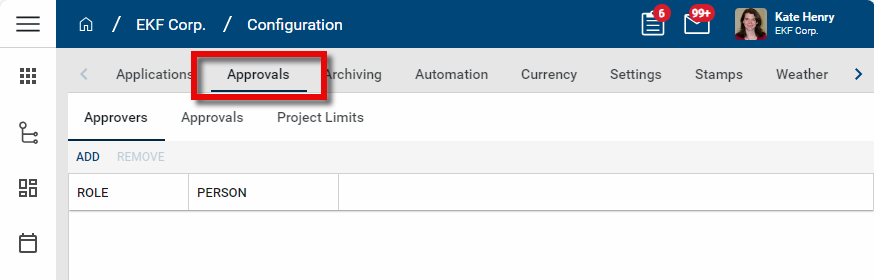
There are three sub-tabs, Approvers, Approvals, and Project Limits. Select the Approvals tab.
-
Select the appropriate Application and Approval Name combination. The detail panel opens.
-
Select Override.
-
If not already selected, select Enable Approval . For information on completing the approval setup, refer to Approval configuration.
-
To add conditional approvals, select Add Conditional Approvals?. This closes the default approval path section and instead opens a grid that you can use to create multiple approval paths.
-
Select Add to add a new approval path.
-
Enter a Priority number and Description. Select Enable to enable this approval. If desired, you can leave it cleared until the approval setup is completed.
-
Complete the following fields:
Field Description Priority Enter the number this item is in the process. The first step should be assigned the number 1. The number should be incremented for additional steps.
Description
Enter a description that clearly outlines the approval path. This column will appear on the approvals grid.
Enable Select this option to enable this step. When enabled, the conditional approval path’s Condition is evaluated when the Approval is submitted.
Condition Enter the condition. The Condition contains the query used to determine whether or not the approval path will be chosen.
The condition can test against data on the given document and related contextual data, such as its parent document or current project (partition).
The condition is case-sensitive
The condition uses standard kBuilder Conditionals syntax – see samples below or Conditionals
Remaining fields Complete the remaining fields. For more detailed information on the remaining fields, refer to Approval configuration.
-
Click Add on the grid to add another approval step. Click Save when you are done.
Review sample scenarios
The following are some sample scenerios you can explore to help you understand how to structure your approval conditions.
Evaluate a Type attribute for a specific value
This example evaluates whether the Type attribute equals “Field Condition” on the document undergoing the approval process.
Condition syntax:
<Data Path="Type" Type="EqualTo" Value="Field Condition" />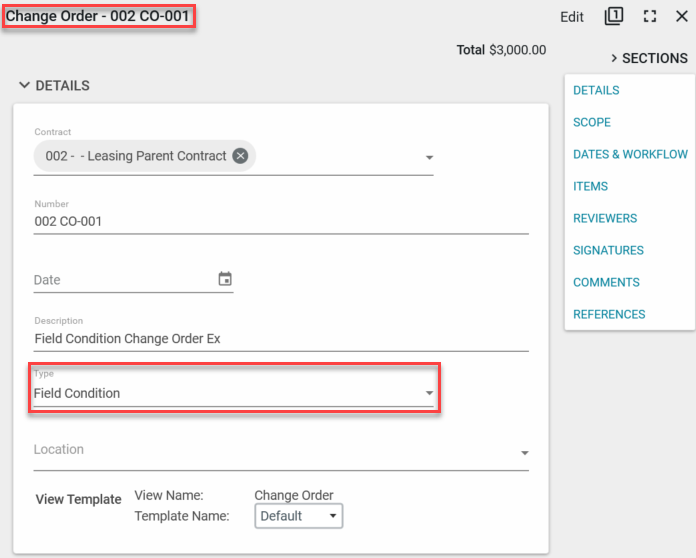
Evaluate a Type attribute on a parent contract
This example evaluates whether the Type attribute equals “Leasing” on the parent contract of the document undergoing the approval process.
Condition syntax:
<Data Path="Contract.Type" Type="EqualTo" Value="Leasing" /> 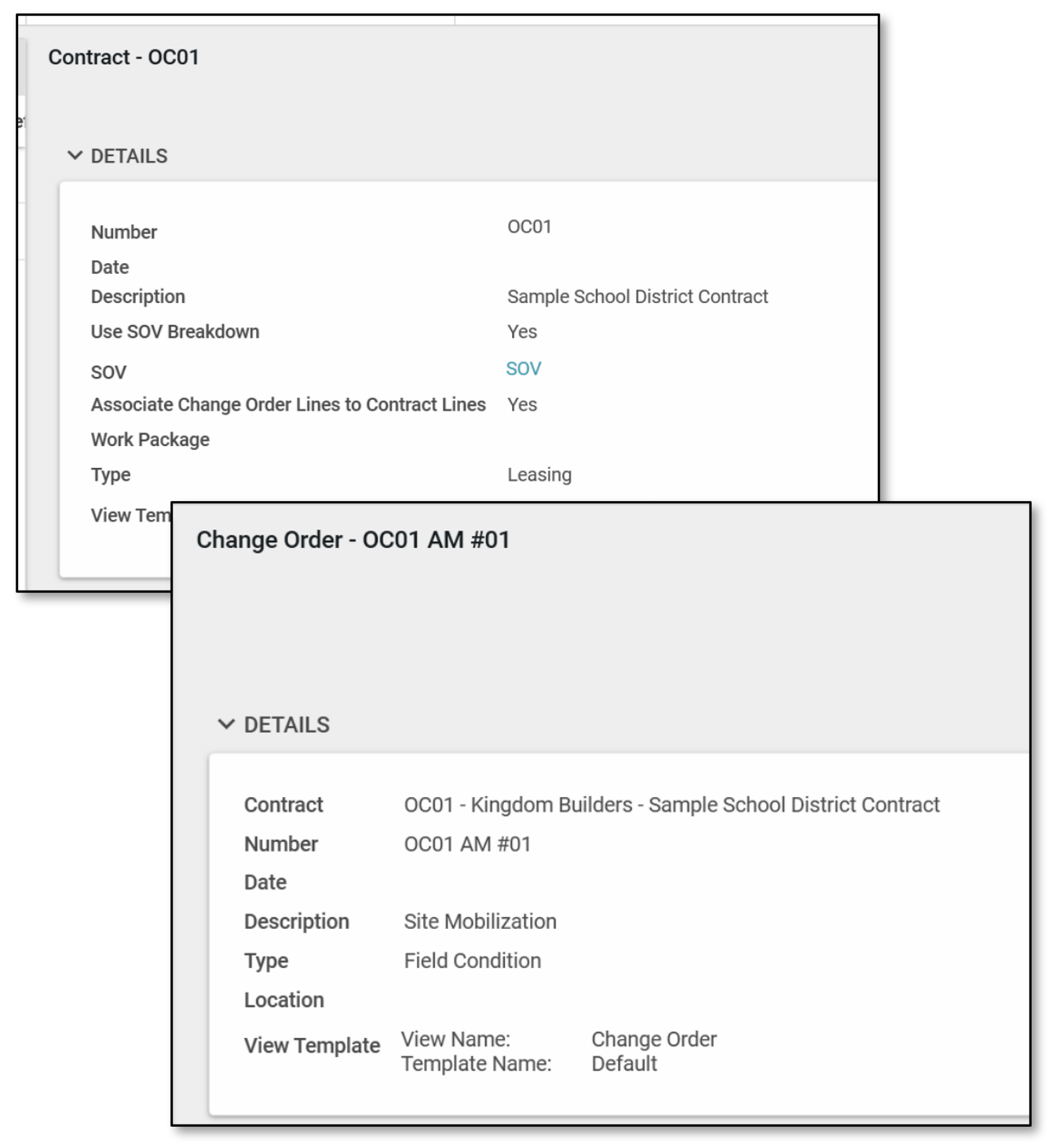
Evaluate a Type attribute for containing a word
Evaluates whether type attribute for document’s parent project Type contains “Building” in it.
Condition Syntax:
<Data Path="DomainPartition.Type" Type="Contains" Value="Building" />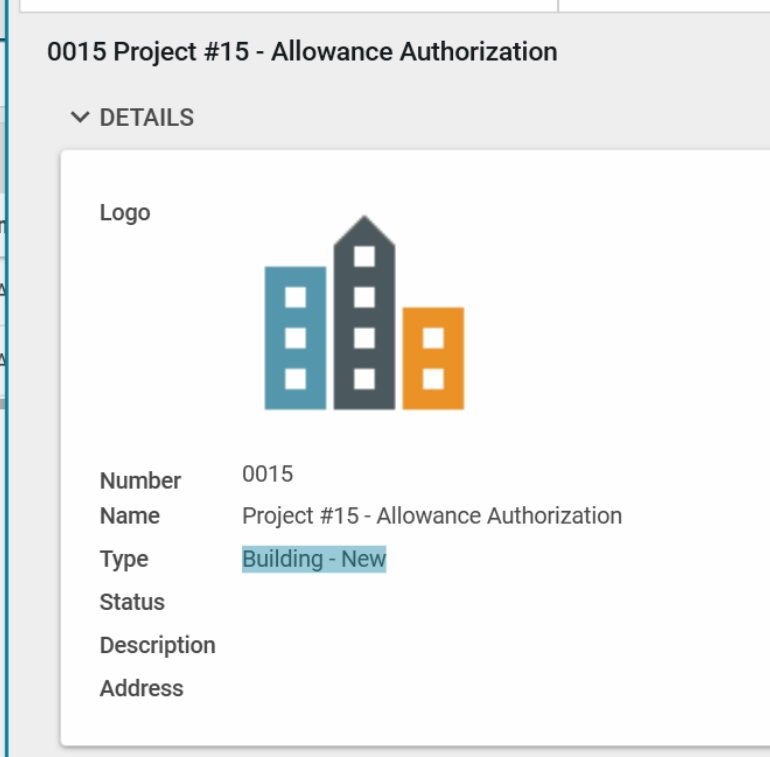
Evaluate for all conditions in a set
This sample demonstrates the AllOf syntax, where ‘all of’ the conditions must be met.
Evaluates a change order or pay request that:
-
The parent contract’s Type equals “Leasing”, AND
-
The parent project’s type equals “Building”, AND
-
The parent type equals “Field Condition”
Condition Syntax:
<AllOf>
<Data Path="Contract.Type" Type="EqualTo" Value="Leasing" />
<Data Path="DomainPartition.Type" Type="Contains" Value="Building" />
<Data Path="Type" Type="EqualTo" Value="Field Condition" />
</AllOf> 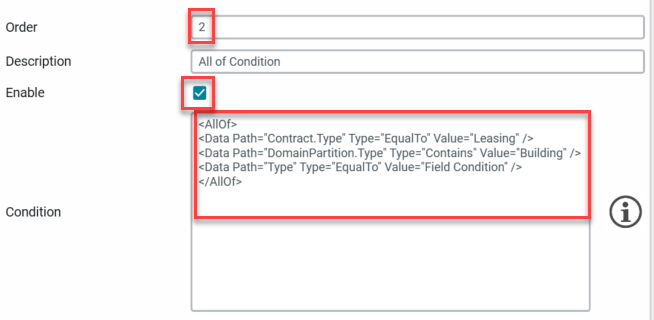
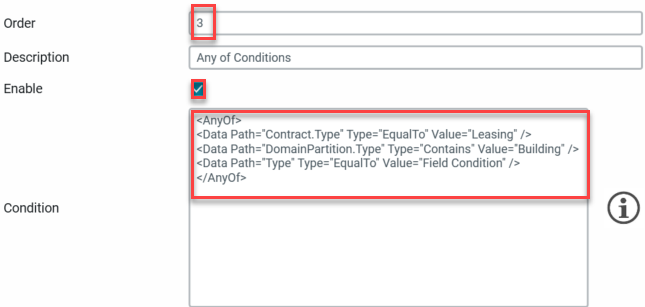
Evaluate for any condition in a set
This sample demonstrates the AnyOf syntax, where ‘any of’ the conditions must be met.
Evaluates a change order or pay request that:
-
The parent contract’s Type equals “Leasing”, OR
-
The parent project’s type equals “Building”, OR
-
The parent type equals “Field Condition”
Condition Syntax:
<AnyOf>
<Data Path="Contract.Type" Type="EqualTo" Value="Leasing" />
<Data Path="DomainPartition.Type" Type="Contains" Value="Building" />
<Data Path="Type" Type="EqualTo" Value="Field Condition" />
</AnyOf>