Using the Recycle Bin
For most applications, when a record in the app is deleted in Kahua, the record appears in the Recycle Bin application. A domain administrator can restore those records from the Recycle Bin or permanently delete them prior to their permanent deletion date.
Important After a record has been permanently deleted from the Recycle Bin, Kahua cannot retrieve the content.
Important things to know about the Recycle Bin app include the following:
-
The Recycle Bin is a domain level application. You do not need to be in a specific project to recover records from that project. Only users with appropriate permissions to the Recycle Bin can restore items or permanently delete them from Kahua manually.
-
Additional users can be granted permissions to the Recycle Bin app through the Groups app. You must be in the root domain to assign permissions to the Recycle Bin app. Refer to Setting up groups.
-
When a record is deleted from an app and appears in the Recycle Bin, it is assigned a Recycle Delete Date. On the Recycle Delete Date, the record is automatically and permanently deleted.
-
The retention period which determines the calculated Recycle Delete Date is configured in the Domain Settings > Domain Defaults > Recycle Bin Retention Settings section. Refer to Recycle Bin Retention Settings.
-
You can select Restore on a record to prevent its deletion and restore it to the original app.
-
You can select Permanent Delete on a record to permanently delete it prior to its assigned Recycle Delete Date.
How to . . .
 Restore a record from the Recycle Bin
To restore a record from the Recycle Bin back to its original application, prior to its permanent deletion on the Recycle Delete Date, complete the following steps:
-
Navigate to the Recycle Bin application (All Apps > Administration > Recycle Bin). As this is a domain level application, you do not need to be in a specific project to recover records from that project.
-
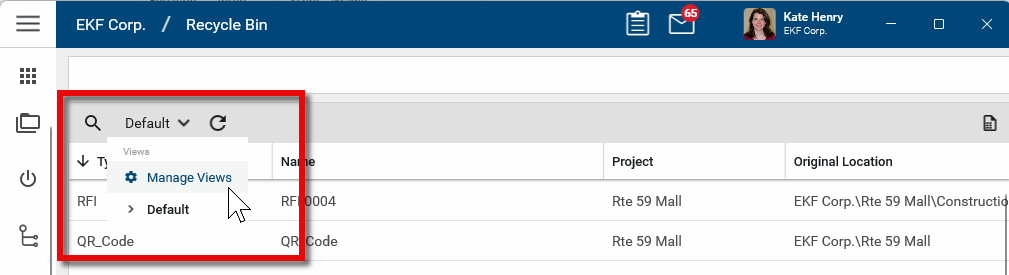
You can use Manage Views to group/filter for projects. You can also use Search to narrow results in the log.
-
Select the appropriate record in the log. The view of the record will be available in the detail pane.
-
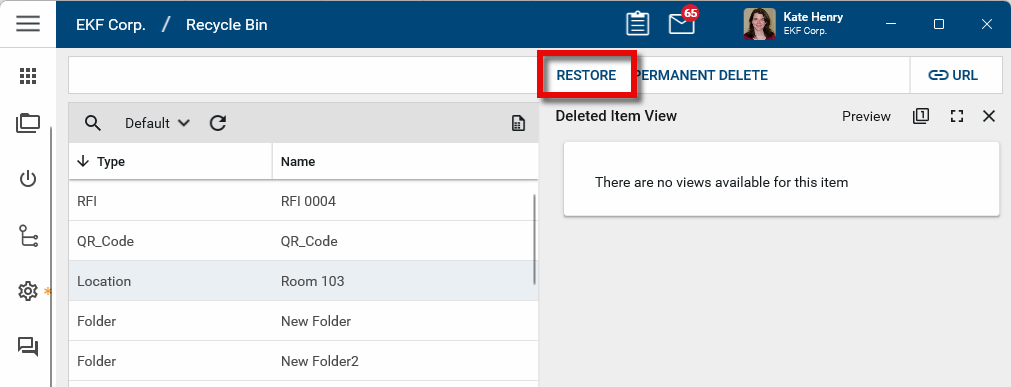
Click Restore at the top of the record. A confirmation message will appear.
-
Click OK on the confirmation message to restore the record to its original location in its original project or partition. Click Cancel to cancel the restoration.
Permanently delete content from the Recycle Bin
To permanently delete a record from the Recycle Bin, complete the following steps:
-
Navigate to the Recycle Bin application (All Apps > Administration > Recycle Bin). As this is a domain level application, you do not need to be in a specific project to delete records from that project.
-
You can use Manage Views to group/filter for projects. You can also use Search to narrow results in the log. Refer to Log Views and Log Reporting.
-
Select the appropriate record in the log. The view of the record will be available in the detail pane.
-
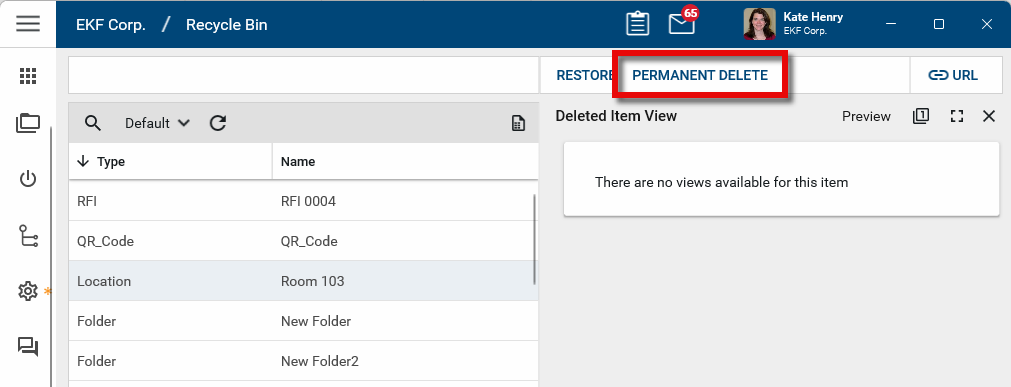
Click Permanent Delete at the top of the record. A confirmation message will appear.
-
Click OK on the confirmation message to permanently delete the record. Click Cancel to continue to retain the record.
Important Once a record has been permanently deleted, it cannot be recovered.