Cost Configuration
Applicable Packages This article applies to the Kahua for K-12 Education, Kahua for Owners, Kahua for General Contractors, and Kahua for Subcontractors packages. If you are not sure if this is relevant to you, please contact your domain administrator.
Cost configuration gives domain administrators control over the way users interact with budgets and expenditures in projects and partitions.
Key elements of cost configuration include the following:
-
It must be enabled in Domain Settings to be available in the Configuration app.
-
For a project or partition, you can limit budget and expense items to only use "leaf node" activity codes.
Note "Leaf node" activity codes are the codes at the lowest level of the work breakdown structure. These are codes with no levels further beneath them.
-
You can further limit expense items to only use activity codes that are in selected statuses in the project’s existing budget documents.
-
You can set up cost guards to prevent expenses for an activity code from exceeding the activity code’s assigned budget.
Note Cost guards can be bypassed if needed. Refer to Budget Adjustments and Budget Changes - Bypass Cost Guards.
-
You can enable Multi-Project Cost Documents for a project. Refer to Multi-Project Cost Documents.
-
You should assign Cost Management licenses to users who will be working in Cost Management apps in your domain. Refer to Managing user licenses.
How to . . .
 Enable Cost Configuration
Cost configuration gives domain administrators control over the way users interact with budgets and expenditures in projects and partitions. Selecting this option in Domain Defaults enables the Cost tab in the Configuration app.
To enable cost configuration, complete the following steps:
-
Navigate to Apps > Administration > Domain Settings.
-
Select Domain Defaults.
-
Select Enable Cost Configuration.
-
Click Save. The Cost tab will now appear in the Configuration app.
Note You may need to close and re-open the Configuration app for the tab to appear.
Manage activity code use on a project
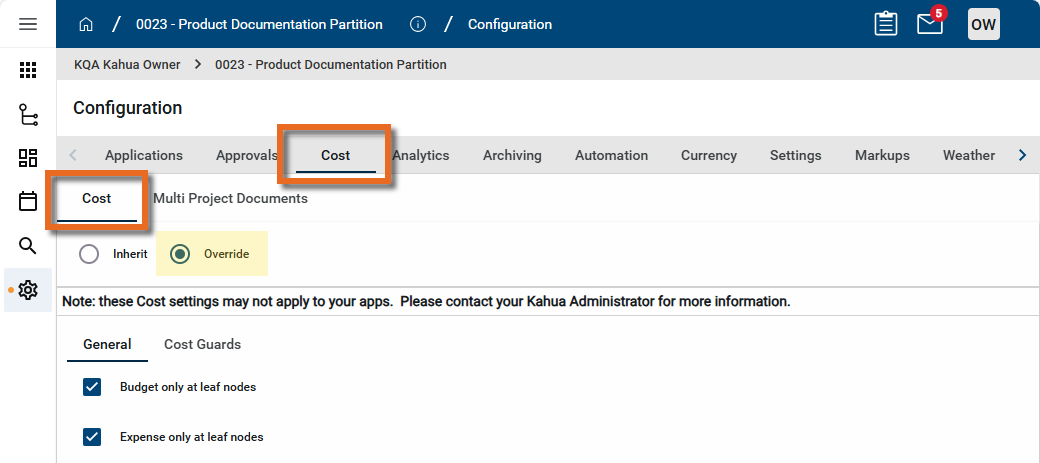
On the Configuration app > Cost tab > Cost > General tab, you can manage budget and expense at activity code leaf nodes, and limit what activity codes are available for expenses.
To manage these items, complete the following steps:
-
Review the header to ensure that you are in the correct project or partition.
-
Navigate to the Configuration application (Apps > Administration > Configuration).
-
Select the Cost tab. Select the Cost sub-tab.
-
Select Override and the General sub-tab.
-
Make the following selections as desired:
-
Budget only at leaf nodes
-
Expense only at leaf nodes
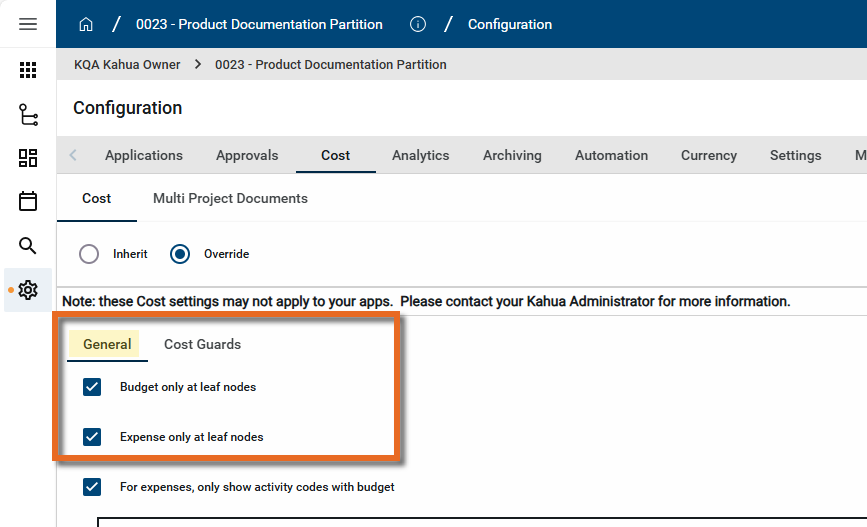
When these options are selected, only the last level of an activity code in the project's WBS structure can be assigned to a budget or expense item.
If not selected, you can assign budget and expense items higher up in the activity code structure.
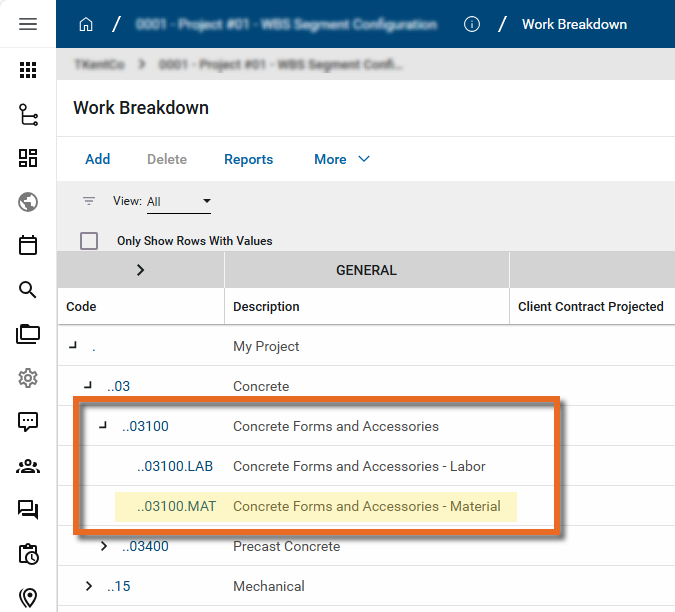
Example In this Work Breakdown Structure, "03100.MAT Concrete Forms and Accessories - Material" is a leaf node activity code because it is at the lowest level of the work breakdown structure. "03100 Concrete Forms and Accessories", the one above it, is not, because it is further broken down into Labor and Material codes.
-
-
To limit activity codes for expense to only those with budget values in selected statuses, select For expenses, only show activity codes with budget. Once that selection is made, you can then select which cost units to include.
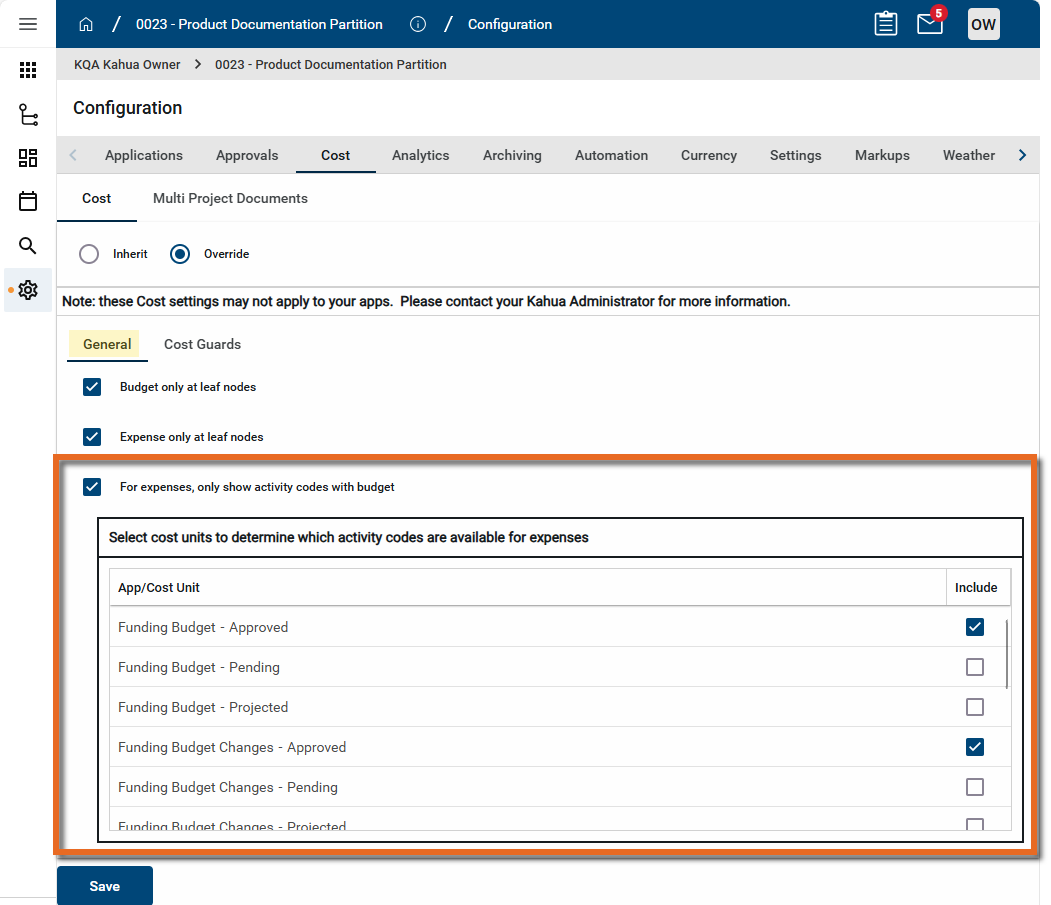
Example You may only want to include approved budget values for expense activity codes. So you can select Funding Budget - Approved, Funding Budget Changes - Approved, and other approved budget items from the list.
-
Click Save when you are done.
Enable and manage cost guards
Cost guards require that there is enough assigned budget for an activity code to cover the expense items associated with the activity code.
To manage these items, complete the following steps:
-
Review the header to ensure that you are in the correct project or partition.
-
Navigate to the Configuration application (Apps > Administration > Configuration).
-
Select the Cost tab. Select the Cost sub-tab.
-
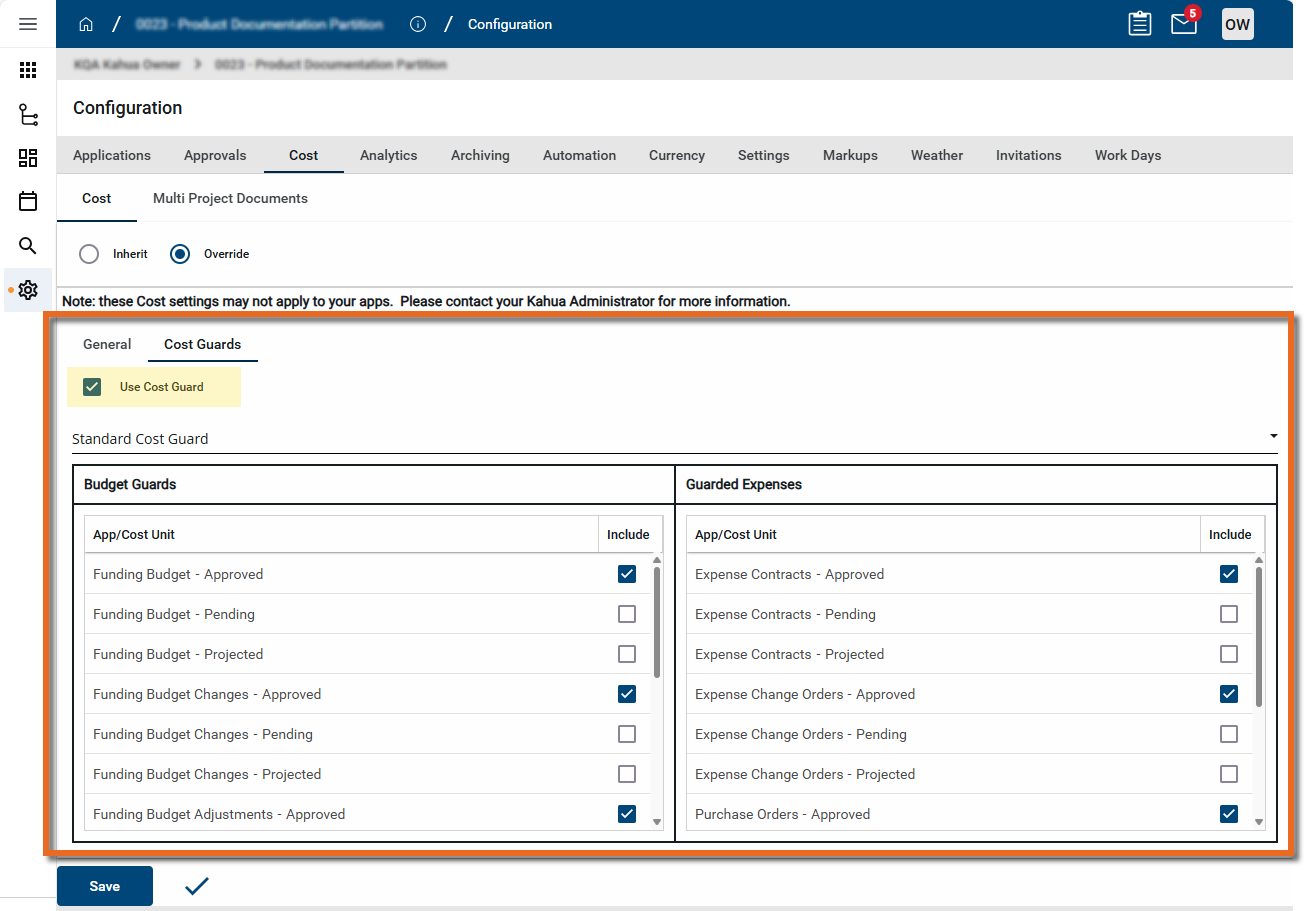
Select Override and the Cost Guards sub-tab.
-
To enable cost guards for the current project or partition, select Use Cost Guard.
-
In the table, select the Expense and Budget item statuses to be protected by cost guards. For example, to have cost guards only apply to approved items, select the "Approved" Budget and Expense items.
-
Click Save when you are done.
Cost Guards in action
Below is an example of cost guards in action. This project has cost guards set up for approved budget and approved expense items. The user approves a single item budget totaling $50,000.
Note Budget Adjustments and Budget Changes can be set to bypass cost guards (on a per-document basis). When this is used, any guards in place will not be triggered when approving the document. For more information, refer to Budget Adjustments and Budget Changes - Bypass Cost Guards.
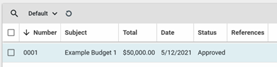
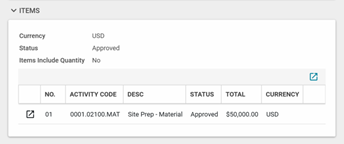
The user creates a draft expense contract for $51,000. Since guards are enabled, when the user enters their total, a window will display showing the total funding (budget) available for the activity code. In this example, the entire budget of $50,000 remains.

The user moves the contract to “projected” status. This is allowed, because only costs in “approved” status are being guarded in the user’s cost guard configuration.

The user attempts to approve the pending expense contract. The guard is triggered, preventing the action. An error message displays.
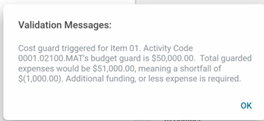
The system does not allow the user to approve the pending $51,000 expense contract, as it exceeds the available budget of $50,000 for activity code 0001.02100.MAT, “Site Prep – Material”.
Enable Multi Project Cost Documents for your project
Multi Project Cost Documents for a project are enabled on the Configuration > Cost > Multi Project Documents tab. However, this is only one step in setting up Multi Project documents. For more information on setting up and using Multi Project Cost Documents, refer to Multi-Project Cost Documents.