Portable Views
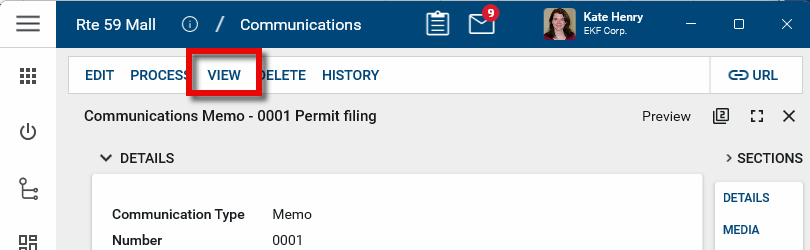
A portable view (PV) is a PDF version of a single Kahua record such as a letter, RFI, or contract. The base Kahua environment includes built-in portable views for each app. You can access the portable view by opening the detail view of the item and selecting View.
Important Portable views are different than reports in Kahua. Portable views are a templated way of viewing a single entity; for example, one RFI. Reports are typically used to view a list of items and can be filtered; for example, a log view of open RFIs. For more information on running and viewing reports, refer to Viewing Reports.
The portable view template determines what the PDF document will look like, including the formatting and placement of the text, fields, and images.
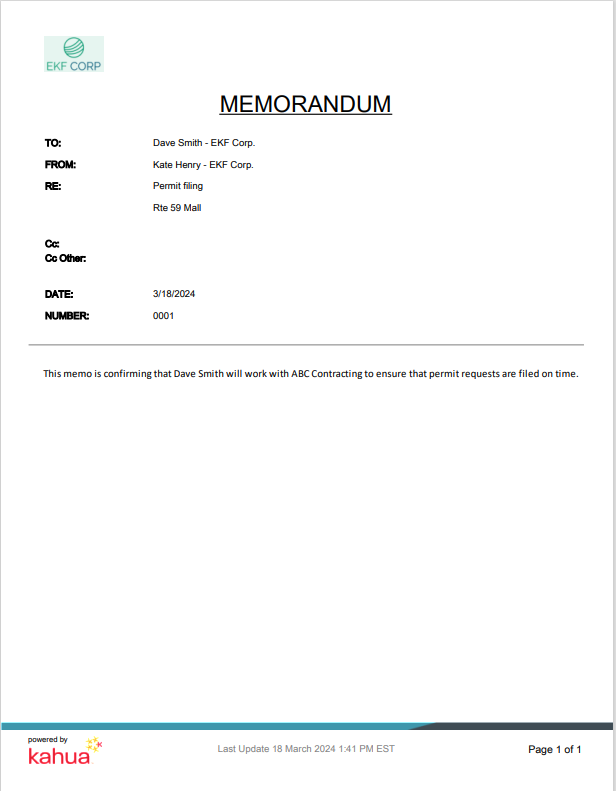
You can change what logo is used in the portable views by making a selection in the Configurations app. For more information on how select the logo, refer to Setting the Portable View logo.
The portable view template is created from a Microsoft Word file that you or your domain administrator uploads into Kahua. For information on creating and installing your own portable view templates, refer to Building a New Portable View Template.