Using Stamps
Kahua’s markup tool can apply stamps. Stamps must be enabled and configured by your company Kahua administrator. Once the stamps are enabled, users can apply them when utilizing markups. There are two types of stamps that can be used, Dynamic and Simple.
Dynamic stamps capture certain information at the time that the stamp is applied, such as the date, user or user company, project data, submittal data and so on. The information that each dynamic stamp will capture is managed by your administrator. Simple stamps do not capture any additional information and behave like any other markup applied to the drawing.
Once stamps have been set up, a user with the appropriate permissions can apply a stamp to a document in markup mode. A set of stamp images you can download and use are available here.
If you do not see the Stamp tool on the markup toolbar, it could be for one of three reasons:
-
Stamps have not been defined for your project.
-
Stamps have not been enabled for your project.
-
You do not have the appropriate permissions to apply any of the stamps.
Important If the stamp applied is a Dynamic stamp, it will populate the configured metadata to the stamp at the time it is applied. If the stamp has been configured with Lock Modifications set to “Locked” (the default), the stamp will now be locked in place on the document and only an Administrator can remove it.
How to . . .
 Apply stamps
-
Click on Markup on the action bar to enter markup mode and access the markup tools.
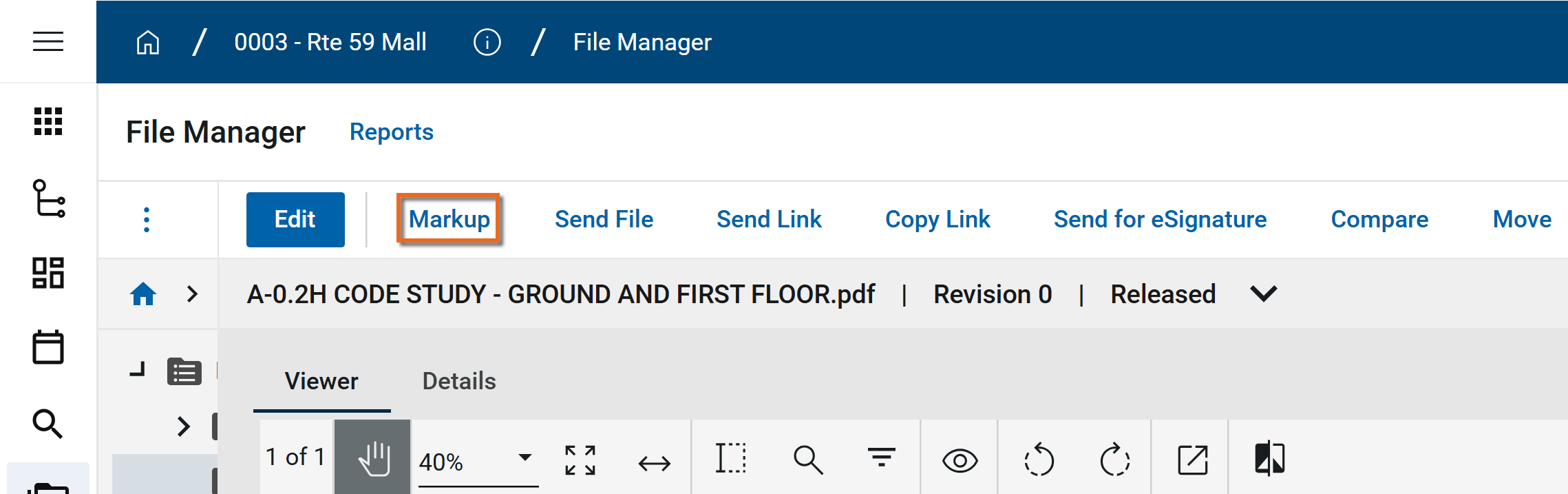
-
While in markup mode, select the Stamp tool
 on the markup toolbar.
 -
An alphabetical list of stamps you have permission to use will appear.
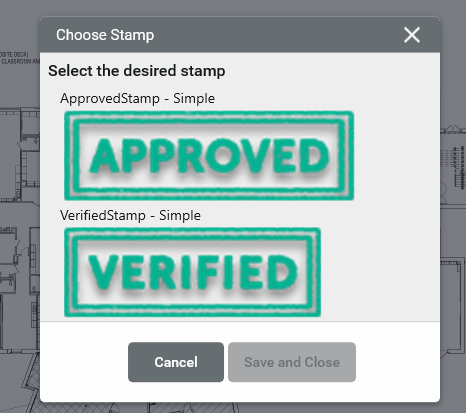
-
Click on one of the stamps to select it and click Save and Close.
-
To place the stamp on the drawing or document, click on the point in the document where you want to apply it.
-
To move the stamp, click and drag it to the desired location. To change the size of the stamp, click on the corner and drag to adjust it.
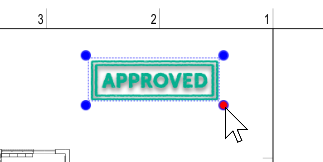
-
To change the opacity, click the Style icon
 and adjust the opacity slider.
 -
To save the stamp, click Save on the markup.
Set up stamps
Stamps are set up in the Configuration app on the Markups > Stamps tab. You can set up stamps for use throughout your domain by configuring them at the root domain level, or you can configure stamps for use at a partition or project level.
For information on setting up stamps, refer to Stamps.
Note Users who are not domain administrators can be granted the ability to administer stamps by assignment to a group that includes the Stamp Configuration Administrator permission in the Configuration permissions (Groups application > Permissions tab > Configuration section). For more information, refer to Manage permissions for a group.