Using QR Codes in the Punch Lists application
QR codes are images which contain information. They can be applied to physical locations, assets, and equipment. When scanned, they can display text, reference data in a system, and open records. In Kahua, they can be linked to project locations or assets.
QR codes can be used in the Punch Lists application to associate new punch list items to the location associated with a scanned QR code, or filter existing punch list items by the location associated with a scanned QR code. For more information on creating QR Codes including how to print them, refer to Using QR Codes.
Once the QR codes have been printed out and placed at the appropriate locations, they can be scanned in the mobile app and used to associate the correct location with new punch list items, and to quickly filter a list of existing punch list items to find the all the punch list items associated with a location.
How to . . .
 Use QR codes to assign a location when adding punch list items
To use QR codes to automatically assign the correct location to new punch list items, complete the following steps:
-
Open the mobile host on your camera-enabled mobile device and log in. For more information on the mobile app, refer to The Kahua mobile host.
-
Navigate to the Punch Lists application.
-
Select the QR code icon
 in the application header. If required, grant permission for the application to access your camera.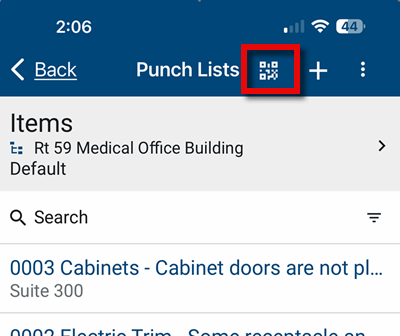
-
Scan the QR code with your camera. Once the QR code is scanned, a filter for the location associated with the QR code will be applied to the list of existing records.
-
Click the add symbol
 in the header to open a new record. The location associated with the QR code will be assigned to the Location field. Multiple values can be assigned to the Location field.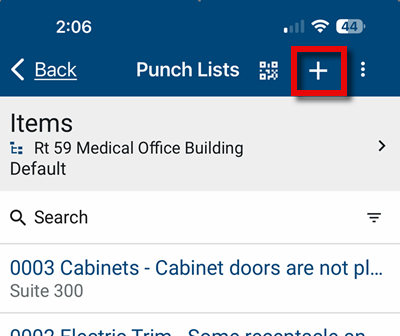
-
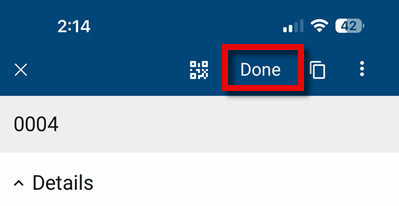
Complete the remaining fields. Click Done in the application header when you are finished.
-
To move on to another location, select the QR code icon
in the application header and scan the QR code at the next location. The location associated with that QR code will appear in all newly created punch list items until another QR code is scanned or filters are cleared.
Use QR codes to filter a list of existing punch list items
To scan a QR code and review all the punch list items associated with the location assigned to that QR code, complete the following steps:
-
Open the mobile host on your camera-enabled mobile device and log in. For more information on the mobile app, refer to The Kahua mobile host.
-
Navigate to the Punch Lists application.
-
Select the QR code icon
in the application header. If required, grant permission for the application to access your camera.
-
Scan the QR code with your camera. Once the QR code is scanned, a filter for the location associated with the QR code will be applied to the list of existing records.
-
To review the applied filter or filters, select the filter icon
 and expand the Custom section on the filter list. A check mark will appear next to applied filters. You can remove an individual filter by selecting it to remove the check mark. To remove all the applied filters, select the filter icon and Clear Filter.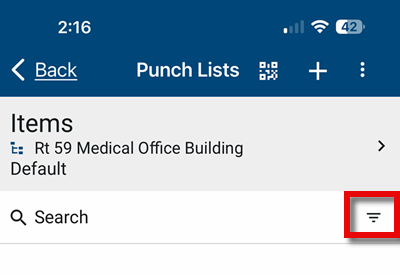
Note If you scan a second QR code without clearing the original location filter, punch list items for that second location will be added to list with the original location. To change which location you are filtering by, you should clear the filters before scanning another QR code.