Your User Settings and Preferences
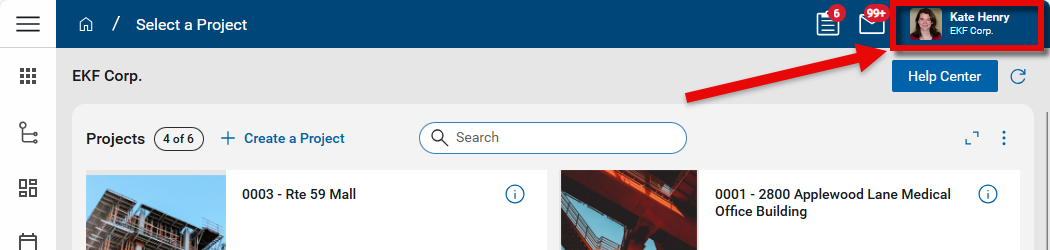
To review all your user settings and preferences, click on your profile icon in the upper right corner of the Kahua screen.
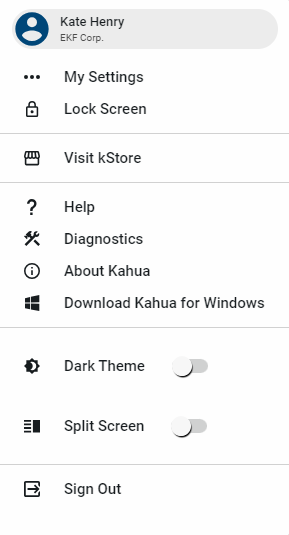
Depending on your domain configuration, some or all of the following options will appear in the drop-down menu:
| Option | Description |
|---|---|
| General | |
| My Settings |
Select this to open the My Settings page. Here you can manage language, time zone, and display preferences, as well as update your profile information, manage your password and pin, set up local file management, and delegate tasks during times you are out of the office. For more information, refer to My Settings. |
| Lock Screen | Select this to lock your screen and require your password for re-entry. You will remain logged into your account and any unsaved data is not lost. |
| Help | Select this to open this Kahua online help site, or an alternate help site if configured by your domain administrator in Domain Settings > Domain Defaults > Custom Support URL. Refer to Custom Support URL. |
| About Kahua | Your domain administrator or our support team may ask you to select this option to get more information about your Kahua environment. |
| Download Kahua for Windows | This option only appears when you are using the web host. Select this option to download the installer for the latest desktop host for Kahua. For more informatin on host options, refer to Accessing Kahua. |
| Display settings | |
| Dark Theme | Select this option to use Kahua in dark mode. |
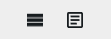
| Split Screen | Select this option to use the split screen view when you open records from a log view or enter new records. When enabled, clicking on an item from a log or selecting New to create a new record will split the screen so you see the log view on the left and the detail view on the right. You can switch between the log view, split screen view, and full-page view with the selector at the bottom of the screen: 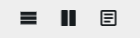 . .If this option is not enabled, clicking on an item from a log or selecting New to create a new record will open the record in the full-page view. You can switch between the log view and the full-page view with the selector at the bottom of the screen: This feature is not enabled for new users and must be selected on each account. |
| Diagnostics | Your domain administrator or our support team may ask you to select this option to get more information about your Kahua environment. |
| Sign Out | |
| Sign Out | Select this option to log out of Kahua. Any unsaved changes will be lost. If you simply want to protect your data and remain logged in, select Lock Screen instead. |
 .
.