Adding External Users
External users are users from another domain that you invite into your domain. Once invited to your domain, you can add them as a user in your domain and assign the appropriate permissions by adding them to groups and projects in the Groups app.
If you plan to collaborate with another person or company in Kahua – such as sharing a relevant file folder with a third party to actively collaborate, or if you wish to have them reply to approvals in workflow - they will need to be invited to Kahua if they are not already a Kahua User.
Important Users at your own company are added through a different process. For information on adding internal users, refer to Adding Internal Users.
How to . . .
 Use "Add Person" to add a new external user
The Add Person feature can be used to add an external user or an internal user. It creates a contact in the Contacts app and a user in the Users app. To use Add Person to add a new external user, complete the following steps:
-
Select Add Person
 from the bottom of the launch bar.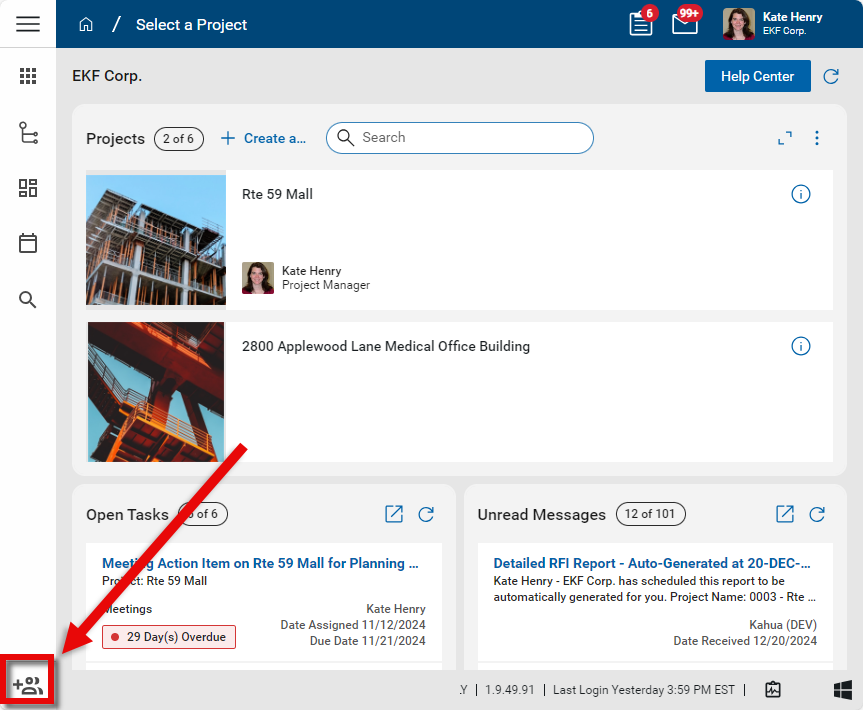
-
Enter the user's email address and click Next.
-
If the email address is not associated with current Kahua user is not already a contact in your domain's Contacts app, you will be required to enter their First Name, Last Name, and Company. Click Next when you are done.
-
A list of potential company matches from the Contacts app and the Kahua Community will appear. If the correct company record is not available, select Create Company.
-
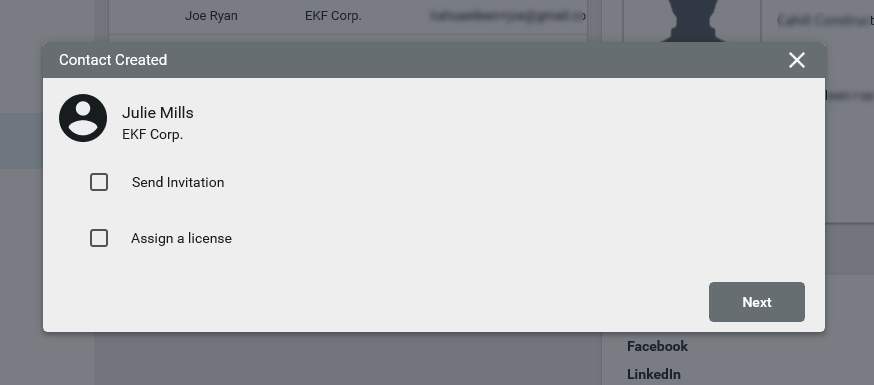
The Contact Created page will appear. You can select to Send Invitation and Assign a license directly from here. Note you cannot assign a license without sending an invitation. For more information on Kahua licenses, refer to Managing user licenses.
-
Click Next. The Next Steps page will appear. From here you can complete one of the following steps:
-
Add to Groups - Refer to Setting up groups.
-
Manage Licenses - Refer to Managing user licenses.
-
Share Apps - Refer to Sharing in Kahua.
-
Update Project Directory - Refer to Project Directory.
-
Update Contact - Refer to Using the People application.
-
-
If you do not need to complete one of the above steps, click Done.
Invite a new user from the Contacts app
You can invite a contact to be a user on your domain. When a contact is invited to your domain from the Contacts app, you can determine what project they are invited to and select the invitation template to apply to the invitation. The invitation template can include app shares and additional files as appropriate. For information on creating an invitation template, refer to Managing invitation templates.
To invite a contact to be an external user on your Kahua domain, complete the following steps:
-
Navigate to the People tab in the Contacts application (Apps > All Apps > Contacts > People).
-
If the person is not yet a contact in your domain, select New to add them and follow the necessary steps. For more information on the process, refer to Add a contact.
-
Select the contact record to open the detail panel.
-
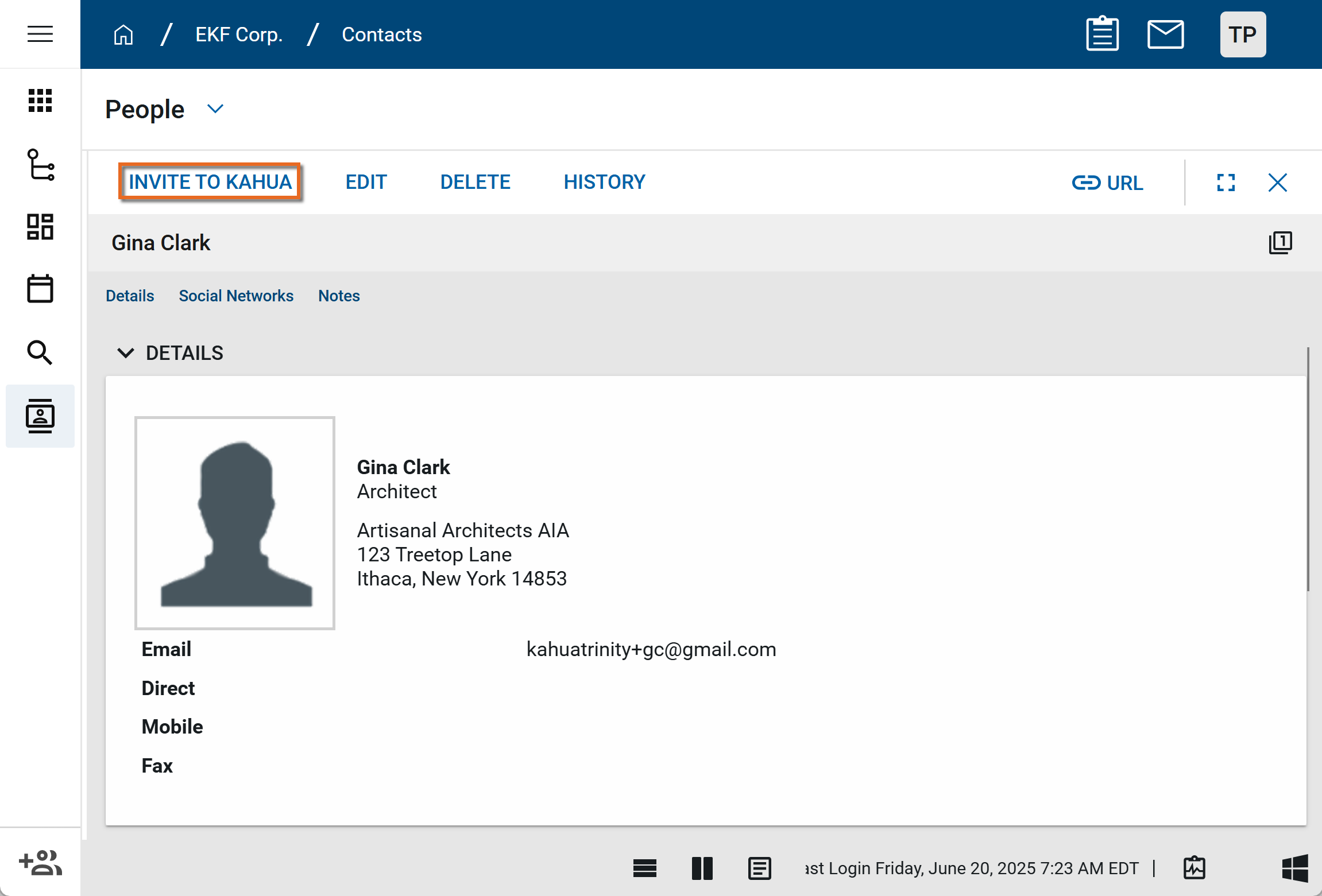
Select Invite to Kahua from the action bar.
-
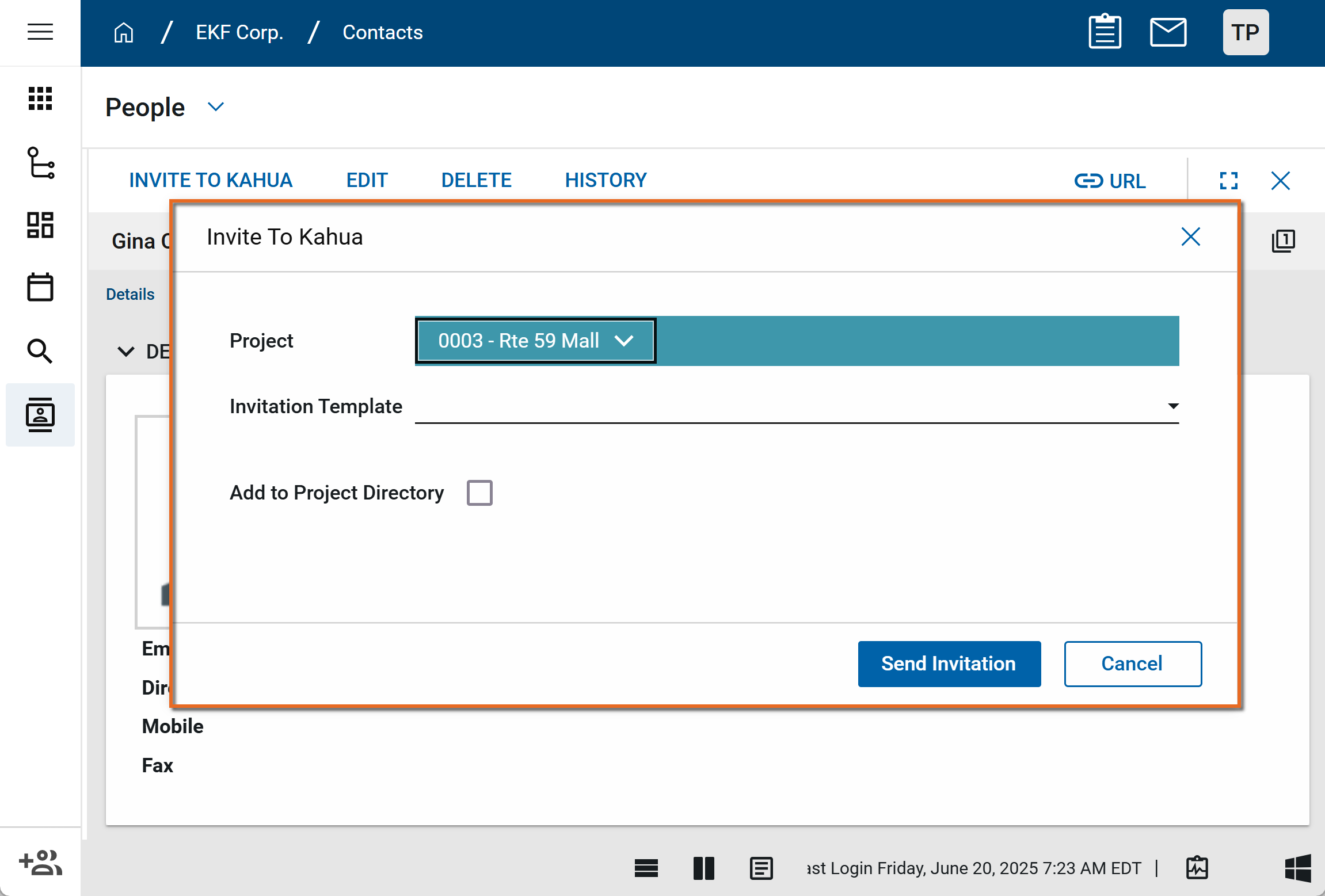
The Invite to Kahua page will appear.
-
Complete the following fields:
Field Description Project Select the project or partition you want to collaborate on with the contact.
Invitation Template Select the template to use for the invitation. If no additional templates are available, the standard one from Kahua ,including any text from the Additional Information field, will be used.
For information on invitation templates, refer to Managing invitation templates.
Add to Project Directory Select this option to include the contact in the directory for this project. If selected, additional fields to complete will appear. Values entered in these additional fields will appear in the project directory.
For more information, refer to Project Directory.
- Click Send Invitation.
- The contact will receive the invitation and will have seven days to respond. If the invitation does not appear in the contact's email, have them search their spam folder. The email will come from outbox@kahua.com .