Using the People application
The People app in the Contacts application contains a domain-wide list of contacts. It is not project-specific. People in this list could be Kahua users or non-users. They represent all the contacts that your company will engage with on a project, including all internal and external users.
If you want to add a person to any Kahua record, they must appear here on the People app. This includes internal users, external users, users in the Groups app, project directory lists, and employees in the Employee Profile app.
For more general information on the Contacts app, refer to Understanding the Contacts app.
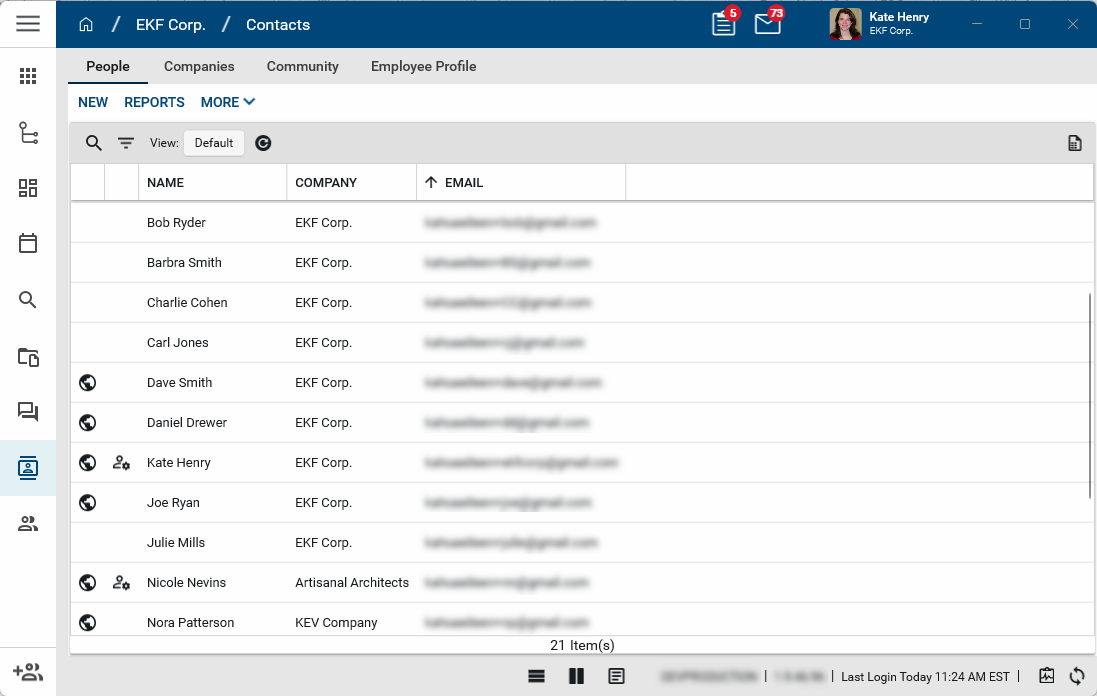
Key elements of the People sub-app are as follows:
-
The app is domain level app. All individuals that your organization communicates with on any project belong in the app, including your internal employees and all external contacts.
-
The list of contacts is not project-specific. To create a list of contacts associated with a project, you can use the Project Directory app. Refer to Project Directory.
-
When creating a contact record in the People app, the only required fields are First Name, Last Name, Email address, and Company Name.
-
When you add a contact by searching the community, their associated company record is added to the Companies sub-app.
-
If the contact's company has multiple offices, you can select which office they are associated with.
-
While every Kahua user must first be added to the People app as a contact, contacts can be in the People app without being a Kahua user.
-
Contacts from the Kahua community (meaning their email address matches an existing registered Kahua user account) are denoted by the Community icon
 .
. -
Contacts who are domain administrators for their company (meaning they are members of the Domain Administrator group in their company's domain) are denoted by the Admin icon
 .
.
How to . . .
 Add a contact
All contacts must be added to the People sub-app in the Contacts app to be able to be linked to throughout Kahua. If you are adding new internal users, you can add them to the Users app and the Contacts app at the same time by using the Add Person feature or by importing multiple internal users into the Users app. For more information on both these processes, refer to Adding Internal Users.
All external users are added to the People app in the Contacts app as well. Once added, you can then send an invitation to join your Kahua domain at the partition or project level. For more information on inviting contacts to join your domain as external users, refer to Adding External Users.
To add a person to the People app, complete the following steps:
-
Navigate to the Contacts application (Apps > All Apps > Contacts).
-
Select the People app.
-
Select New to open the Add Person page.
-
Enter the contact's email address and click Search.
-
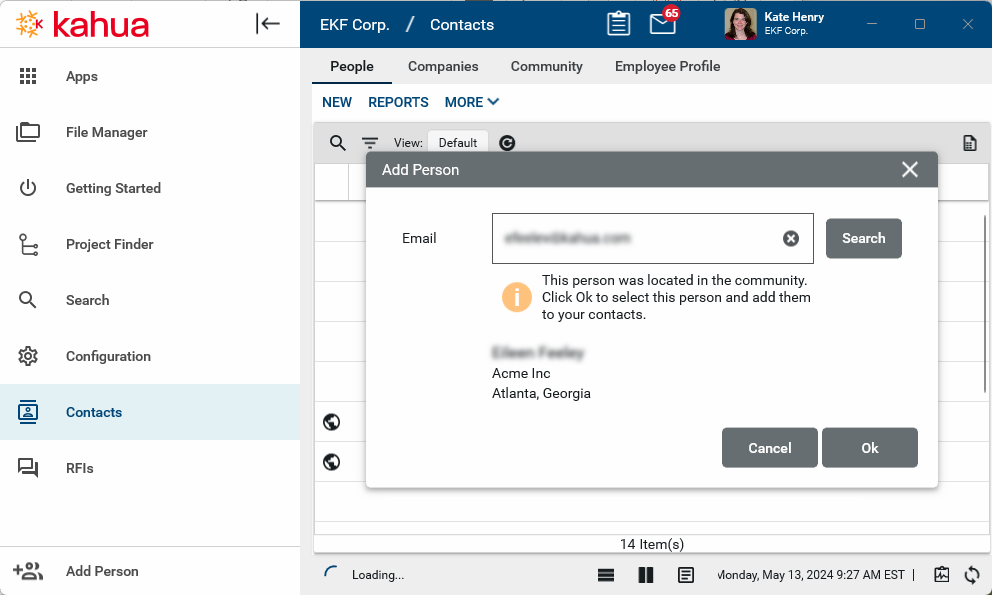
If the email address is found in the Kahua Community, their name, company name, and location will appear. Click Ok to add them as a contact. Their contact record will appear on the People app and their company record will appear in the Companies app.
-
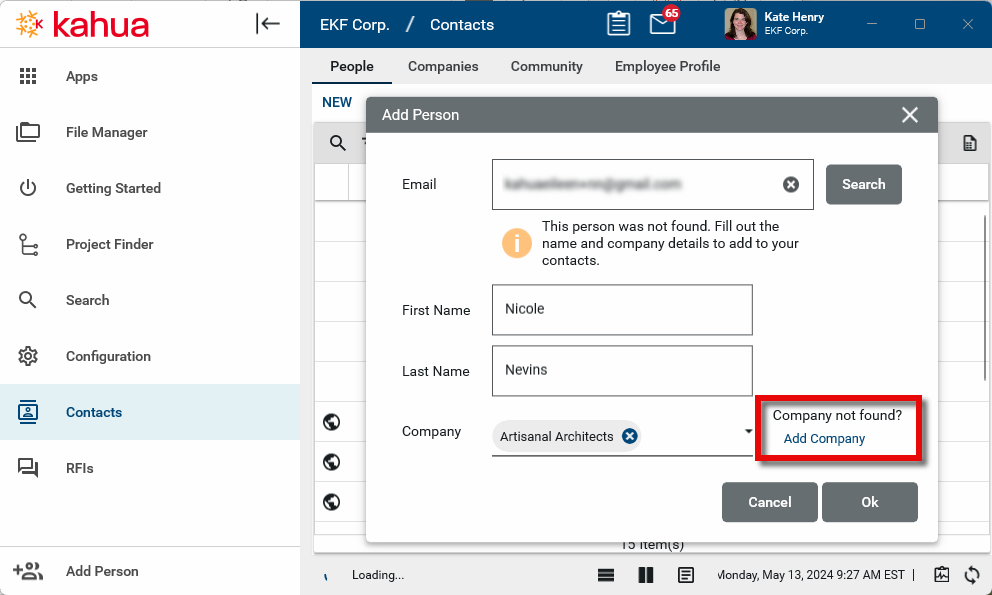
If the email address is not found in the Kahua Community, you will enter their First Name, Last Name, and select their company from the community list. If the company name is not available from the community list, select Add Company and enter the Company Name. Click Ok when you are done.
-
The New Person detail page will open. Enter any additional information you have for the contact, including their job title and phone numbers. Click Save when you are done.
-
The company associated with the new person will appear in the Companies app.
Edit a contact record
To edit a contact from the Contacts application, complete the following steps:
-
Navigate to the Contacts application (Apps > All Apps > Contacts).
-
Select the People app.
-
Select the contact you want to edit and select Edit from the action menu.
-
Contact records from the Kahua Community are denoted by the globe icon
. Only fields that will not take the record out of sync from the Community record will appear for editing. To edit synced information, select Edit Synced Information. 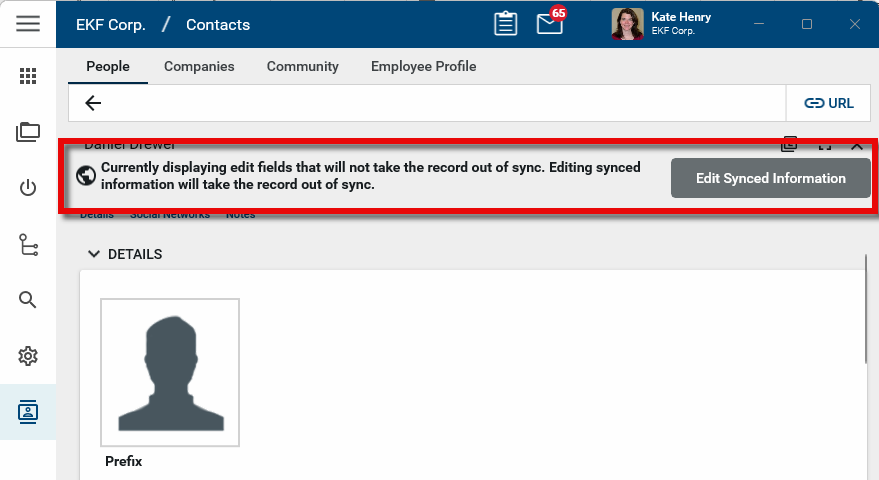
Important Selecting Edit Synced Information will create a local copy of the contact's record in your domain. If changes are made to the contact's record in the Kahua Community, your domain will not receive those updates.
-
Make the appropriate changes and click Save when you are done.
Import contact records
Contact records can be created through the import process. For detailed information on importing records, refer to Importing records.
The general process is as follows:
-
Navigate to the Contacts application (Apps > All Apps > Contacts).
-
Select the People app.
-
Select More > Export to export the existing records into an Excel file which will provide a template for the import.
-
Open the resulting Excel file. Enter the data for import and save the file.
-
Select More > Import to import the new records.
Invite a contact to Kahua
To invite your company's employees to be user's on your domain, you will need to add them as internal users. For more information on this process, refer to Adding Internal Users.
If you plan to collaborate with another person or company in Kahua – such as sharing a relevant file folder with a third party to actively collaborate, or if you wish to have them reply to approvals in workflow - they will need to be invited to Kahua as an external users. For more information on this process refer to Adding External Users.
Delete a contact record
To delete a contact from the Contacts application, complete the following steps:
-
Navigate to the Contacts application (Apps > All Apps > Contacts).
-
Select the People app.
-
Select the contact you want to delete. Contact records from the Kahua Community will be denoted by the globe icon
. Deleting these records will not remove them from the community. They will only be removed from your domain. -
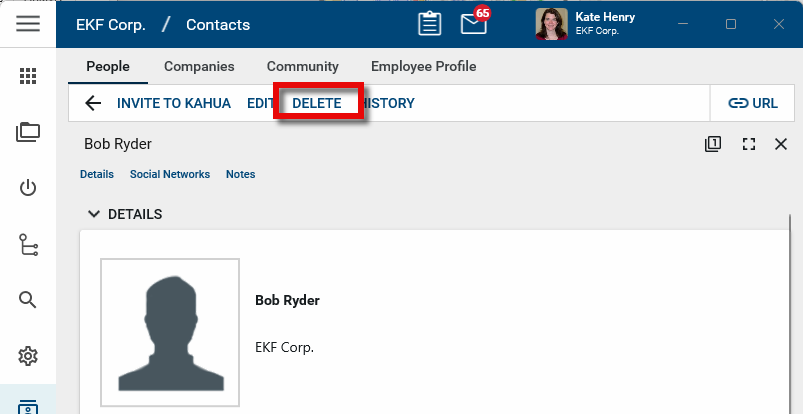
The detail panel will open. Select Delete from the action menu and click OK on the confirmation message.
Note If a record was deleted in error, it can be recovered from the Recycle Bin application by an administrator. Deleted records are available for restoration for a set number of days as configured in domain settings. For more information, refer to Using the Recycle Bin.