Managing report logos
Your domain administrator can control what logo appears on reports in your project. Default values can be selected at the domain, partition, or project level. You can have your company logo or a project logo appear on reports. If there are no logos available for your project or domain, the Kahua logo will appear on the report.
Note This setting applies to the built-in reports provided by Kahua and custom reports created with the report wizard. Other customized reports may not support logo modifications. This setting also does not apply to portable views. For information on setting the logo on portable views, refer to Setting the Portable View logo.
How to . . .
 Select the project logo or company logo
The logo used on reports in your project is determined by the selection on the Configuration app > Settings tab for your project. If no logos have been uploaded to your domain, the Kahua logo will appear on the report.
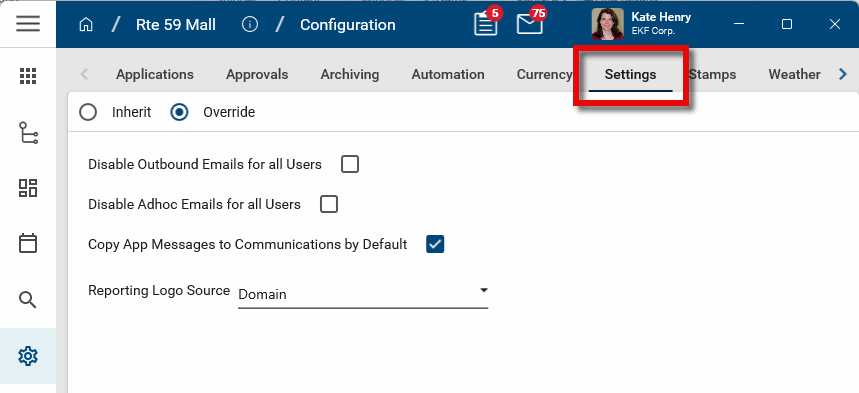
To modify the logo source used for reports in your domain, partition, or project, complete the following steps:
-
Review the header to ensure that you are in the correct project or partition. To set the default at the domain level, ensure that you are at the root domain.
-
Navigate to the Configuration application (Apps > Administration > Configuration).
-
Select the Settings tab.
-
Select Override.
-
Navigate to the Reporting Logo Source field. Select from the following choices:
-
Project - This will use the logo file from the Project Information page for the partition or project. If no logo file has been uploaded to the Project Information page, the logo file from the Company Profiles app will be used. If there is no logo file in the Company Profiles app, the Kahua logo will appear on the report. Refer to Add a project logo.
Note If the selected report includes multiple projects, the logo of the project the user is in when they run the report is the one that will appear on the report.
-
Domain - This will use the logo file selected in the Company Profiles app for the company associated with this domain. If there are multiple companies listed in the Company Profiles app, the logo for the company originally associated with the domain will be used. If there is no logo uploaded in the company profile, the Kahua logo will appear on reports. Refer to Add your company logo to your domain.
-
Add a project logo
The project logo is uploaded to the Project Information page. This is the logo used on reports when "Project" is selected as the Reporting Logo Source on the Configuration app > Settings tab.
-
If there is no logo file selected on the Project Information page, the company logo from the Company Profiles app will appear.
-
If there is no logo file in the Company Profiles app, the Kahua logo will appear.
For more information on the Project Information page, refer to Project Information.
The logo selected here will also appear on portable views where "Project" is selected as the logo source. Refer to Setting the Portable View logo.
This logo will also appear in the project widget on the home page for all users who have selected this project as a favorite. For more information, refer to Kahua Home Page.
To upload the project logo to the Project Information page, complete the following steps:
-
Open the Project Information page from one of the following locations:
-
If you have the project open, in the header select the information icon
 next to the project name.
 -
If you do not currently have the project open, navigate to the Project Finder app and select the information icon
 from the project list. For more information, refer to Project Finder.
 -
You can also open the Project Information page from the Projects app or the Portfolio Manager app. Refer to Projects app or Portfolio Manager.
-
-
Select Edit from the action bar. The page opens in edit mode.
-
Select Change in the Logo field to select or modify the logo file.
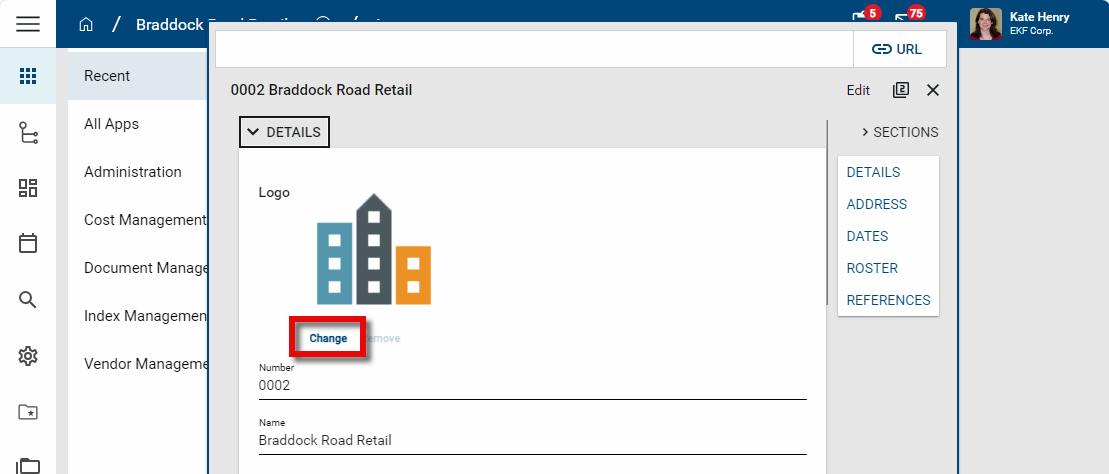
-
Select the appropriate logo file and click Open.
-
The logo file image appears. Click Save when you are done. The logo is now selected for the project.
Add your company logo to your domain
Your company logo is added to your company record in the Company Profiles app. This is the logo used when "Domain" is selected as the Reporting Logo Source on the Configuration app > Settings tab. If there is no company logo in the Company Profiles app, the Kahua logo will appear on reports.
To update your company logo image, complete the following steps:
-
Navigate to Apps > Administration > Company Profiles.
-
Click on your company name to open the company record.
-
To update your logo, select Change Picture. This logo will appear on reports in Kahua.
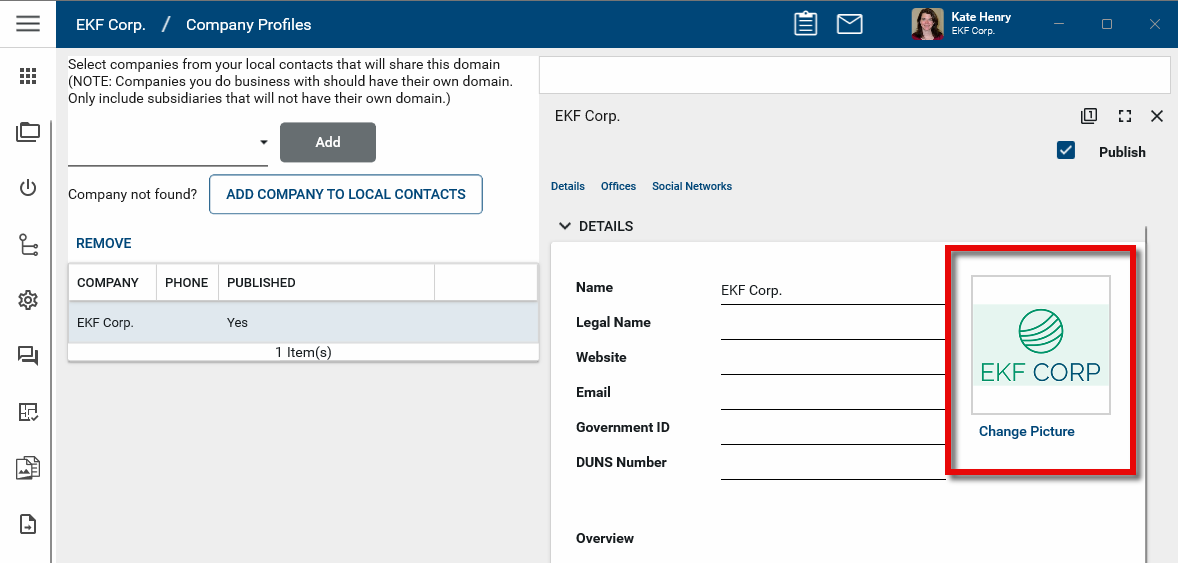
-
Select the appropriate logo file and click Open.
-
The newly-selected logo file image appears on the detail page. Click Save when you are done.
For more information on the Company Profiles app, refer to Updating your company information in the Company Profiles app.