Understanding the Contacts app
The Contacts app is a domain-level application. All the companies and contacts you do business with through Kahua will be listed in this application.
Note For information on creating a project-specific list of companies and contacts, refer to Project Directory.
The application consists of four sub-applications: People, Companies, Community, and Employee Profile.
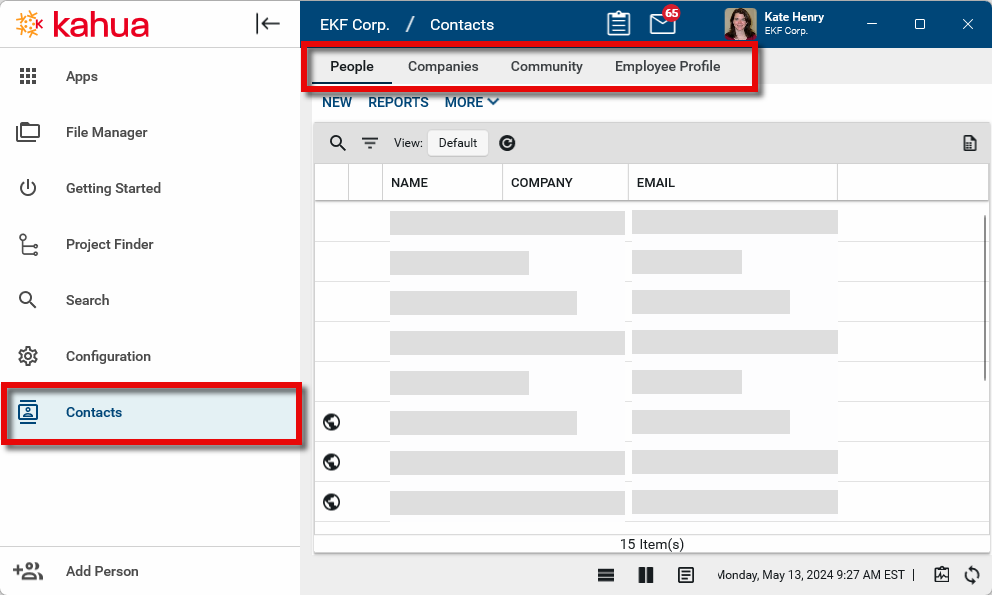
The sub-applications are as follows:
People: The People app is a domain-wide list of contacts. It is not project-specific. People in this list could be Kahua users or non-users. They represent all the contacts that your company will engage with on a project, including all internal and external users. If you want to add a person to any Kahua record, they must appear here on the people list. This includes internal users, external users, users in the Groups app, project directory lists, and employees on the Employee Profile app. For more information, refer to Using the People application.
Companies: The Companies app is a domain-wide list of companies. It is not project-specific. Companies in this list may be companies with or without their own Kahua domains or Kahua access. Before adding a contact to the People list, their Company record must be added here first. For more information, refer to Using the Companies app.
Community: This page provides you with the ability to search the list of all the companies and contacts who have active Kahua accounts. Once found, users with the appropriate permissions can select Add to Contacts to add that person as a contact in your domain. Their contact and company details will be added to the People and Companies tabs. Refer to Searching the Community.
Employee Profile: This app contains a list of the employees at your company. If you are tracking employee labor on Daily Reports, the employee must be added here first. Refer to Managing Employee Profiles.