Media Manager
Several applications in Kahua have a Media section on their records. When users upload files to the media section of those records, the files appear in the Media Manager app. The Media Manager app serves as a central repository for all photos uploaded to the media section.
Users can also upload photos directly into Media Manager to be part of the project record. Photos added to the Media Manager app can be added to records with a Media section in other apps by selecting Add Kahua Photo. For more information on using the Media section on a record in another app, refer to Media section.
Applications where records have a media section include the following:
-
Assets
-
Communications
-
Daily Reports
-
Field Observations
-
Issues
-
RFIs
-
Punch Lists
-
Safety Suite (Auto Incidents, General Liability Events, Toolbox Talks, and Training Register)
Important Only files uploaded to the Media section of a record will appear in the Media Manager app. Files uploaded to the References section of a record do not appear in Media Manager.
How to . . .
 Add photos directly to Media Manager
Photos added in the Media section of records within applications will appear in the Media Manager app. Photos can also be added directly to the Media Manager app. You can upload a file using the Add button, or drag and drop the file from your desktop.
To add photos to the Media Manager app, complete the following steps:
-
Review the header to ensure that you are in the correct project or partition.
Note You cannot add media at the domain root. You must be in a project or partition to upload media.
-
Navigate to the Media Manager application (Apps > Media Manager).
-
To upload a file, perform one of the following actions:
-
Select Add from the action bar. Navigate to the appropriate file through File Explorer and select Open. Only acceptable media file types will appear for selection in File Explorer. Acceptable media file types include PNG, JPG, GIF, and TIF files.
Note Note that if you are using Microsoft Edge as your browser, you may be able to take advantage of the Upload from Mobile feature to access files on your mobile device. For more information, refer to https://www.microsoft.com/en-us/edge/features/mobile-upload.
-
Drag the file from a location on your desktop and drop it onto the main Media Manager page. Only acceptable media type files can be dropped onto the Media Manager page. Acceptable media file types include PNG, JPG, GIF, and TIF files.
-
In the Mobile host, select the Add icon
 , then choose Select Photo or Take Photo.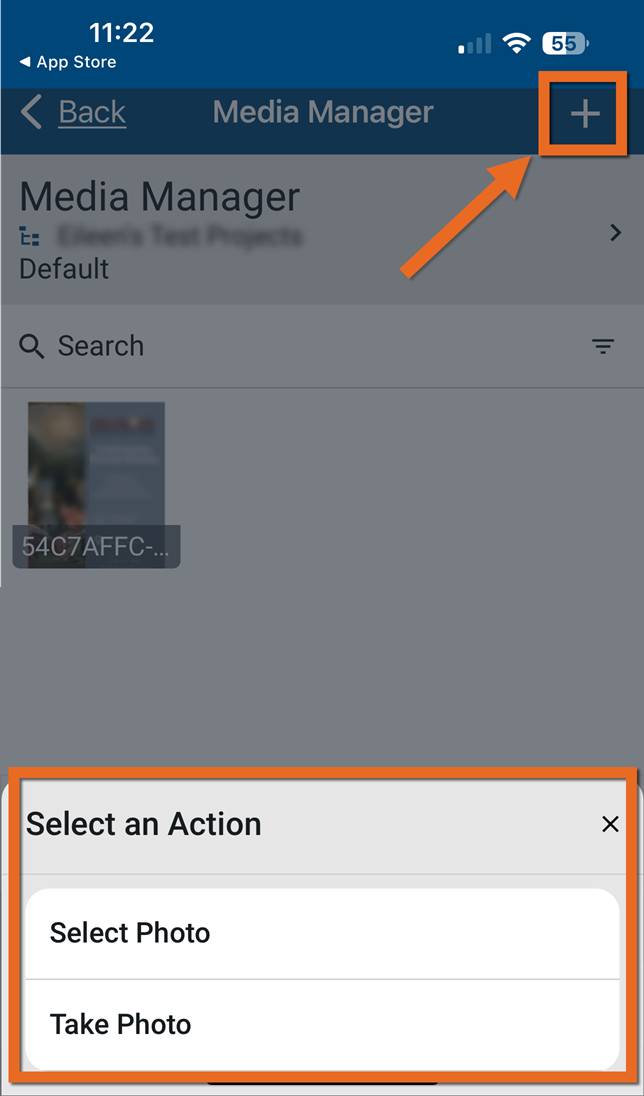
-
-
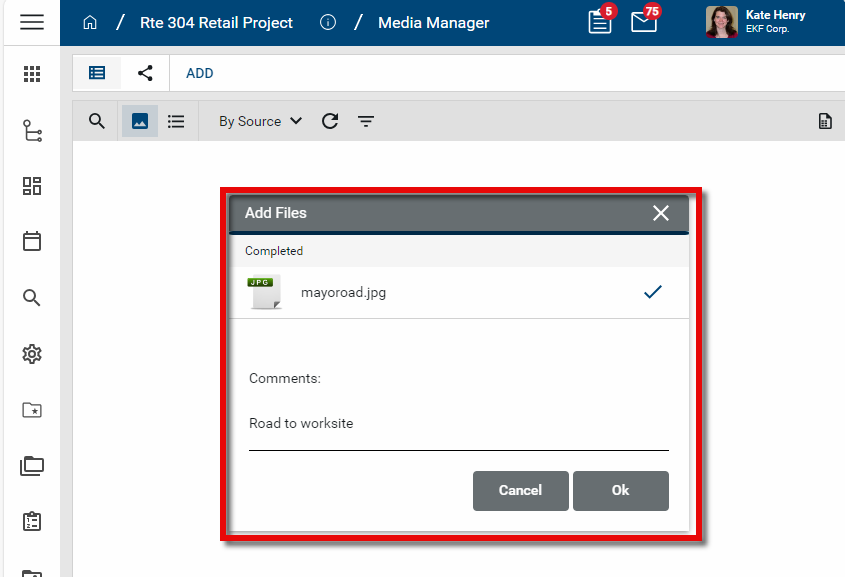
Once the file is ready, the Add Files dialog box appears. If desired, enter text in the Comment field. This text will be applied to the Caption field and appear as an overlay on the image in the thumbnail view. If there is no text added here, the Caption field will contain the file name. The Caption field can be edited from the detail view of the file. Click Ok to complete the upload.
View photos by source application
You can use the built-in By Source log view to view files by the application they were added to. Log views can be applied to both the thumbnail view and list view.
To apply a log view, click on the current view name. Select from one of the existing built-in views, or select Manage Views to create your own. Select thumbnail  or list view
  .
.
For more information on log views, including how to create new ones for yourself or others, refer to Log Views and Log Reporting.
Download a file
To download one or more image files to your desktop, complete the following steps:
-
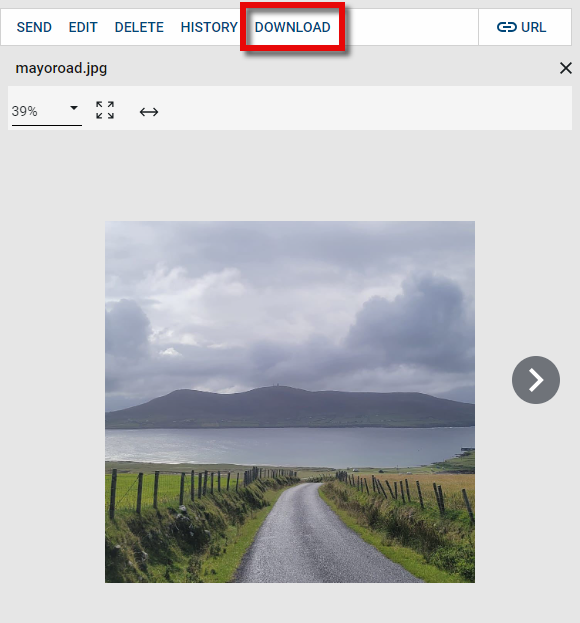
To download an individual file, select the file to open the detail view. Select Download from the action bar.
-
To download multiple files into a zip file, select the list view
 . Select the check boxes next to the files you want to download, and select Download from the action bar.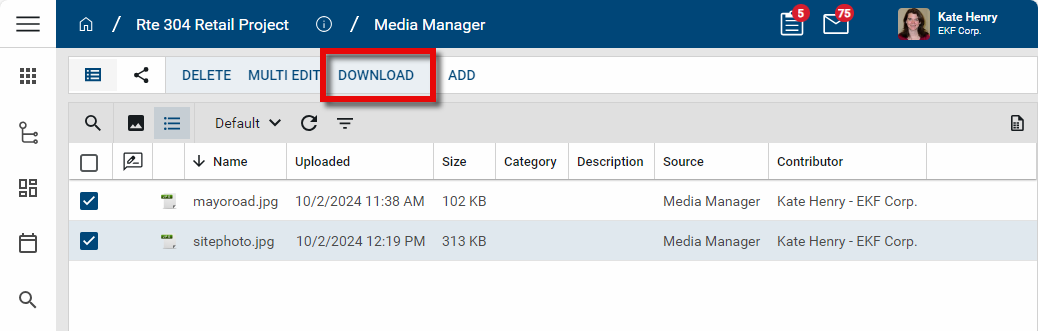
-
Enter or modify the file name as desired and select a location for the downloaded file. Click Save.
Edit file details
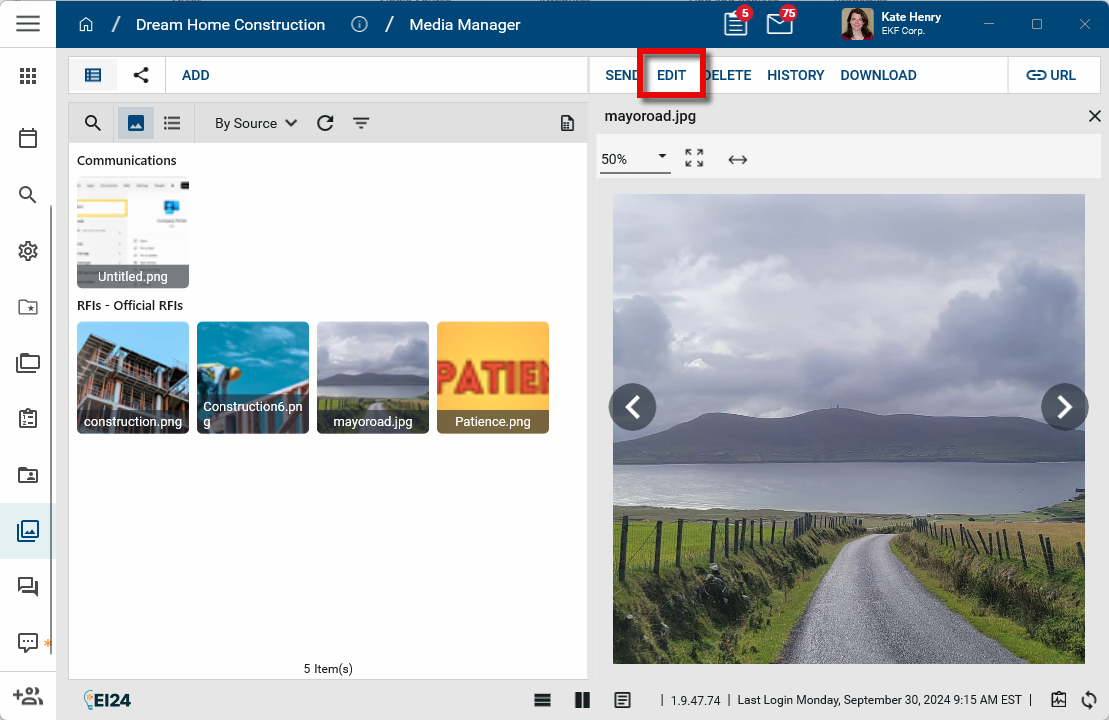
To edit the details associated with the image file, select it from thumbnail or list view to open the detail page. Select Edit from the action bar. Update fields as appropriate.
Edit multiple records at one time
You can update several detail fields for media manager records at one time by using the Multi Edit function.
Important You must be in the list view to select multiple files for editing.
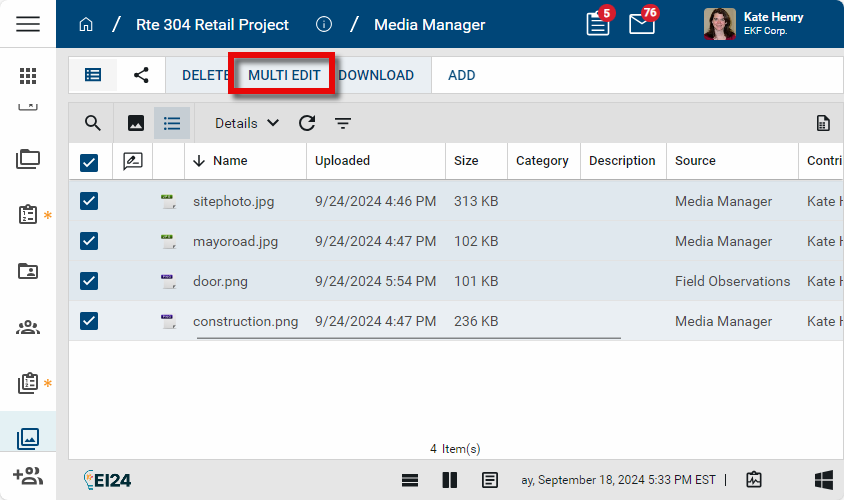
To do so, select the list view and complete the following steps:
-
Select the check boxes next to the records you want to edit.
-
Select Multi Edit from the action bar. The Multi Edit page opens.
-
You can edit individual fields. To copy a field value to other records, select the value on the record. Select Copy to All to copy the value to all other records, or select Copy to Selected to copy the value to selected records.
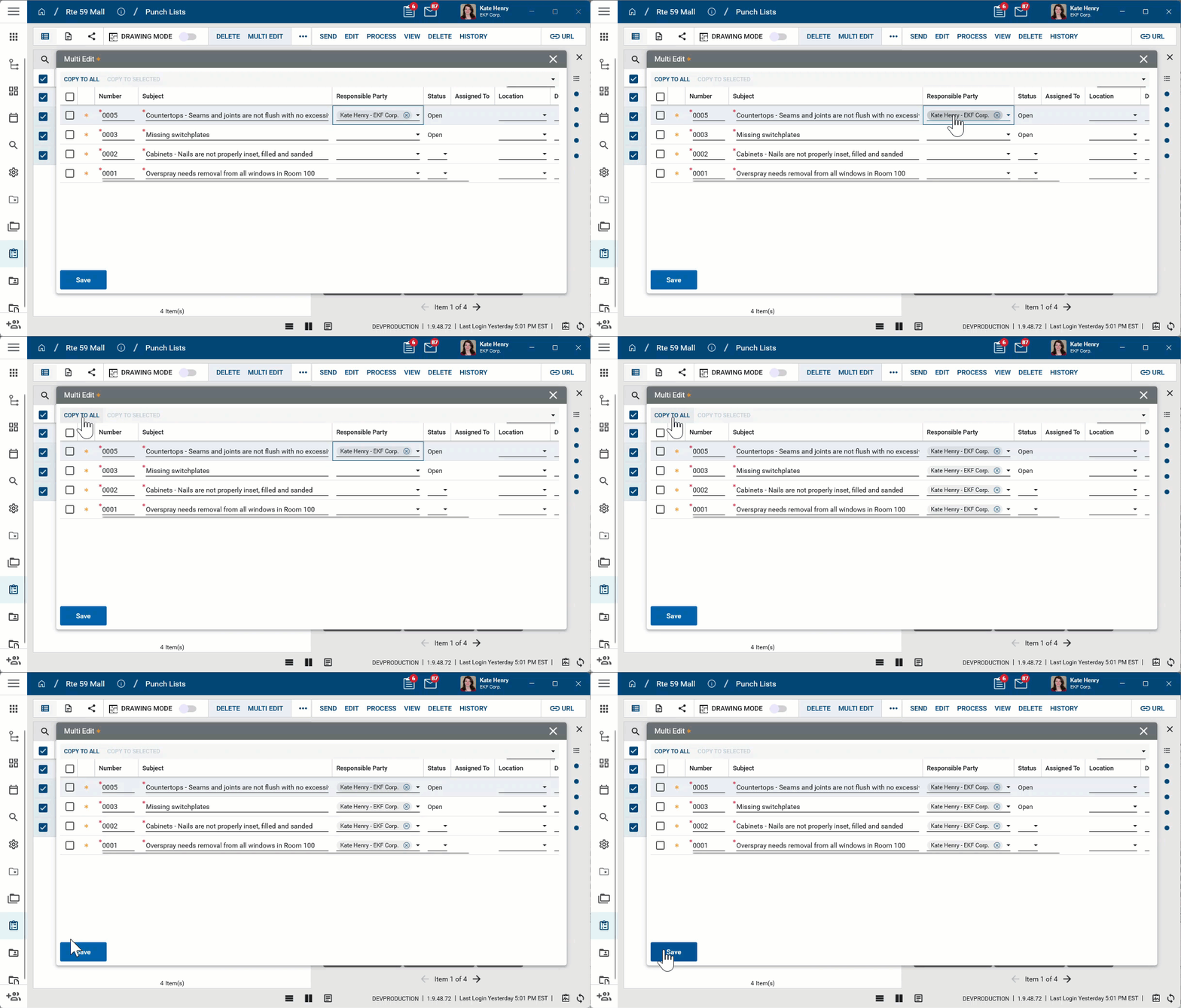
Note The Multi Edit page lists fields from the log view applied when Multi Edit is selected. To update fields which are not present on the default log view, create a new log view that includes all the fields you want to edit and then apply that log view before selecting Multi Edit.
-
Click Save when you are done.
Send an image file
To send a file from Media Manager as a message to another Kahua user or email address, complete the following steps:
-
Select the file to open the detail view.
-
Select Send from the action bar to open the New Message page.
-
The image file is added as an attachment to the new message. Enter the appropriate recipients, message text, and add any additional attachments as desired.
-
Click Send to send the message. For more information on sending messages, refer to Messages app.
View document history
To view the history of the file, select it from thumbnail or list view to open the detail page. Select the History icon  from the action bar. To see more details for an individual history item, select view edit next to that item.
Delete a file
Important Only files that are not linked to records in other apps can be deleted from Media Manager.
To delete a file from Media Manager, complete the following steps:
-
To delete a single record, select the file to open the detail view. Select the Delete icon
 in the action bar.
 -
To delete multiple files at once, select the list view
. Select the check boxes next to the files you want to delete, and select Delete from the action bar. -
Click Ok on the confirmation message to delete the file.
Note If a record was deleted in error, it can be recovered from the Recycle Bin application by an administrator. Deleted records are available for restoration for a set number of days as configured in domain settings. For more information, refer to Using the Recycle Bin.
Configure the app
Your domain administrator or another user with the appropriate permissions can configure the app in the Configuration application.
Important When working in the Configuration app, it is important to review the header and ensure that you are working at the correct level in the hierarchy, either the root domain or at a partition or project level.
Settings that you establish at the root domain or lower levels will inherit down the hierarchy until they are overridden. For more information on the hierarchical structure of Kahua, refer to Understanding the hierarchical structure of Kahua.
The Configuration app can be accessed directly through the apps list (Apps > Administration > Configuration), or, in some applications, by right-clicking on an application in the launch bar and selecting Configure. When you select Configure for an app from the launch bar, the detail view of the configuration page for that application opens automatically.
For general information about the Configuration app, including how to set up an approval workflow, refer to Configuration app.
For general information on configuring this app in Configuration, refer to Application configuration.