Classes - Master
The Asset Definition > Classes-Master sub-application app is a domain-level app where you define and manage the various classes of assets that you will be tracking in your domain.
Asset Classes represent the assets that you want to track for projects in your domain which have a common set of attributes. This includes attributes that a group of these items have in common, such as the model number or capacity, and attributes unique to a single item in the asset class, such as the serial number or installation date. Additionally, if enabled, you can create a list of required submittals for the asset class.
Example Projects in your domain commonly include Fire-rated doors. You've already set up the required asset attributes in the Asset Definition > Attributes sub-application.
Now you can add the asset class of "Fire-Rated Doors" to the Asset Definition > Classes - Master sub-application. You can add attributes such as "Manufacturer", "Model Number", and "Fire Rating" as Type Attributes, since they are common to all fire doors. You can add "Serial Number" as an individual Asset Attribute, since that value will be unique to each fire door that is installed.
You can also add a list of commonly required submittals for Fire Doors, such as "Product Data Sheet".
Key elements of the app include the following:
-
The Asset Definition > Classes-Master app is a domain-level app. It stores information for all the asset classes you could use in your domain. Regardless of which project or partition is open when records are added, the values are stored at the domain level.
-
Type Attributes are used to track information that is consistent for all instances of an asset type (for example, model number and manufacturer).
Asset Attributes are used to track information that is unique to each installed asset (for example, serial number, location, tag number, or installation date).
-
If enabled, you can define Required Submittals at the class level for both Type and Asset submittals.
How to . . .
 Create a record
To create a new asset class (Class-Master) record, complete the following steps:
-
Navigate to the Asset Definition - Classes-Master application.
-
Click New in the action bar.
-
Complete the following fields as appropriate:
Note Depending on how this app is configured for your domain, there may be fields or sections listed here that do not appear for you, fields and sections that appear for you which are not listed here, or fields and sections which appear in a different order. If you have any questions, check with your domain administrator.
Field Description Details Label Enter the name of the asset class.
Name This field automatically populates with a system name. After the attribute is created, this name cannot be changed.
Discipline If desired, select the appropriate discipline for the asset class.
Note This lookup list is managed in the Configuration app. Refer to Lookups.
Abbreviation Enter an acronym for the asset class (for example, FRD for Fire-Rated Doors). The abbreviation must be unique.
OmniClass Code If desired, select the appropriate OmniClass code for the asset class.
Note For more information on setting up OmniClass Codes in your domain, refer to OmniClass Codes.
Master Format Code If desired, select the appropriate CSI MasterFormat code for the asset class.
Note For more information on setting up CSI MasterFormat codes in your domain, refer to CSI MasterFormat Codes.
Type Attributes Type Attributes are used for high-level information that is the same for all physical instances of an asset type (for example, "Model Number" and "Manufacturer").
Note Attributes are created in the Asset Definition > Attributes sub-application. For more information, refer to Attributes.
Select Insert Attributes to choose attributes from the list of available attributes.
On the Insert Attributes dialog, use the log view selector to filter the list, or click on the Search icon
 to search the list. Select the check box next to the appropriate attributes. Click Select when you are done.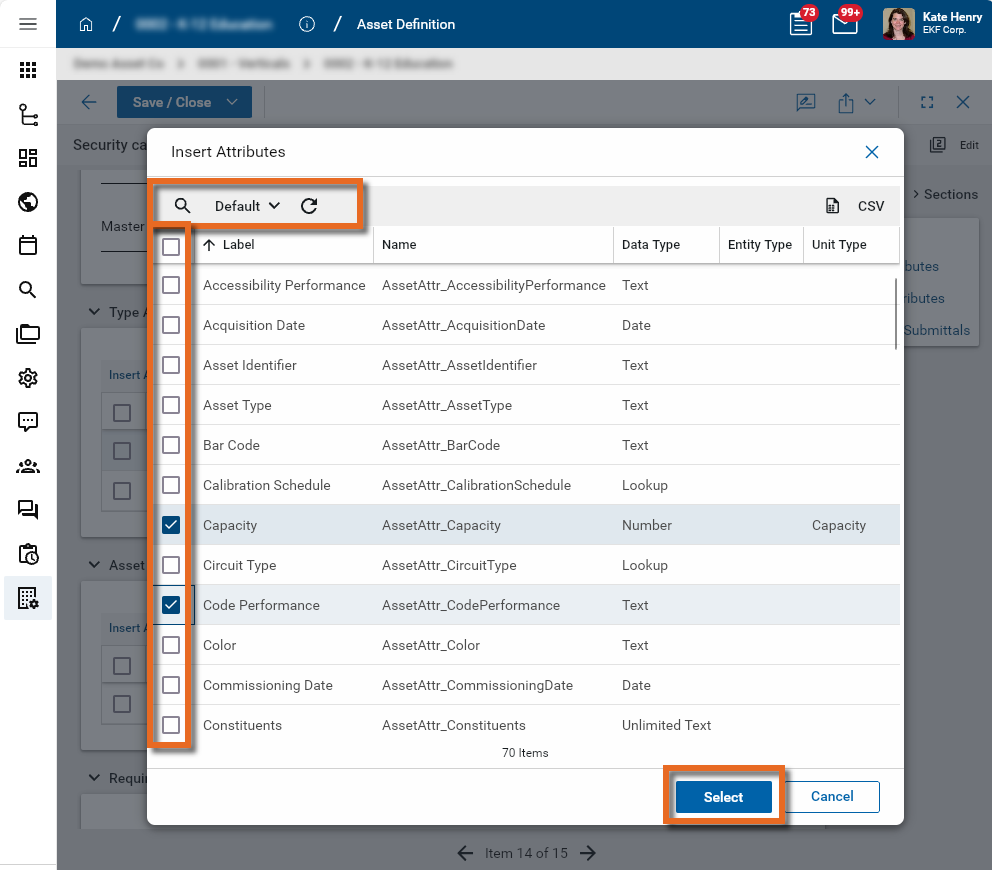
The first ten attributes appear on the list. To review all the selected attributes, click Show All at the bottom of the section.
To remove attributes from the list, select the check box next the attribute and select Delete from the header.
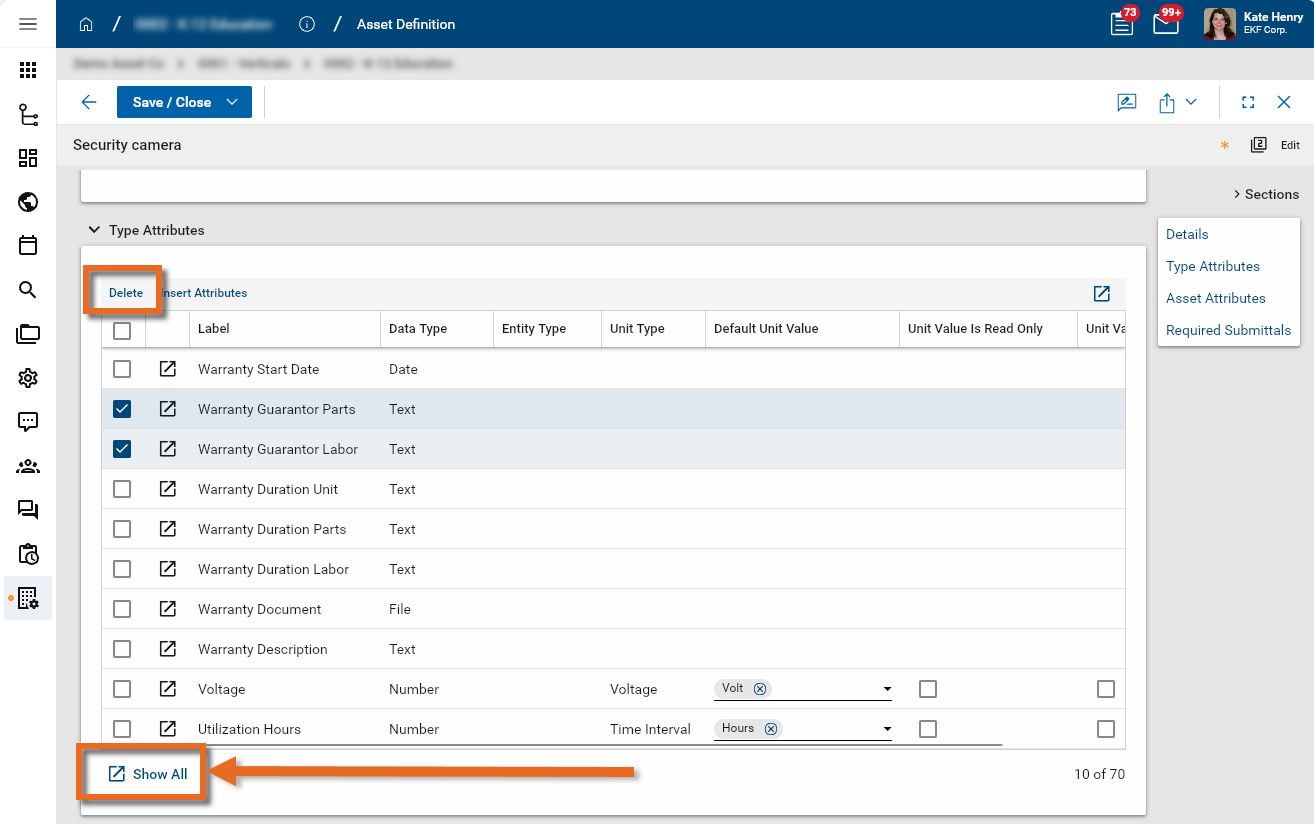
Label / Data Type / Entity Type / Unit Type
The values from the selected attribute appear here, as determined in the Attribute sub-application. Refer to Attributes.
Default Unit Value / Unit Value is Read Only / Unit Value is Required
If the selected attribute is assigned a Unit Type, you can select a Default Unit Value.
Additionally, you set the unit value as read only, required, or both.
Asset Attributes Asset Attributes are used to track information that is unique to each installed asset (for example, "Serial Number" or "Installation Date").
Note Attributes are created in the Asset Definition > Attributes sub-application. For more information, refer to Attributes.
Select Insert Attributes to choose attributes from the list of available attributes.
For more information on working with attributes in this grid, refer to Type Attributes above.
Required Submittals If enabled for your domain, you can define the required submittals associated with this asset class. Required submittals can be added for both Type and Asset and include fields such as Subject, Description, Category, Revision, and Status (Status defaults to New).
Important From the root domain, navigate to Configuration > Applications > Asset Classes - Master > Settings. Enable Required Submittals must be selected in configuration for this section to appear.
Subject Enter the subject (e.g. "Product Data Sheet", "Color Sample", etc.).
Description Enter an appropriate description. Category Select the appropriate category.
Note This lookup list is managed in the Configuration app. Refer to Lookups.
Revision Enter the initial Revision number for the submittal item.
Status Select the appropriate initial status for the submittal item.
Note This lookup list is managed in the Configuration app. Refer to Lookups.
-
Click Save when you are done.
Import existing records
If you have existing data that you want to import into this app, you can do so through the import process.
You will first generate an export of an existing record to access the correctly formatted spreadsheet file for the import. Once the exported file is available, add the appropriate values for the records you want to import to the exported spreadsheet. You can then import those records. For more detailed information on the importing process, refer to Importing records.
For the Classes-Master import, the spreadsheet typically includes your class records (for example, Name, Label, Active flag, Abbreviation, OmniClass Code, and MasterFormat Code) and can also include Type and Asset attributes to associate with each class.
Generate a log report or other reports
You can generate a report from a selected log view, or use one of the built-in reports available by default in each application. For more information on creating your own reports, including how to set up scheduled reports, refer to Creating ad hoc reports.
Note For information on modifying the logo that appears on reports in your project, refer to Managing report logos.
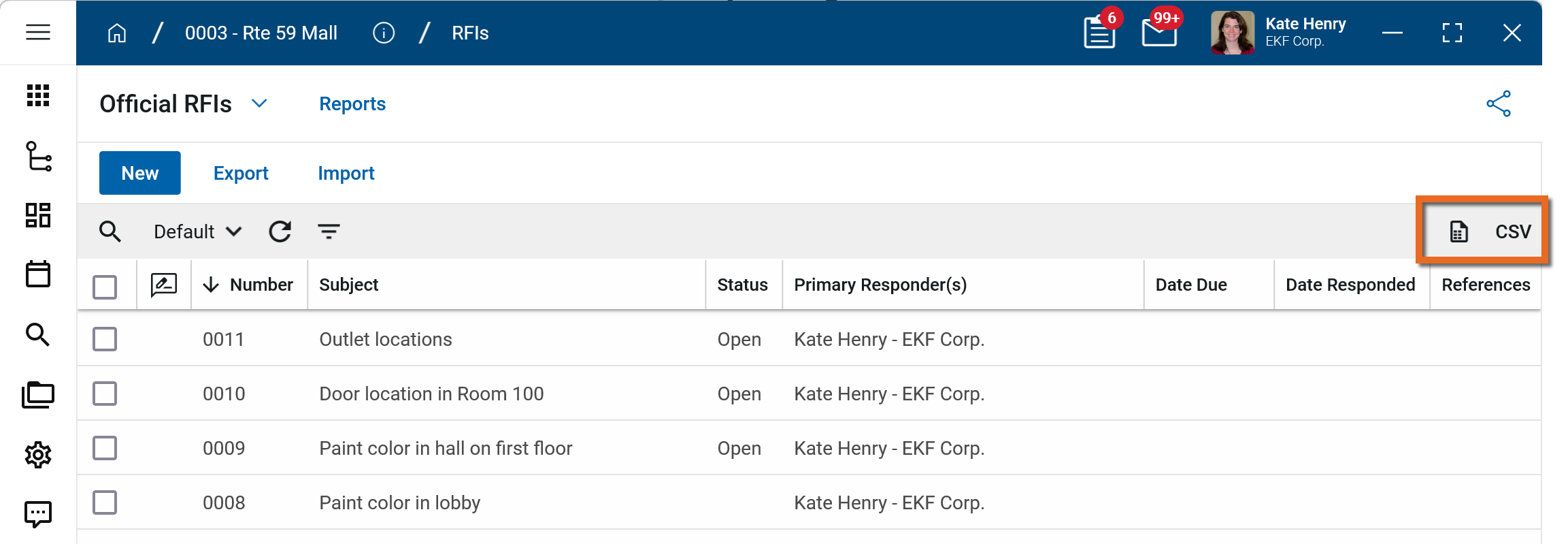
To generate a report from a log view with up to 10,000 records, click the More icon  and select Print. If your log view contains more than 10,000 records, the Print option will be disabled and you can select
  to download the records to a CSV file instead.
To generate an application report, complete the following steps:
-
Navigate to the application.
-
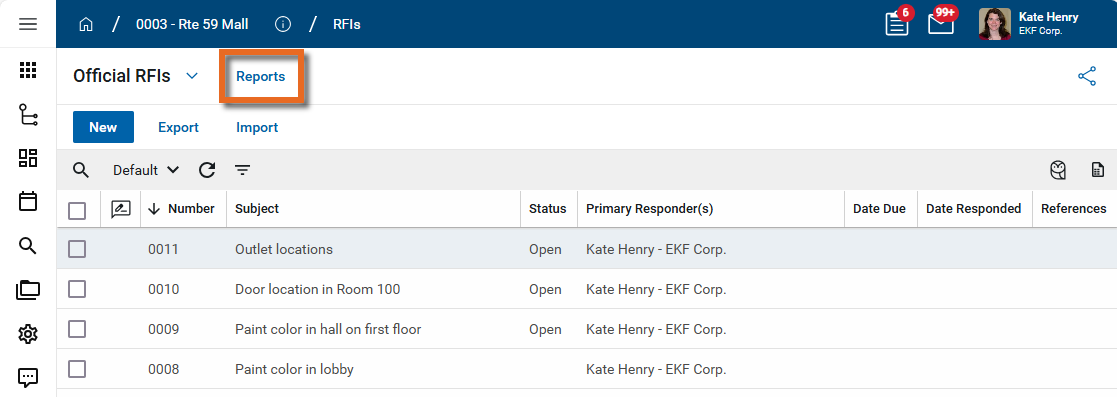
Select Reports in the application title bar.
-
Select the report you want to run.
-
Apply any desired filters.
-
Select View or Download as appropriate. For more information, refer to Viewing Reports.
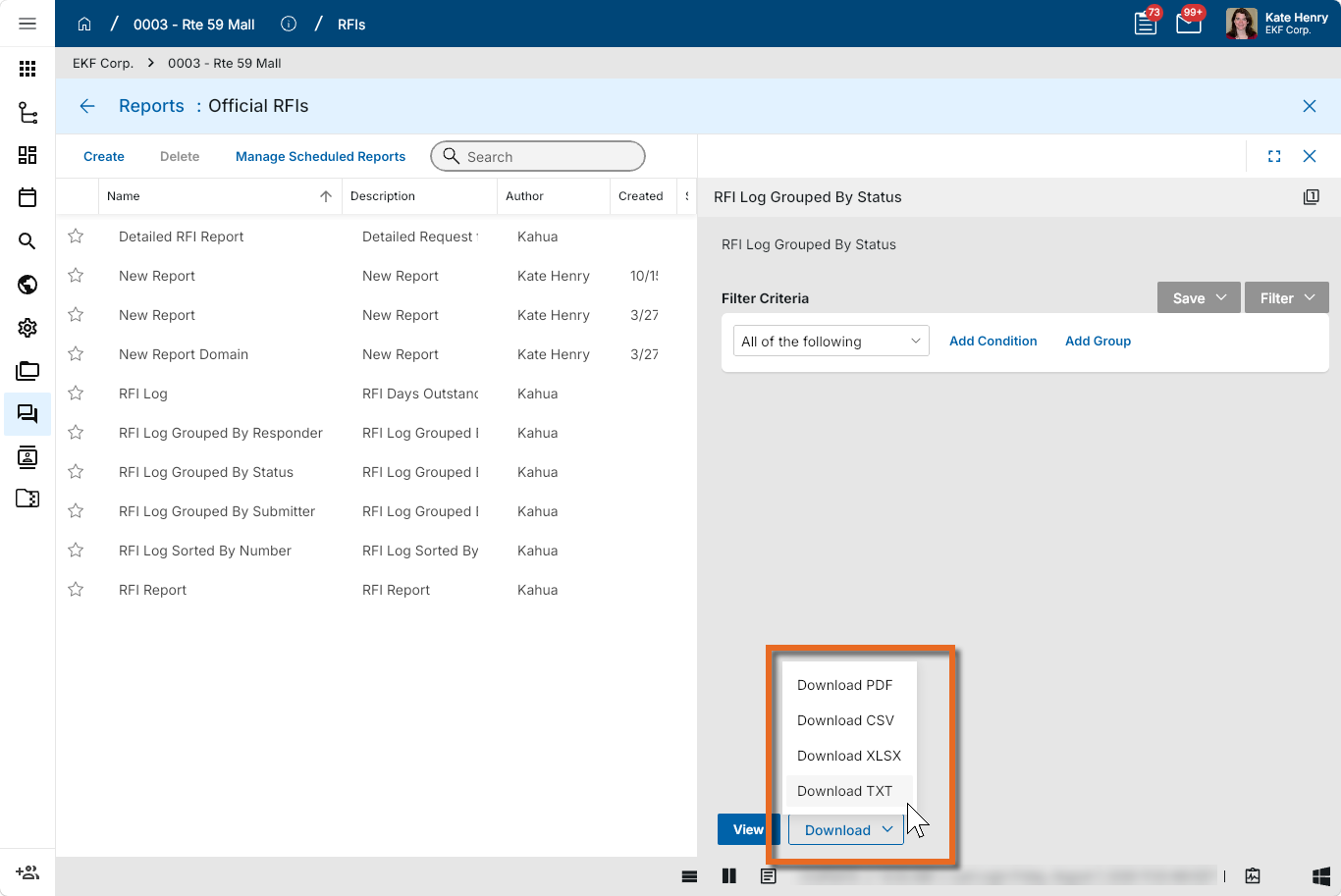
-
Click the Close icon
 when you are done.
Perform standard actions on a single record (print, send, view history, delete, etc.)
From the detail view of a record, there are several standard actions you can take. Depending on your permissions, some or all of the following options may be available to you:
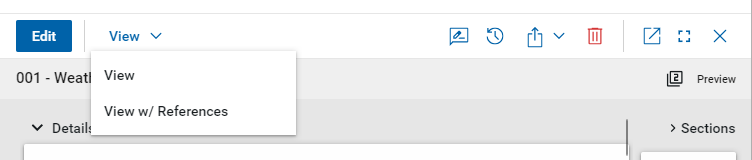
-
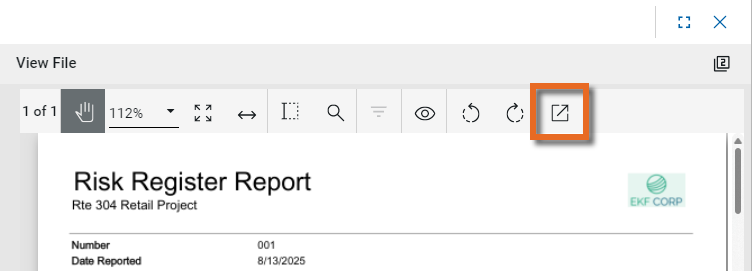
View and View w/References - Select View or View w/References to open a PDF view of the current record. The PDF file can be printed or shared from the viewer by clicking on the Open PDF icon
 .
.
Note Only references where the Include on Send value is set to "Yes" are included in the View w/References.
Additionally, if Include Markup on Send is set to "Yes", any markups on the file are included. -
Discussions
 - Select this icon to open the Discussions panel. If enabled in your domain, the discussions feature allows you to participate in public or private conversations associated with specific records. For more information, refer to Discussions.
 -
View History
 - Select this icon to open the History page for the record. The history page provides details regarding all activity (creation, edits, saves, etc.) performed on the record. Click view edit to drill down into more detail on a specific action. Click hide edit to close the action detail. Click the Close icon
  to close the history page.
 -
Send actions
 - Click this icon to select an appropriate Send action for the record. The following options may be available to you:
-
Copy Link and Copy Portable View Link - Select this option to copy a URL link for the record or record's portable view to your clipboard. This link can be sent outside of Kahua. Users with the appropriate permissions will be able to open Kahua directly to that record or portable view by using the link.
-
Copy QR Code and Copy Portable View QR Code - Select this option to generate a QR code for the currently open record or record's portable view. The QR code can be shared directly from your screen, or copied to your clipboard to be shared as appropriate. This QR code can be shared outside of Kahua. Users with the appropriate permissions will be able to open Kahua directly to that record or portable view by using the link.
-
Send - Select this option to open a new Kahua message with the open record included as an attachment. References with the Include on Send value set to "Yes" are also included. For more information, refer to Messages app.
-
-
Delete
 - Select this option to delete the open record. You must agree to the confirmation message before the record is deleted.
Alternatively, right-click on the record in the log view and select Delete, or select multiple records from the log view and select Delete.
Note If a record is deleted in error, your domain administrator may be able to recover it through the Recycle Bin app. For more information, refer to Using the Recycle Bin.
-
Open in a new window
 - Select this option to open the current record as read-only in a new window (desktop host) or browser tab (web host). This allows you to navigate to other records in the original Kahua instance while keeping the read-only window or tab open for reference. To re-open the record on the read-only window or tab in Kahua, select Open in the header.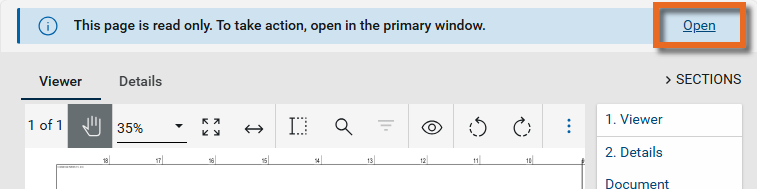
-
Maximize
 and Minimize
  - Select Maximize to open the record to a full screen view. From the full screen view, select Minimize
  to return to the original view.
 -
Close
- Select the close icon to close the currently open item.
Configure the app
Your domain administrator or another user with the appropriate permissions can configure the app in the Configuration application.
Important Because this is a domain-level app, you must navigate to the root domain to access Configuration for this app.
The Configuration app can be accessed directly through the apps list (Apps > Administration > Configuration), or, in some applications, by right-clicking on an application in the launch bar and selecting Configure. When you select Configure for an app from the launch bar, the detail view of the configuration page for that application opens automatically.
For general information on configuring this app in Configuration, refer to Application configuration.
The following items are specific to this application:
| Options | Description |
|---|---|
| Settings | |
| Enable Required Submittals |
Select this option to enable the Required Submittals section on the Classes-Master record. |
Available application roles
Application roles determine which actions users can perform in the app. Roles are assigned to groups in the Groups app > Permissions tab. Members of the group then have the permissions associated with the roles assigned to the group.
The following roles are available for this application:
| Role | Details |
|---|---|
| Administrator |
Full administration, including add, configure, create lists, edit, import, export, share, view, send, process, remove, and edit view templates. |
| Contributor |
Can add, edit, open, view, send, and process records. |
| Moderator |
Can add, edit, import, export, remove, share, open, view, send, and process records. |
| Observer |
Can open, view, send, and process records. |
| Referencer |
View-only access to records. |
Note To manage these permissions, open the Groups app and assign the appropriate application role to the group. Only users with the appropriate permissions can manage application roles. For more information, refer to Managing Permissions.