Expense SOV Breakdown
Applicable Packages This article applies to the Kahua for K-12 Education, Kahua for Owners, Kahua for General Contractors, and Kahua for Subcontractors packages. If you are not sure if this is relevant to you, please contact your domain administrator.
The SOV Breakdown app allows Kahua users to set up and approve contracts at a high level, then break the contract into smaller cost items through an SOV Breakdown record. SOV Breakdown inserts itself between the commitment documents (contracts and change orders) and the pay request process.
Note If you are interested in this app and it is not available in your domain, reach out to Support or your account representative for more information.
Key elements to know about this app include the following:
-
SOV Breakdown is opt-in. If enabled, a pay request cannot be created for the contract until the SOV Breakdown record has been created and saved.
-
You can suppress the automatic creation of SOV items from an individual contract line item by selecting the Suppress Auto Creating SOV Items option for that line item. Refer to Suppress Auto Creating SOV Items.
-
You can break down contract line items into as much detail as needed, approve some or all line items for inclusion on the pay request, and control line-item numbering as it appears on the pay request.
-
Workflow actions (such as selecting change orders, refreshing, and approving all items) help keep the SOV Breakdown aligned with approved contracts and change orders.
-
SOV item status controls whether an SOV item appears on the pay request and therefore if it can be billed or progressed.
-
You can use action buttons such as Send, Edit, View, History, Import, Export, and URL to share, maintain, and report on SOV Breakdown records.
How to . . .
 Create and manage an SOV Breakdown
Unlike many cost apps, SOV Breakdowns are not created directly from the SOV Breakdown application tab. To create a new SOV Breakdown record, complete the following steps:
-
Review the header to ensure that you are in the correct project or partition.
-
Navigate to the Expense Contracts application (Apps > Cost Management > Expenses > Contracts) and open the appropriate contract record.
-
Select the Use SOV Breakdown check box.
Important SOV Breakdown can be enabled only if there are no existing pay requests for the contract. If pay requests already exist, the Use SOV Breakdown setting cannot be changed.
-
Route the contract for approval, if it is not already approved.
-
After approval, select Process to SOV from the action bar. This opens the SOV Breakdown app with a newly created, editable SOV Breakdown record for the associated contract.
-
In the SOV Breakdown record, review the Commitment Items section to review the activity codes and amounts pulled from the source contract. Click on the View Details icon icon
 to open the detailed commitment items window and select the contract line item you want to break down.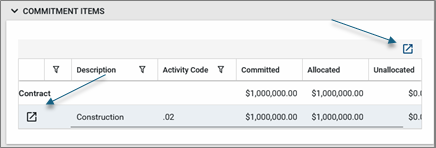
-
The details view appears. On the left side is a log view of the contract line items. If the SOV Breakdown detai view is not yet open, click on the Detail icon
 for a line item to open the detailed view for that line item. The detail view is a record view of the SOV Breakdown for individual Contract and Change Order line items.
Once a detail view is open, use the arrow keys to scroll through the list of items.
for a line item to open the detailed view for that line item. The detail view is a record view of the SOV Breakdown for individual Contract and Change Order line items.
Once a detail view is open, use the arrow keys to scroll through the list of items. 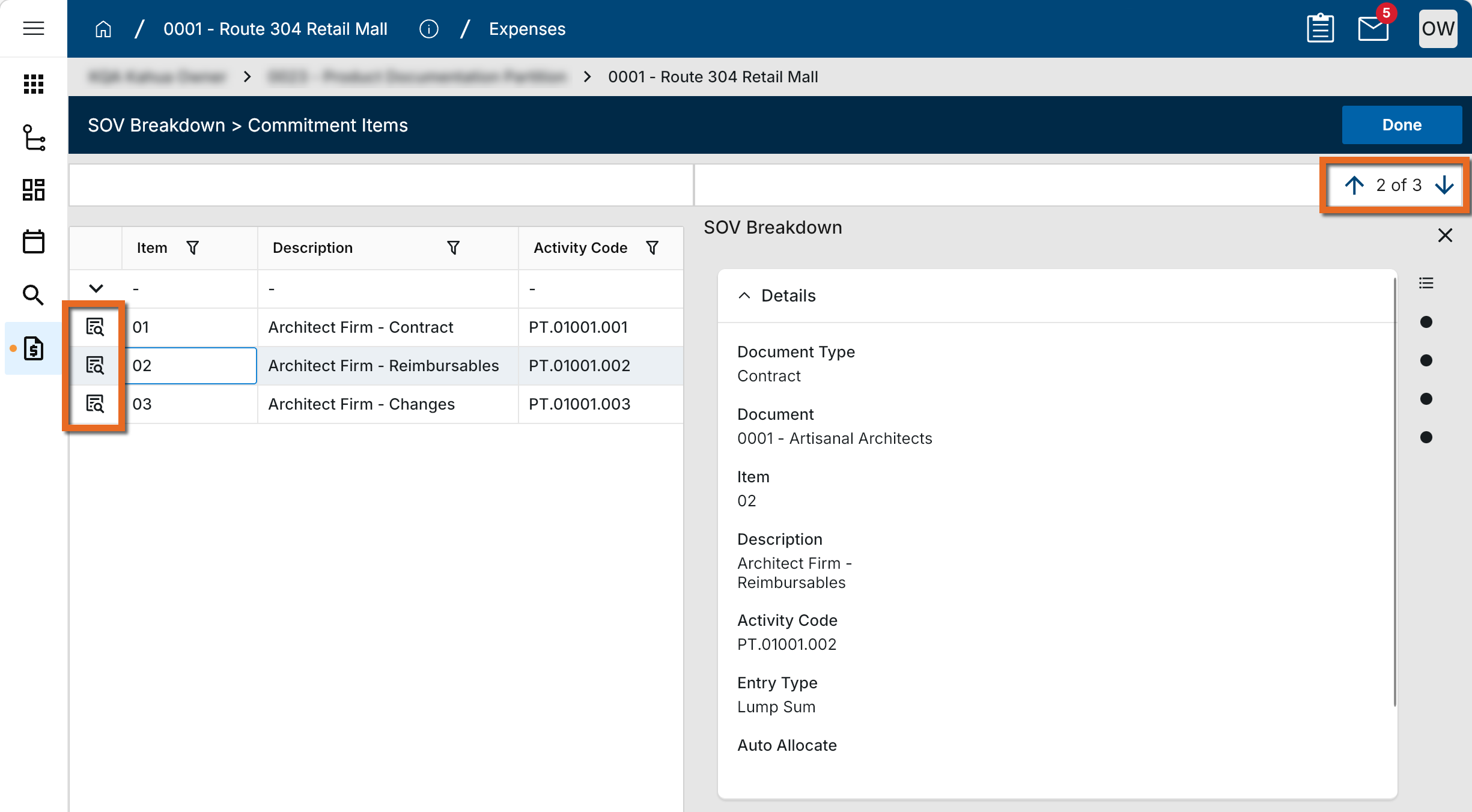
-
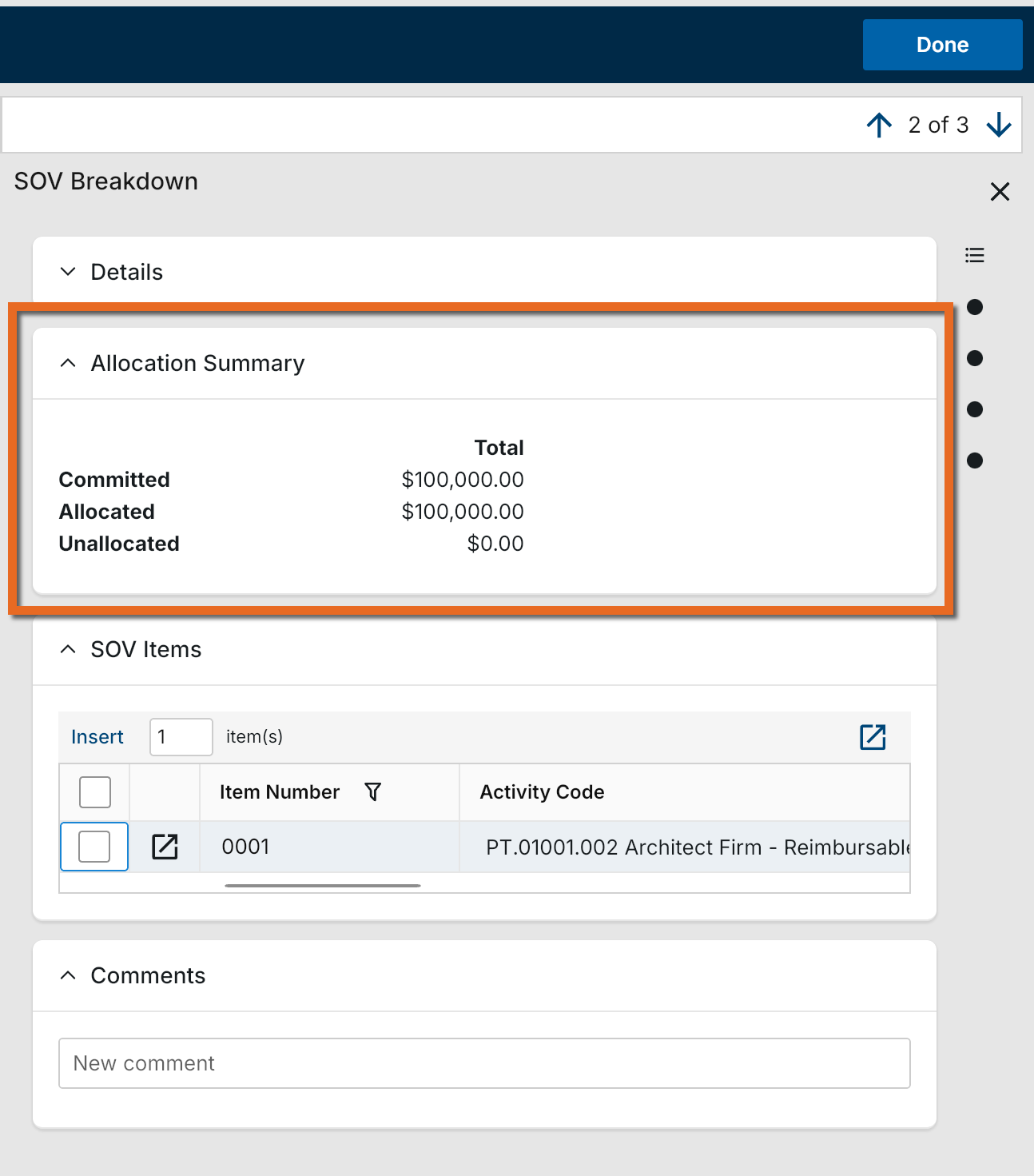
Review the Allocation Summary section to understand Original Amount, Net Change, Total Committed, Allocated, and Unallocated amounts.
-
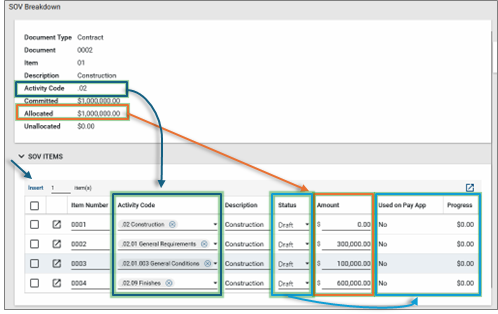
In the SOV Items section, select Insert to add SOV line items for the selected contract line item. Optionally, select Auto Allocate to adjust totals so allocated funds equal the committed amount.
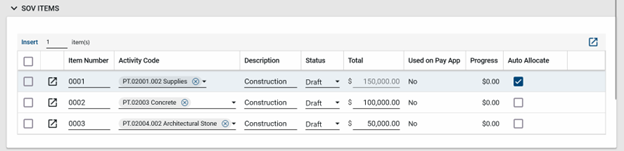
SOV Item Status controls whether the SOV Item appears on the Pay Request and, therefore, if it can be billed or progressed.
For a given contract line item, all related SOV Items must use the same activity code or a child of that activity code. Also, the sum of the allocated Amounts for all related SOV items must be between 0 and the contract line item amount. Initially, the line item from the approved contract will have the full amount allocated to itself, so to reallocate amounts to new SOV line items, the user will need to subtract the amount being reallocated from the Contract line item.
If different branches of the WBS need to be segregated inside the contract, use different contract line items with different activity codes to do this.
-
Complete the record fields as appropriate:
Note Depending on how this app is configured for your domain, there may be fields or sections listed here that do not appear for you, fields and sections that appear for you which are not listed here, or fields and sections which appear in a different order. If you have any questions, check with your domain administrator.
Field Description SOV Breakdown record Document Type Identifies the source type of the record (for example, Contract).
Document Identifies the associated source document (for example, the contract number).
Item The selected source contract line item that is being broken down.
Description The description of the selected contract line item (can update from contract edits, if allowed).
Activity Code Defines the cost structure for the item. SOV items must use the same activity code as the contract line item or a child of that activity code.
Allocated The total amount allocated to SOV line items for the selected contract line item.
Unallocated The remaining amount not allocated to SOV line items.
SOV Items Item Number Controls how the item is numbered for readability and how it appears on the pay request.
Activity Code Must match the contract line item activity code or be a child activity code. Ensure activity code formatting is consistent with your WBS structure.
Description Description of the SOV line item (can be adjusted to improve readability on the pay request).
Status Controls whether the SOV item appears on the pay request and therefore whether it can be billed or progressed.
Amount Allocated amount for the SOV line item. The sum of allocated amounts for all related SOV items must be between 0 and the contract line item amount.
Used on Pay App Indicates whether the item is available for inclusion on a pay request.
Progress Tracks progress/billing status as the pay request is prepared and submitted.
References Upload or select any relevant files or documents. You can use drag and drop to add a file to this section. For more information on using this section, refer to References section.
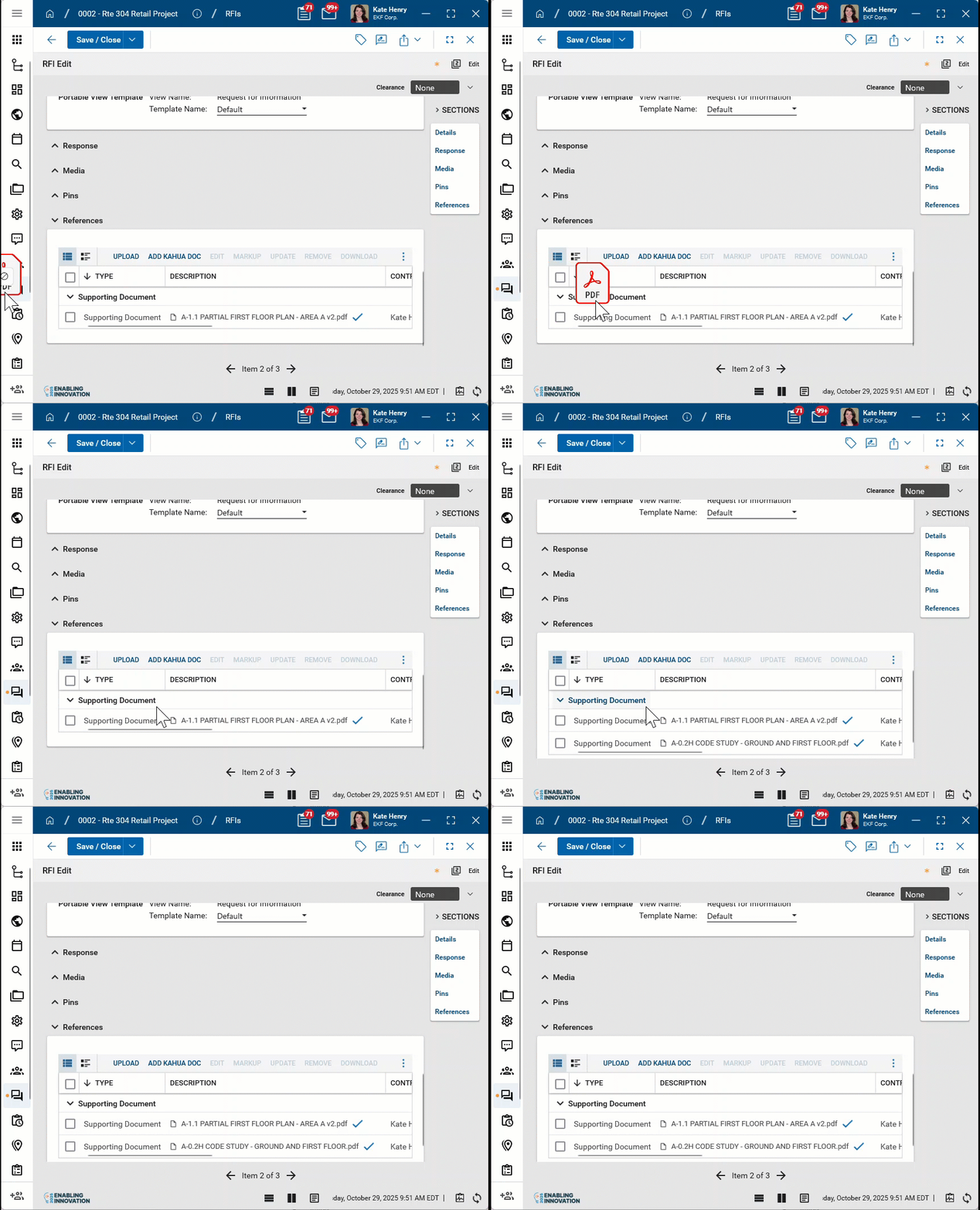
Note If edits to the contract line items are a) allowed and b) made, some edited values, such as item number and description, will automatically be updated on the SOV Breakdown. Other edited values, such as Activity code and Total Amount, may be refreshed on the SOV Breakdown.
Note The activity code of a Contract line item can only be changed to another value where all the sub activity codes on the related SOV breakdown line item are still child items of the revised activity code, otherwise the data in the SOV cannot be refreshed.
-
Click Save/Close. After saving, select Approve All Items (as appropriate) so SOV line items are available for the pay request.
Note If Kahua detects that a change order item has been added to the SOV more than once, you will not be able to save the SOV. You can instead close the SOV Breakdown record, reopen it, and then review the listed change order items before trying again.
Import existing records
If you need to enter many codes against multiple contract items, it may be easier to use the Import/Export tool within the SOV Breakdown app.
-
Complete steps 1-5 in the previous section.
-
Add one SOV line item to each contract line item so the excel template is easier to follow and understand.
-
Select Export to generate an export of an existing record to access the correctly formatted spreadsheet file for the import.
-
Notice the column headers are similar to the columns within Kahua. Fill in the remaining SOV Breakdown line items you would like to enter. Ensure the formatting for each column remains consistent for the spreadsheet .
Example When typing in the activity code, ensure there are the proper amount of zeroes for each level. Also for SourceItemType, ensure input CONTRACTITEM remains capitalized. You can source your SOV Breakdown line items to the Contract Line Items with the SourceItemNumber column.
-
Once complete, save the document and return to Kahua.
-
Select Import and import the file .
Generate a log report or other reports
You can generate a report from a selected log view, or use one of the built-in reports available by default in each application. For more information on creating your own reports, including how to set up scheduled reports, refer to Creating ad hoc reports.
Note For information on modifying the logo that appears on reports in your project, refer to Managing report logos.
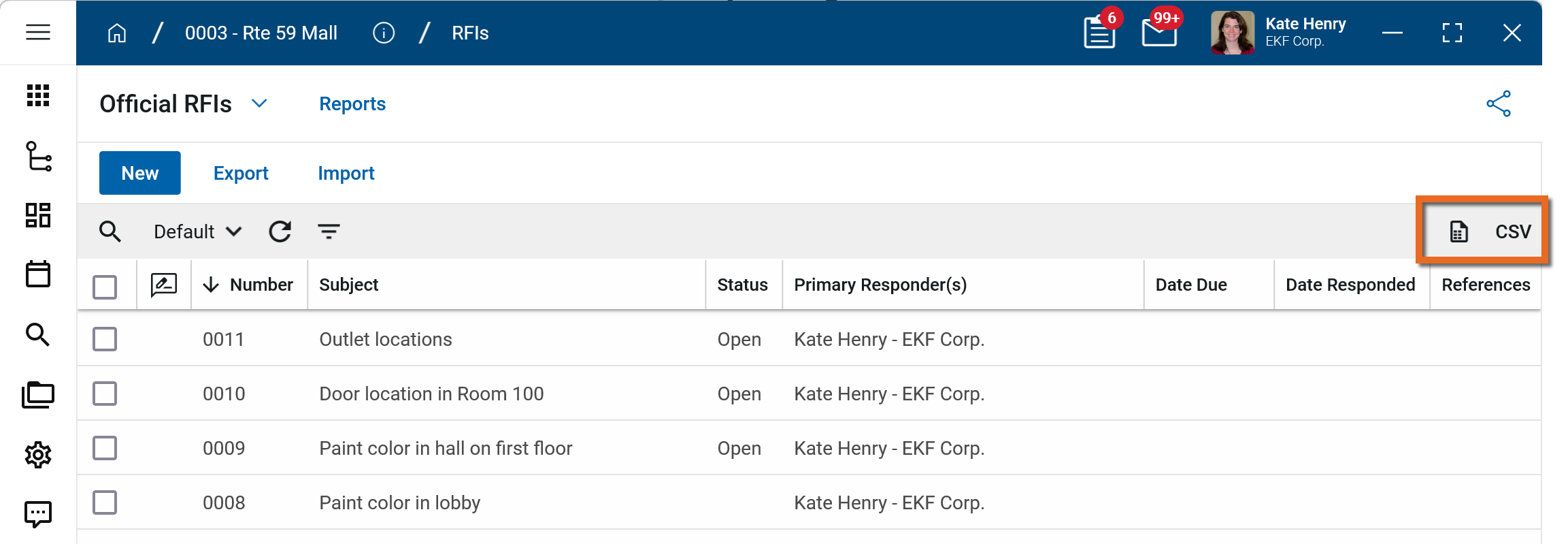
To generate a report from a log view with up to 10,000 records, click the More icon  and select Print. If your log view contains more than 10,000 records, the Print option will be disabled and you can select
  to download the records to a CSV file instead.
To generate an application report, complete the following steps:
-
Navigate to the application.
-
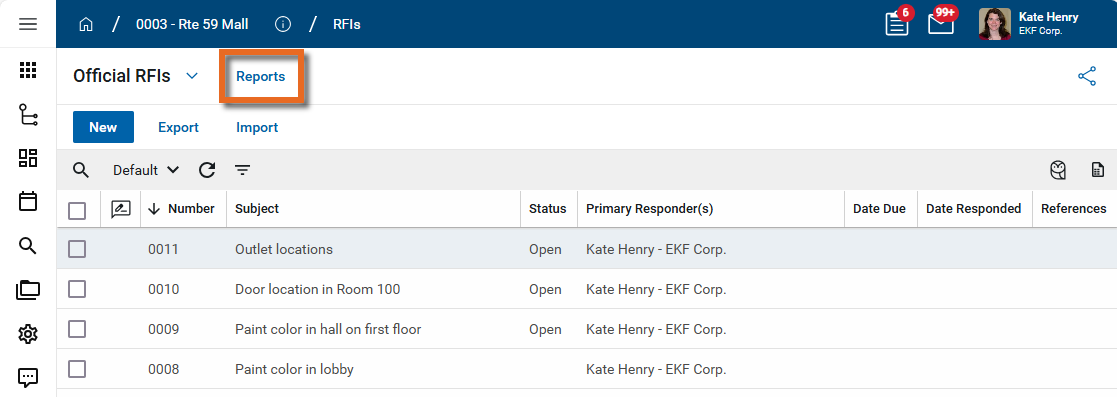
Select Reports in the application title bar.
-
Select the report you want to run.
-
Apply any desired filters.
-
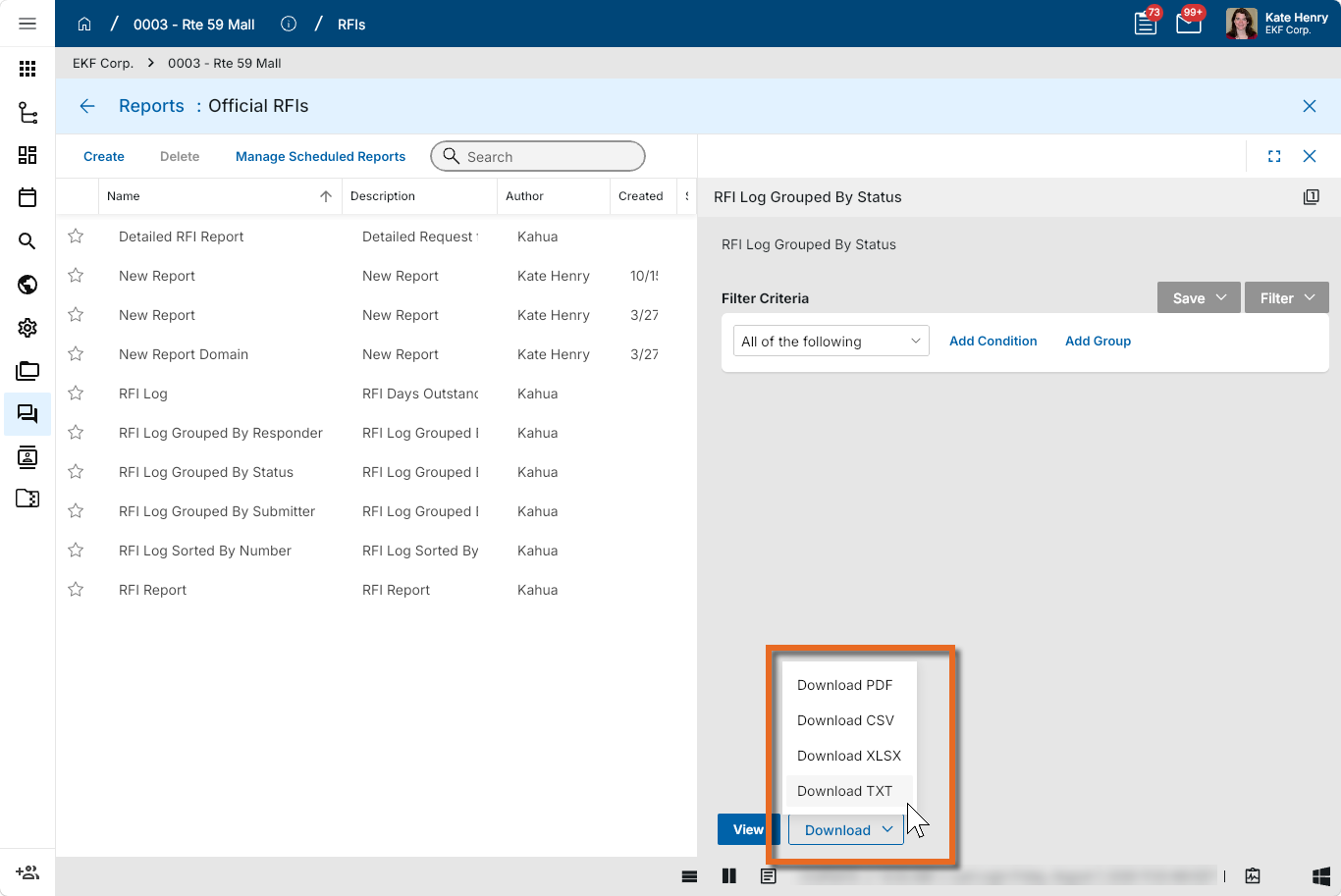
Select View or Download as appropriate. For more information, refer to Viewing Reports.
-
Click the Close icon
 when you are done.
Configure the app
Your domain administrator or another user with the appropriate permissions can configure the app in the Configuration application.
Important When working in the Configuration app, it is important to review the header and ensure that you are working at the correct level in the hierarchy, either the root domain or at a partition or project level.
Settings that you establish at the root domain or lower levels will inherit down the hierarchy until they are overridden. For more information on the hierarchical structure of Kahua, refer to Understanding the hierarchical structure of Kahua.
The Configuration app can be accessed directly through the apps list (Apps > Administration > Configuration), or, in some applications, by right-clicking on an application in the launch bar and selecting Configure. When you select Configure for an app from the launch bar, the detail view of the configuration page for that application opens automatically.
For general information about the Configuration app, including how to set up an approval workflow, refer to Configuration app.
For general information on configuring this app in Configuration, refer to Application configuration.
The following items are part of application configuration and are specific to this application:
Available application roles
Application roles determine which actions users can perform in the app. Roles are assigned to groups in the Groups app > Permissions tab. Members of the group then have the permissions associated with the roles assigned to the group.
The following roles are available for this application:
| Role | Details |
|---|---|
| Administrator |
Full administration, including add, configure, create lists, edit, import, export, share, view, send, process, remove, and edit view templates. |
| Contributor |
Can add, edit, open, view, send, and process records. |
| Moderator |
Can add, edit, import, export, remove, share, open, view, send, and process records. |
| Observer |
Can open, view, send, and process records. |
| Referencer |
View-only access to records. |
Note To manage these permissions, open the Groups app and assign the appropriate application role to the group. Only users with the appropriate permissions can manage application roles. For more information, refer to Managing Permissions.