Quick Start Guide for Non-Platform CMMC Users
Welcome! This guide is built for you, as a user that has not yet purchased Kahua’s broader construction management platform, to get ramped up quickly navigating Kahua and using the CMMC Readiness app. We’ll provide you helpful links to learn more about the actions you’ll take in Kahua.
Here is some helpful information to guide you as you get familiar with the app and to Kahua in general:
-
When your organization signed up to join the Kahua platform, a domain was created for your organization. A domain typically contains both projects and applications.
-
Some applications are used at the domain level and are not specific to any particular project. The CMMC Readiness app is one of those applications - you will not need to set up any projects in your domain to start using the app.
-
Kahua enforces Multifactor Authentication (MFA) when users sign in to all domains that don't use single-sign on authentication (SSO). This should be a seamless process, simply requiring you to verify your identity through your email address. If you would like to, you can use an authentication code or passkey instead.
For more information on using MFA in Kahua, refer to Multifactor Authentication. For more information on administering MFA in your Kahua domain, refer to Managing Multifactor Authentication in your domain.
-
You can access Kahua through the web or through the desktop app. For more information on each option, refer to Accessing Kahua.
Note The CMMC Readiness application is not supported on the Kahua mobile app.
-
For general information on navigating Kahua, refer to Navigate in Kahua below.
-
For specific information on using the CMMC Readiness app, refer to CMMC Readiness app.
-
You may want to make changes to some settings for your domain. For more information on how to do so, refer to Modify domain settings below.
How to . . .
 Navigate in Kahua
When you log in to Kahua, whether through the desktop host or the web host, the page that opens will look something like this:
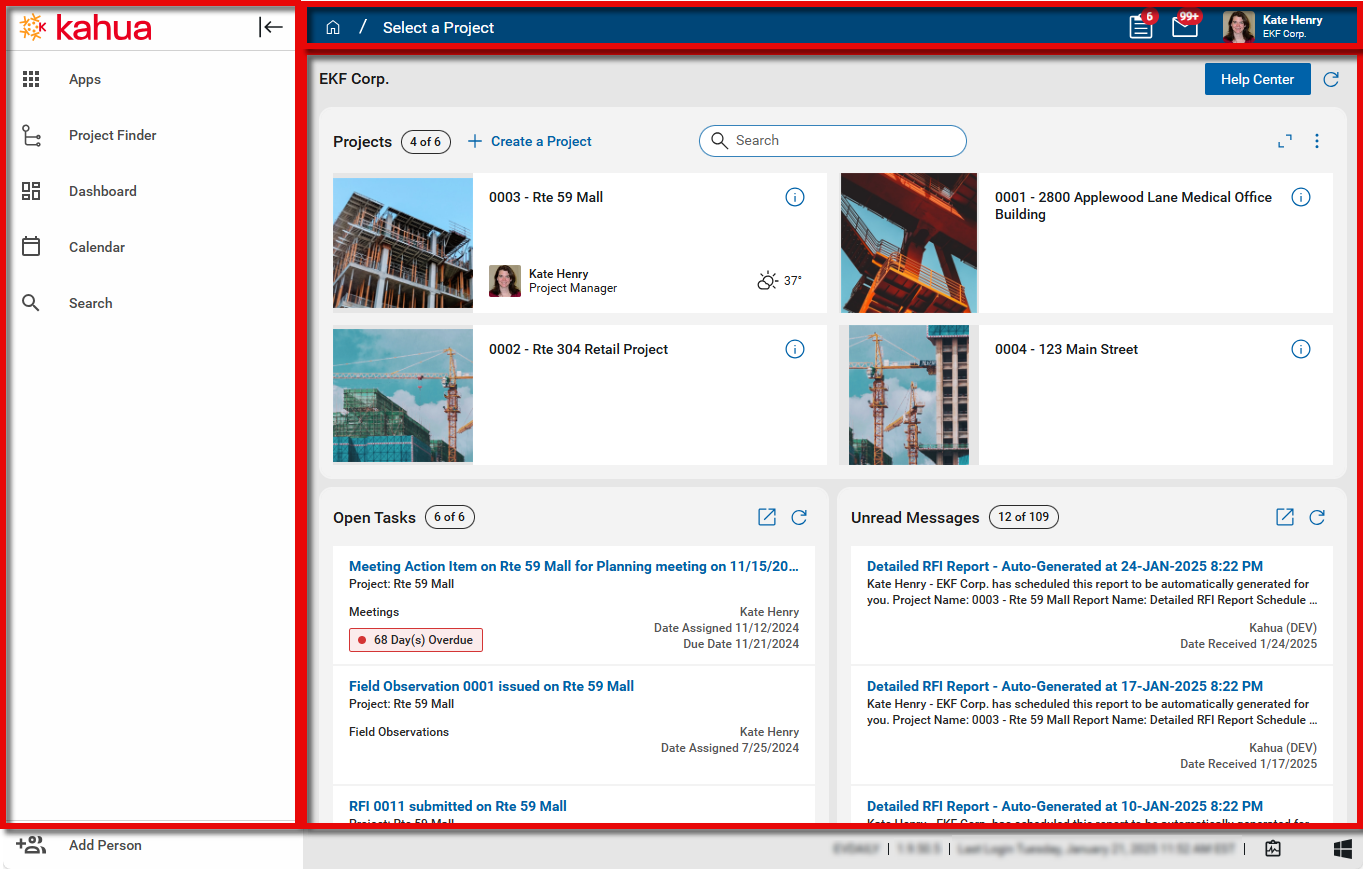
This is the Kahua workspace. The Kahua workspace consists of three major sections:
-
The launch bar on the left, which is where you access Kahua applications, including the CMMC app. For more information, refer to Using the Launch Bar.
-
The header, which provides access to the Kahua home page, your projects and apps, your tasks and messages, and your user preferences and settings. For more information, refer to Header.
-
The main work area, where you interact with applications. When you first log in, the home page appears. The home page is a place for users to easily access projects. As an organization that primarily uses the CMMC Readiness app and doesn't use projects, you will have minimal use for the home page. To learn more about it, refer to Kahua Home Page.
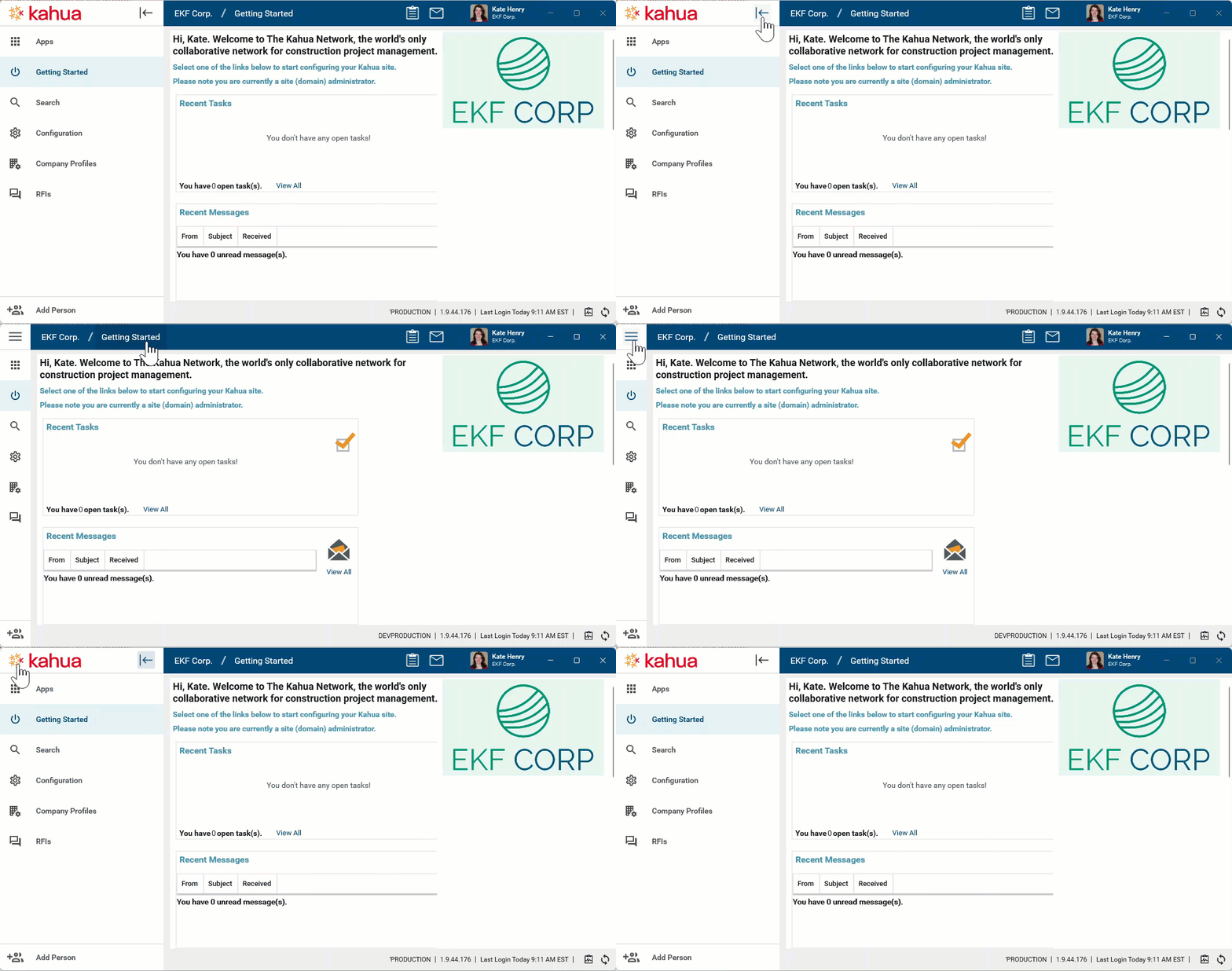
You can collapse the launch bar by clicking on the collapse icon  and expand it at any time by clicking the expand icon
  .
.
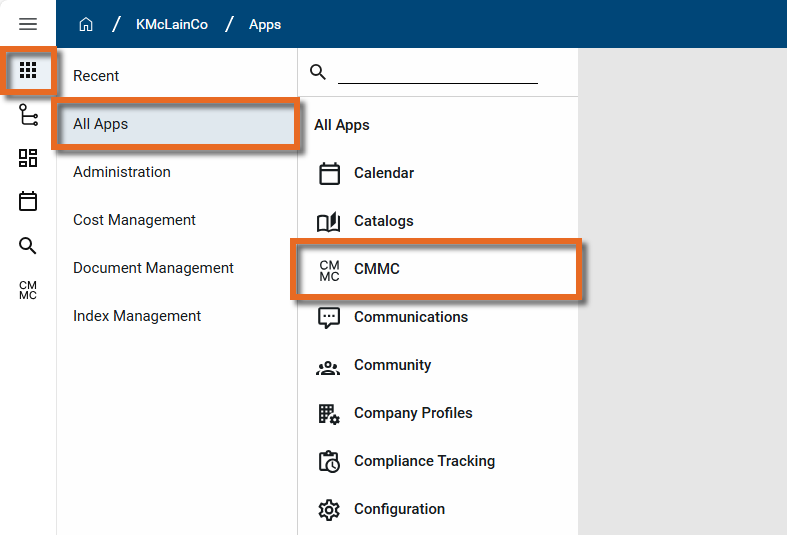
To open any app, including the CMMC Readiness app, click the Apps icon at the top of the Launch bar.
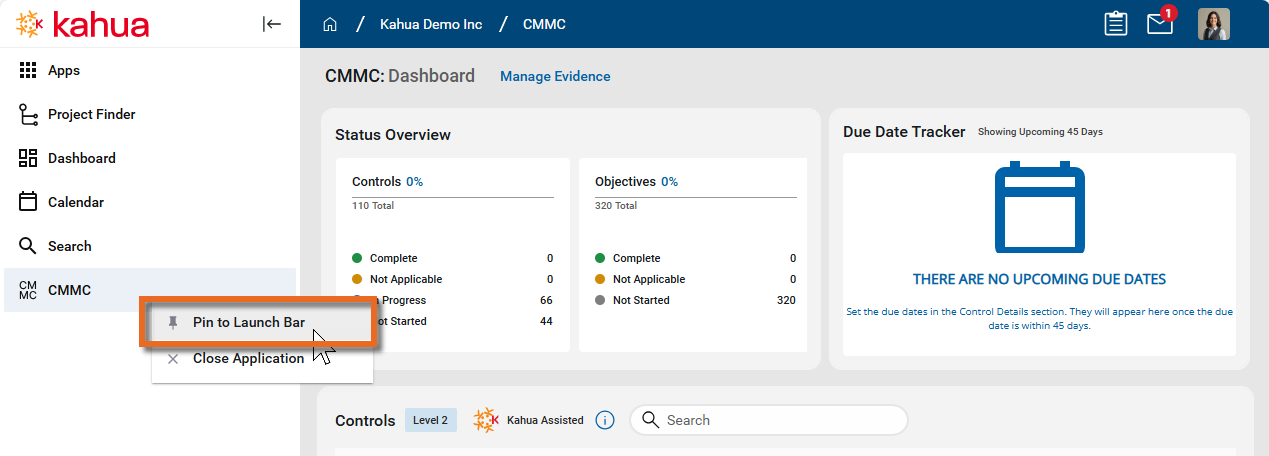
Once the CMMC app is open, you can right-click on the icon or name on the launch bar and pin it, so it is readily available when you first log in to Kahua.
Use the CMMC Readiness app
For detailed information on using the CMMC Readiness app, refer to CMMC Readiness app.
Add another user
To add another user to your domain, you can do so through the "Add Person" feature, by, selecting Add Person from the bottom of the launch bar.
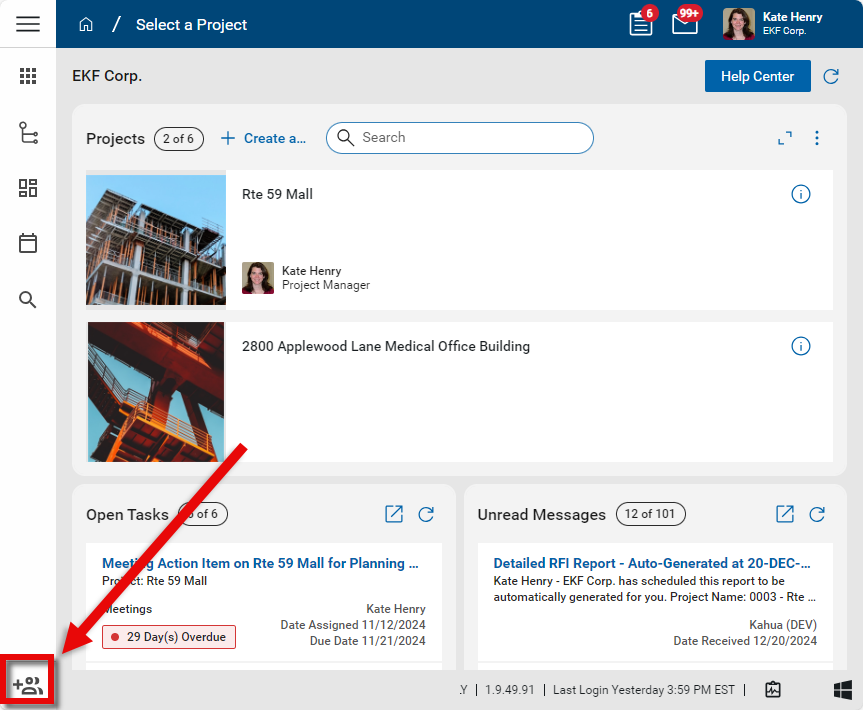
For more information on this process, refer to Adding Internal Users.
Modify domain settings
When you signed up for Kahua, you selected a user to be your Kahua Domain Administrator (KDA). The Kahua Domain Administrator is a user who has administrative rights to your domain and any apps that exist in your domain.
The KDA can make changes to domain settings. To access domain settings, navigate to Apps > Administration > Domain Settings and select the appropriate sub-application.
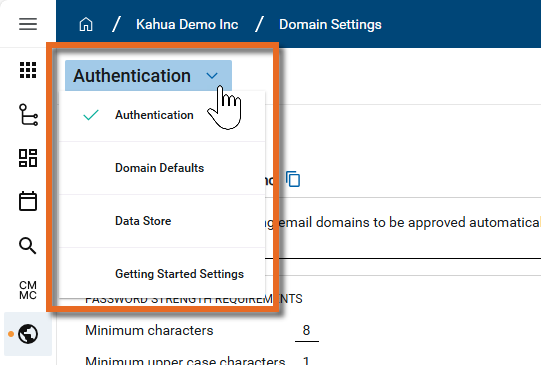
While many of the domain settings will not be applicable to you, you may want to review the following:
Domain Defaults
In the Domain Settings > Domain Defaults app, you may want to review the following items:
-
Timezone - Check this to ensure that your domain uses the timezone that makes sense for your organization. Individual users can adjust their timezone in My Settings > General tab. Refer to General tab.
-
Split Screen - This enables a split screen view in apps when a detail view is opened. Users can modify their setting in their user profile. For more information, refer to Your User Settings and Preferences.
For more information on these settings and others, refer to Domain Defaults.
Password and Account Security
In the Domain Settings > Authentication app, you may want to review the following items:
-
Password strength requirements
-
Lockout for inactivity # minutes
For more information on these settings and others, refer to Authentication.
Change the Kahua Domain Administrator
You may want to transfer the Kahua Domain Administrator (KDA) rights to another user. In general terms, to do this you first set them up as a user in Kahua and then add them to the Domain Administrator group in the Groups app.
If you want both accounts to have administrative rights, that is all you need to do. To have your account removed as an administrator, have the new adminstrator log in and remove you from the Domain Administrator group.
For detailed information on this process, refer to Transfer administrative rights to another user.