Action Items
Notice Kahua is a very flexible and customizable platform. In your domain, this application may have been modified to meet your company's needs. The online help uses default field labels for field names and describes standard workflows. Please check with your domain administrator for specific information about working in your organization's domain.
The Action Items app allows you to create and track individual actionable tasks and comments in support of a larger action item. The individual actionable tasks can be sent as tasks to Kahua users. Kahua users assigned to actionable tasks can respond through the Tasks app, and the user managing the larger action item can accept the response.
Comments can also be entered and a request for response sent, as a way to manage communication around the larger action item.
Note If you are interested in this app and it is not available in your domain, reach out to Support or your account representative for more information.
Key elements of the Action Items app are as follows:
-
The Action Item is the larger project or undertaking being tracked.
-
Actionable Tasks are the individual steps that must be taken to complete the larger Action Item. Actionable tasks can be assigned to other Kahua users and sent to them as tasks.
-
You must select Mark Active on the action item to be able to assign the actionable tasks to users.
-
Once the assignees complete their tasks, they are submitted for review. They can then be closed. If necessary, they can be reopened and assigned again, to either the original assignee or another contact.
-
You may have some actionable tasks that are the responsibility of non-Kahua users. Since non-Kahua users cannot be assigned Kahua tasks, you can list the non-Kahua user on the actionable task and manually close the task when they inform you the work is complete.
-
Comments can be added to the action item, and comments can be requested of Kahua users and those requests can be sent as tasks.
-
Once all the work is done, the action item can be set as Mark Complete to close it out.
How to . . .
 Create and manage an action item
The Action Item is the larger undertaking that you are tracking, while the Actionable Tasks are the individual tasks that will be assigned to other users or possibly yourself.
While you are creating the action item, you can use Save to save your work and return to it later. When you are ready to distribute the tasks, you can then select Mark Active to mark the larger action item as "Active" and send the tasks to the assignees as appropriate.
To create a new action item, complete the following steps:
-
Review the header to ensure that you are in the correct project or partition.
-
Navigate to the Action Items app (Apps > All Apps > Action Items).
-
Click New in the action bar.
-
Complete the following fields as appropriate:
Note Depending on how this app is configured for your domain, there may be fields or sections listed here that do not appear for you, fields and sections that appear for you which are not listed here, or fields and sections which appear in a different order. If you have any questions, check with your domain administrator.
Field Description Details Number Allow Kahua to auto-number the record, or enter a different value.
Note The number format can be configured by your domain administrator. Refer to Number.
Date By default today's date appears. Modify if appropriate. Activity Enter a title or brief description of the action item. Priority Select the appropriate priority.
Note This lookup list is managed in the Configuration app. Refer to Lookups.
Discipline If desired, select the appropriate discipline.
Note This lookup list is managed in the Configuration app. Refer to Lookups.
Status This field is read-only. As the action item moves through the workflow, this value will update. Author By default, your name appears here. Select another contact if appropriate. Functional Responsibility Select the contact who is responsible for the action item and overseeing the actionable tasks. Company If desired, select a company that is responsible for the action item. Original Request Date / Target Completion Date / Revised Target Date / Actual Completion Date
Enter these dates as appropriate Notes Enter any additional notes about the action item. Comments Enter Comments here. For more information, refer to Create, assign, and manage comments.
Actionable Tasks Enter Actionable Tasks here. For more information, refer to Create, assign, and manage an actionable task.
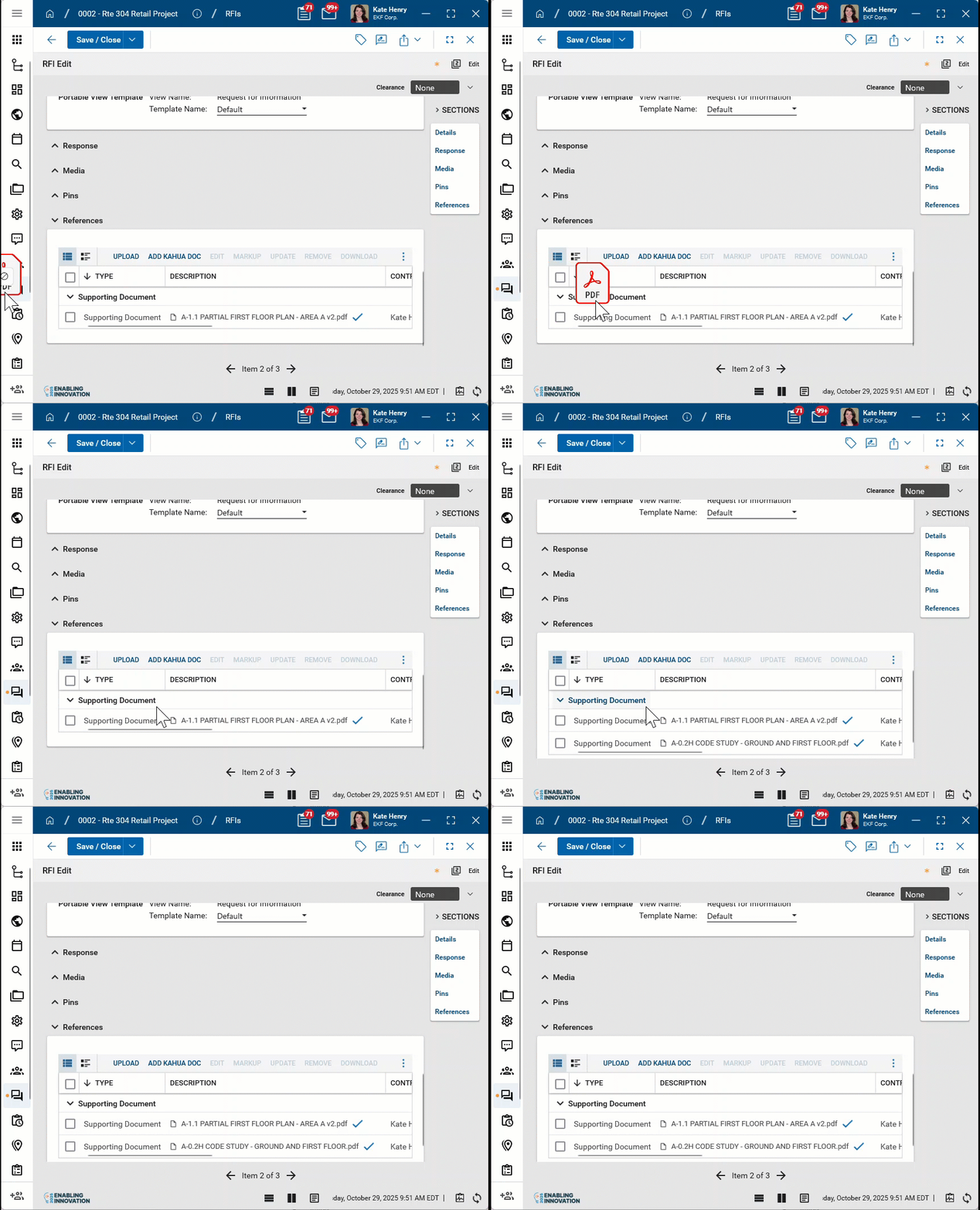
References Upload or select any relevant files or documents. You can use drag and drop to add a file to this section. For more information on using this section, refer to References section.
-
When you have finished entering in the information, select one of the following options:
-
Save - Select this option to save what has been entered so far. You can come back later to edit the record and enter more information.
-
Mark Active - Select this option once you have finished entering the actionable tasks. You must select Mark Active to enable the actionable tasks to be sent. You can continue to add more actionable tasks to the action item after it has been marked active.
-
Mark Complete - Select this option to mark the Action Item as complete once all the tasks are done to your satisfaction.
Note If Mark Active is selected in error, you can select Recall to return the action item to the inactive state. You cannot recall the action item if individual comments or actionable tasks are outstanding. Those items must be recalled first, then you can recall the action item itself.
-
Create, assign, and manage an actionable task
The Actionable Tasks are the individual tasks that must be completed in support of the larger Action Item. Actionable Tasks are assigned to other Kahua users and possibly yourself.
Note Actionable tasks do not have to be created or assigned all at once. You can add tasks at any time, and you can assign tasks at any time. This can be helpful if some tasks cannot be worked on until other tasks are completed.
To create a new actionable task, complete the following steps:
-
If the appropriate action item is not yet open, navigate to the Action Items app (Apps > All Apps > Action Items) in your project. Click on the appropriate action item to open it in the detail panel and select Edit in the action bar.
-
Scroll down to the Actionable Tasks section.
-
Complete the following fields as appropriate:
Note Depending on how this app is configured for your domain, there may be fields or sections listed here that do not appear for you, fields and sections that appear for you which are not listed here, or fields and sections which appear in a different order. If you have any questions, check with your domain administrator.
Field Description Actionable Tasks Enter a number and click Insert to add that number of rows to the grid
 . For more information on working with grids, refer to Item grids.
Assigned To Select the contact to assign the task to.
Important You must select a Kahua user to assign this as a task.
Date Assigned Select the assigned date. Subject Enter a subject for the actionable task. Due Date Select a Due Date.
Important You must select a due date to assign the task to a user.
Status When initially created, the status will be "New". References Upload any relevant files or documents. For more information on using this section, refer to References section. -
When you have finished entering in the information, select one of the following options on the action item:
-
Save - Select this option to save what has been entered so far. You can come back later to edit the record and enter more information.
-
Mark Active - Select this option to send the action items as tasks to the selected contact or contacts.
-
Mark Complete - Select this option to mark the item as complete.
-
-
Assign the task: Once you have selected Mark Active on the larger Action Item, you can assign the task to the selected user. Select Assign on the appropriate line item. The user will be sent a task in their Tasks app to complete.
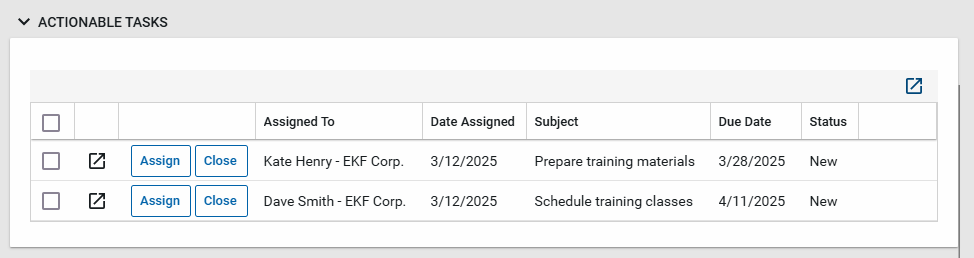
Important To assign the actionable task, you must have selected Mark Active on the action item and it must not be in Edit mode.
-
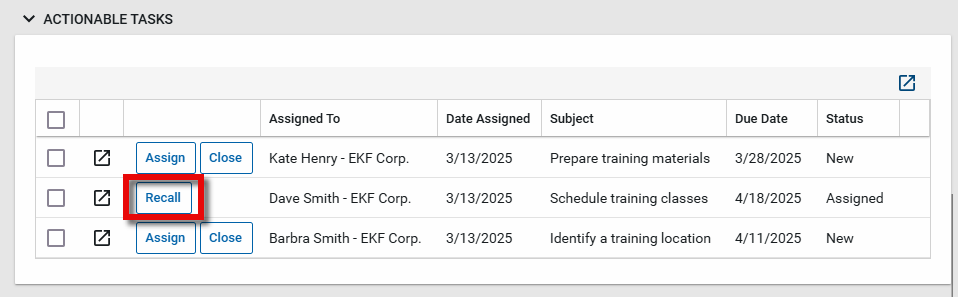
Recall the task: If you need to remove the task from the assignee, select Recall. The task will be removed from their tasks app and you can assign it to another user or close it.
-
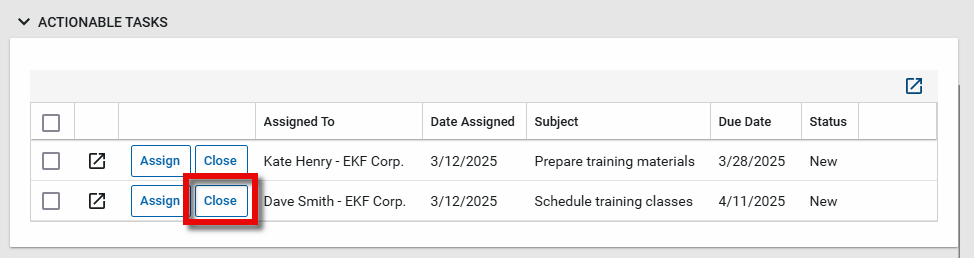
Close the task: When the assignee completes their task, they will submit it for review. Any reference documents that they added will appear in the References section.
You can now select Close on the actionable task. If the work was not completed to your satisfaction, after closing the task you can select Reopen to assign the task again.
Note After reopening the task, you can edit the action item and assign the task to another user if needed.
You can also close a task that is not assigned to a user as a Kahua task. This can be useful for tracking tasks assigned to contacts you are not Kahua users where the task requirement is communicated to them outside of Kahua.
Respond to an assigned actionable task
The Actionable Tasks are the individual tasks that must be completed in support of the larger Action Item. Actionable Tasks appear in the assigned user's Tasks application. For general information on working with tasks, refer to Tasks App.
To respond to an actionable task that has been assigned to you, complete the following steps:
-
Open the Tasks app and select the appropriate task to open it in the detail panel.
-
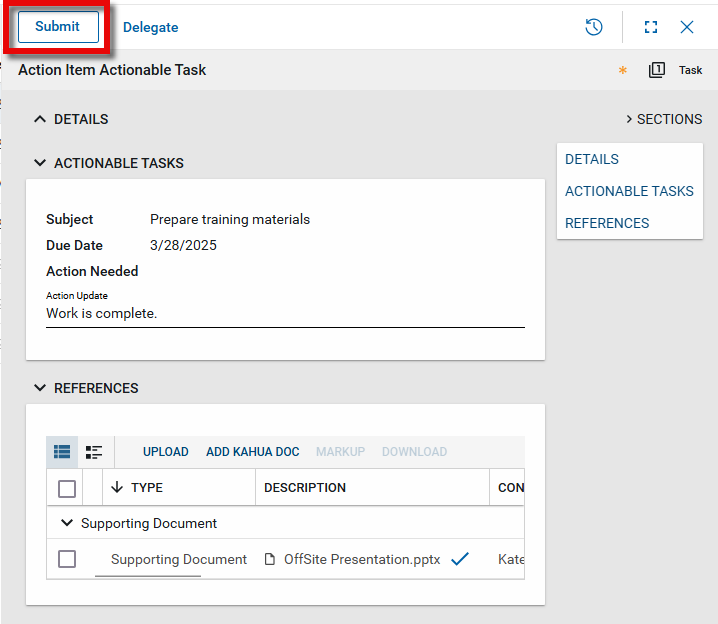
Review the task. Information about the larger action item appears in the Details section. Information about the specific actionable task that has been assigned to you appears in the Actionable Tasks section. Any associated files will appear in the References section.
-
Enter any update information in the Action Update field.
-
Add any reference documents in the References section as appropriate. Once you submit the task, these documents will appear on the References section of the original action item. For more information on using this section, refer to References section.
-
When you are done, select Submit in the action bar. The task is returned to the action item for the originator to review and close.
Create, assign, and manage comments
Comments can be added to the Action Item, and responses to comments can be requested and assigned as a task.
To create a new comment and request a response, complete the following steps:
-
If the appropriate action item is not yet open, navigate to the Action Items app (Apps > All Apps > Action Items) in your project. Click on the appropriate action item to open it in the detail panel and select Edit in the action bar.
-
Scroll down to the Comments section.
-
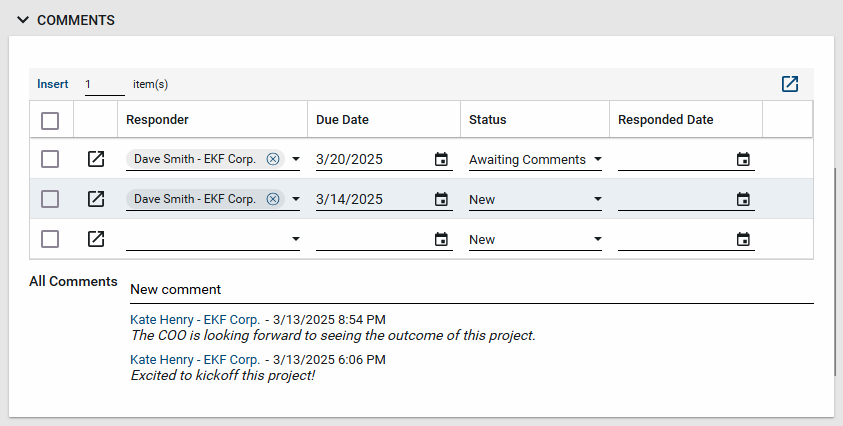
Enter a new comment in the New comment line. A rolling list of comments will appear under this line.
-
Complete the following fields as appropriate:
Note Depending on how this app is configured for your domain, there may be fields or sections listed here that do not appear for you, fields and sections that appear for you which are not listed here, or fields and sections which appear in a different order. If you have any questions, check with your domain administrator.
Field Description Comments Enter a number and click Insert to add that number of rows to the grid
. For more information on working with grids, refer to Item grids.Responder Select the contact you are requesting a response from.
Important You must select a Kahua user to assign this comment to a user as a task.
Due Date Select a Due Date.
Important You must select a due date to assign this comment to a user as a task.
Status As this comment moves through the workflow, this value will update. Responded Date The date of the response will appear here. References Upload any relevant files or documents. For more information on using this section, refer to References section. -
When you have finished entering in the information, select one of the following options on the action item:
-
Save - Select this option to save what has been entered so far. You can come back later to edit the record and enter more information.
-
Mark Active - Select this option to send the action items as tasks to the selected contact or contacts.
-
Mark Complete - Select this option to mark the item as complete.
-
-
Send for Comments: Select Send For Comments on the appropriate line item to request a response to comments. The user will be sent a task in their Tasks app to complete. All comments and references will appear in their task.
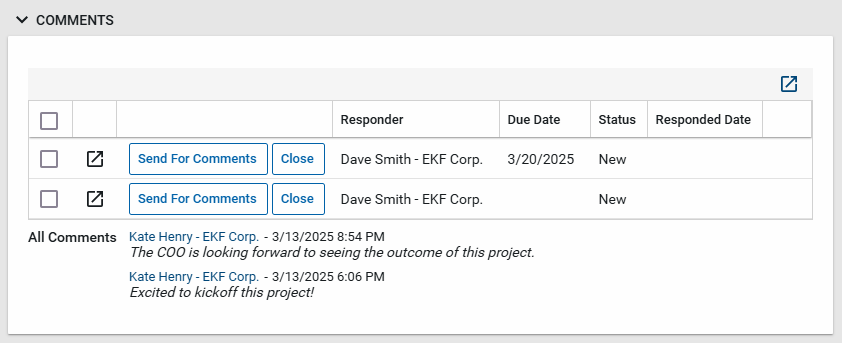
Important To send for comments, you must have selected Mark Active on the action item and it must not be in Edit mode.
-
Close the task: When the assignee responds to the comment, their response appears in the All Comments section. Any reference documents that they added will appear in the References section. You can now select Close on the comment.
Respond to an assigned comment
Comments on action items can be assigned to users for a response. Assigned comments appear in your Tasks application. For general information on working with tasks, refer to Tasks App.
To respond to an assigned comment, complete the following steps:
-
Open the Tasks app and select the appropriate task to open it in the detail panel.
-
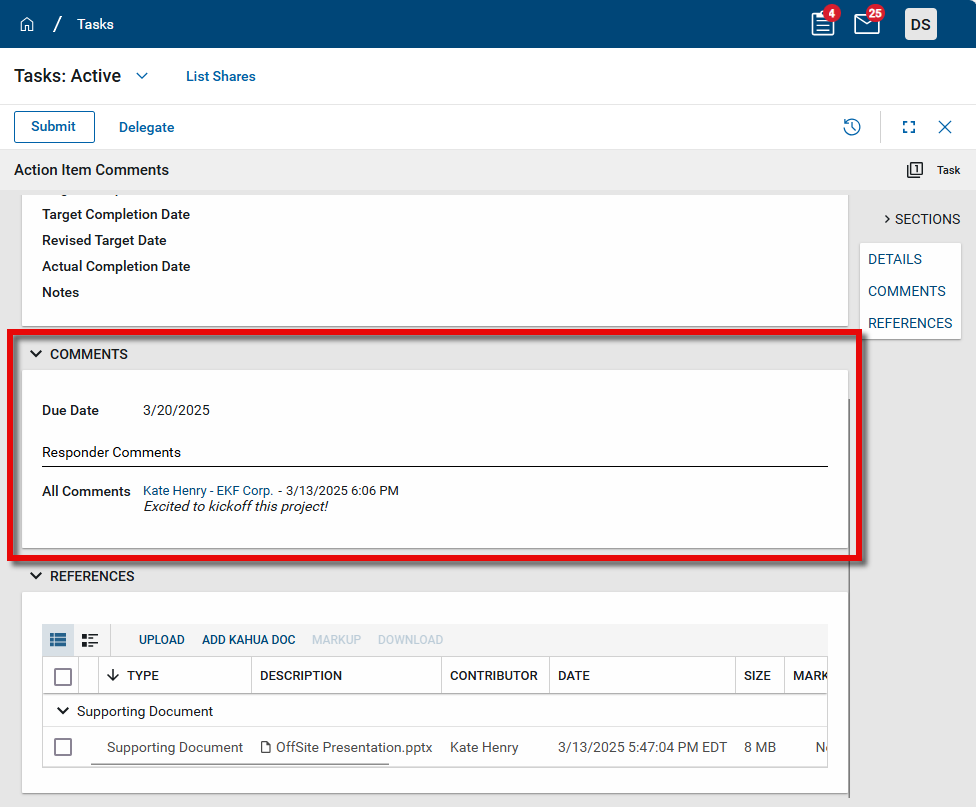
Information about the larger action item appears in the Details section. Information about the comment assigned to you appears in the Comments section. Any associated files will appear in the References section.
-
Enter your response to the comment in the Responder Comments field.
-
Add any reference documents in the References section as appropriate. Once you submit the task, these documents will appear on the References section of the original action item. For more information on using this section, refer to References section.
-
When you are done, select Submit in the action bar. The comment is returned to the action item for the originator to review and close. The comment response will appear in the rolling list of All Comments.
Act on multiple comments or actionable tasks at once
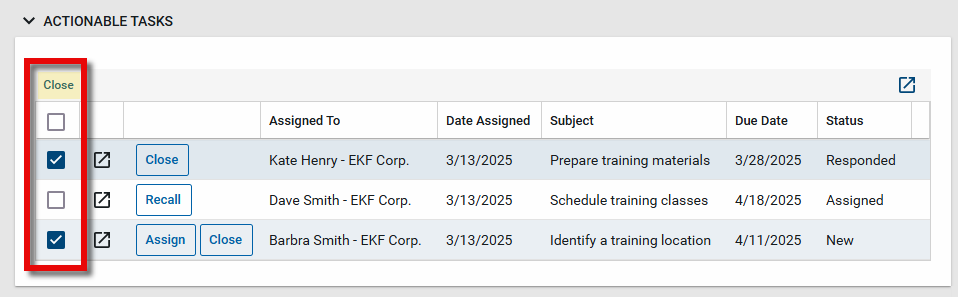
You can act on multiple comments or actionable tasks at one time. Select the line items you want to act on. The actions you can take will appear in the header. Select the appropriate action.
Generate a log report or other reports
You can generate a report from a selected log view, or use one of the built-in reports available by default in each application. For more information on creating your own reports, including how to set up scheduled reports, refer to Creating ad hoc reports.
Note For information on modifying the logo that appears on reports in your project, refer to Managing report logos.
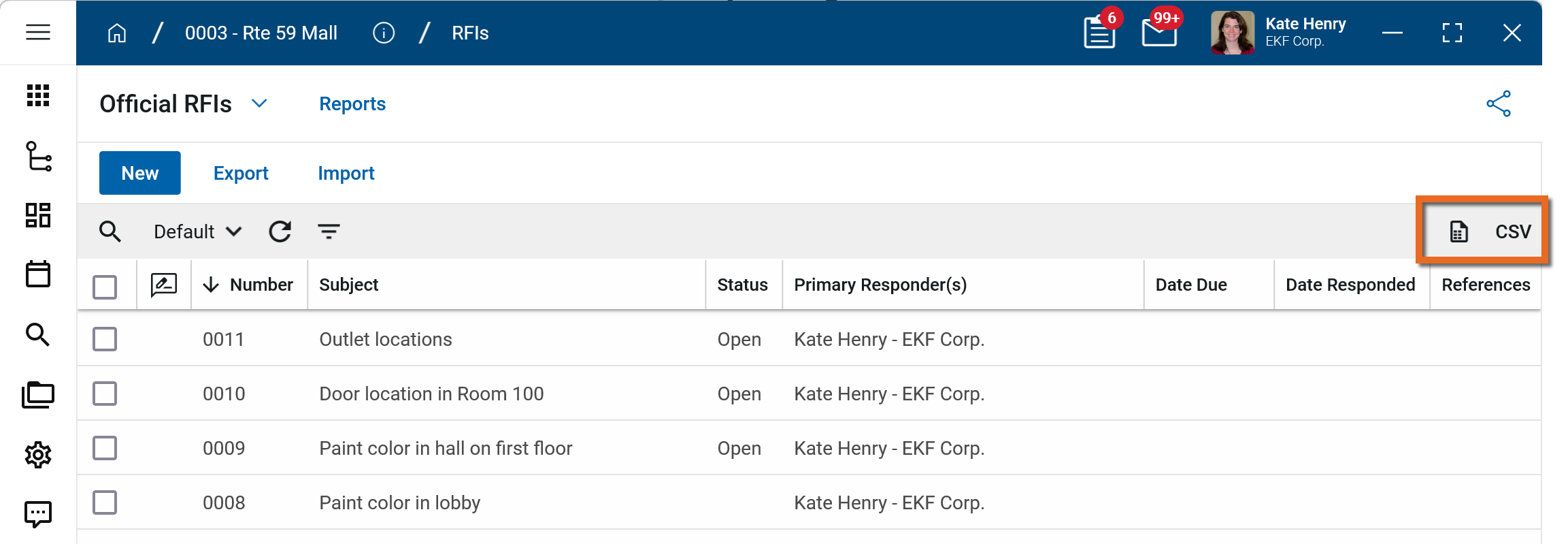
To generate a report from a log view with up to 10,000 records, click the More icon  and select Print. If your log view contains more than 10,000 records, the Print option will be disabled and you can select
  to download the records to a CSV file instead.
To generate an application report, complete the following steps:
-
Navigate to the application.
-
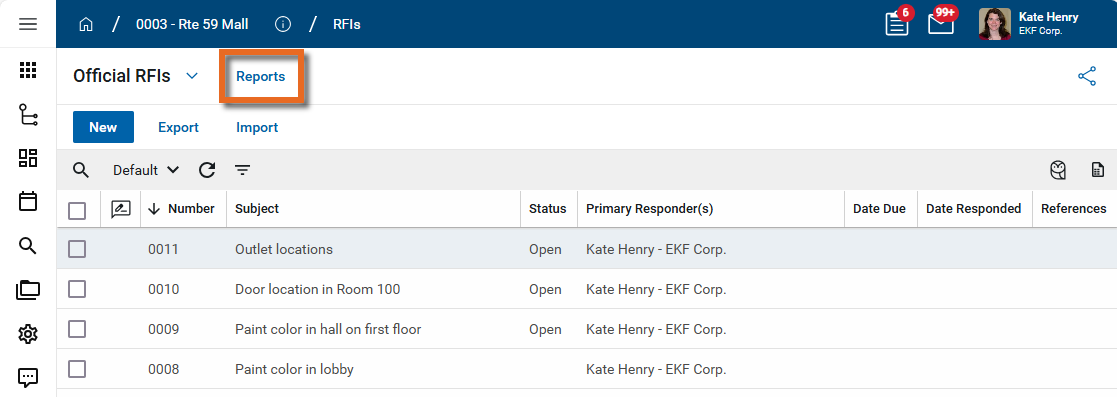
Select Reports in the application title bar.
-
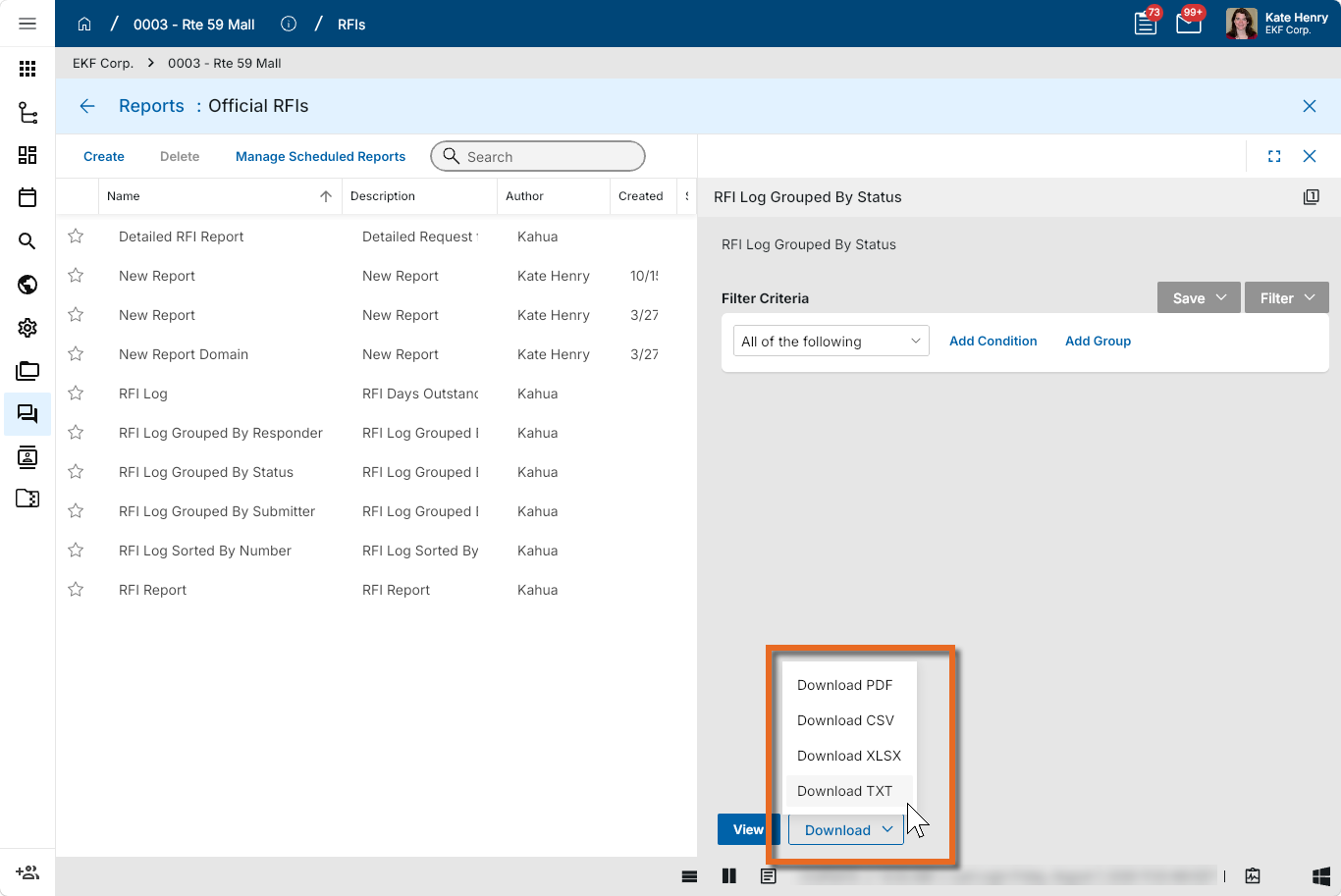
Select the report you want to run.
-
Apply any desired filters.
-
Select View or Download as appropriate. For more information, refer to Viewing Reports.
-
Click the Close icon
 when you are done.
Perform standard actions on a single record (print, send, view history, delete, etc.)
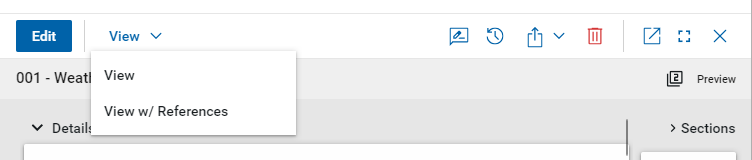
From the detail view of a record, there are several standard actions you can take. Depending on your permissions, some or all of the following options may be available to you:
-
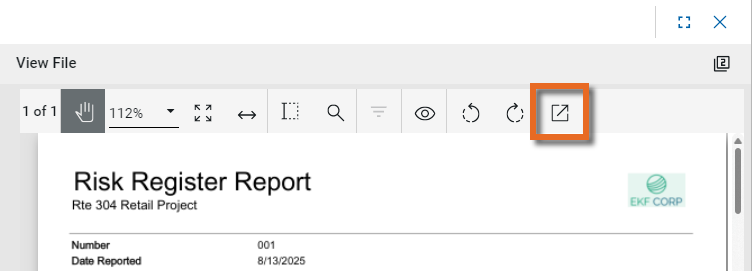
View and View w/References - Select View or View w/References to open a PDF view of the current record. The PDF file can be printed or shared from the viewer by clicking on the Open PDF icon
 .
.
Note Only references where the Include on Send value is set to "Yes" are included in the View w/References.
Additionally, if Include Markup on Send is set to "Yes", any markups on the file are included. -
Discussions
 - Select this icon to open the Discussions panel. If enabled in your domain, the discussions feature allows you to participate in public or private conversations associated with specific records. For more information, refer to Discussions.
 -
View History
 - Select this icon to open the History page for the record. The history page provides details regarding all activity (creation, edits, saves, etc.) performed on the record. Click view edit to drill down into more detail on a specific action. Click hide edit to close the action detail. Click the Close icon
  to close the history page.
 -
Send actions
 - Click this icon to select an appropriate Send action for the record. The following options may be available to you:
-
Copy Link and Copy Portable View Link - Select this option to copy a URL link for the record or record's portable view to your clipboard. This link can be sent outside of Kahua. Users with the appropriate permissions will be able to open Kahua directly to that record or portable view by using the link.
-
Copy QR Code and Copy Portable View QR Code - Select this option to generate a QR code for the currently open record or record's portable view. The QR code can be shared directly from your screen, or copied to your clipboard to be shared as appropriate. This QR code can be shared outside of Kahua. Users with the appropriate permissions will be able to open Kahua directly to that record or portable view by using the link.
-
Send - Select this option to open a new Kahua message with the open record included as an attachment. References with the Include on Send value set to "Yes" are also included. For more information, refer to Messages app.
-
-
Delete
 - Select this option to delete the open record. You must agree to the confirmation message before the record is deleted.
Alternatively, right-click on the record in the log view and select Delete, or select multiple records from the log view and select Delete.
Note If a record is deleted in error, your domain administrator may be able to recover it through the Recycle Bin app. For more information, refer to Using the Recycle Bin.
-
Open in a new window
 - Select this option to open the current record as read-only in a new window (desktop host) or browser tab (web host). This allows you to navigate to other records in the original Kahua instance while keeping the read-only window or tab open for reference. To re-open the record on the read-only window or tab in Kahua, select Open in the header.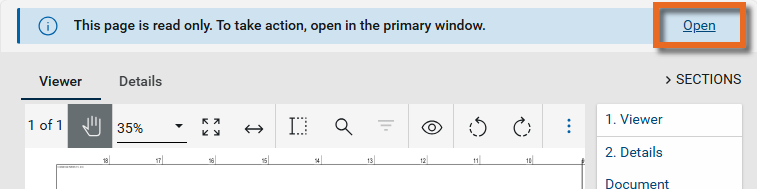
-
Maximize
 and Minimize
  - Select Maximize to open the record to a full screen view. From the full screen view, select Minimize
  to return to the original view.
 -
Close
- Select the close icon to close the currently open item.
Configure the app
Your domain administrator or another user with the appropriate permissions can configure the app in the Configuration application.
Important When working in the Configuration app, it is important to review the header and ensure that you are working at the correct level in the hierarchy, either the root domain or at a partition or project level.
Settings that you establish at the root domain or lower levels will inherit down the hierarchy until they are overridden. For more information on the hierarchical structure of Kahua, refer to Understanding the hierarchical structure of Kahua.
The Configuration app can be accessed directly through the apps list (Apps > Administration > Configuration), or, in some applications, by right-clicking on an application in the launch bar and selecting Configure. When you select Configure for an app from the launch bar, the detail view of the configuration page for that application opens automatically.
For general information on configuring this app in Configuration, refer to Application configuration.
Available application roles
Application roles determine which actions users can perform in the app. Roles are assigned to groups in the Groups app > Permissions tab. Members of the group then have the permissions associated with the roles assigned to the group.
The following roles are available for this application:
| Role | Details |
|---|---|
| Administrator |
Can add, configure, create lists, edit, export, import, open, remove, view, send, share, and process Action Items. |
| Contributor |
Can add, edit, open, view, send, and process Action Items. |
| Moderator |
Can add, edit, export, import, remove, open, view, send, share, and process Action Items. |
| Observer |
Can open, view, send, and process Action Items. |
Note To manage these permissions, open the Groups app and assign the appropriate application role to the group. Only users with the appropriate permissions can manage application roles. For more information, refer to Managing Permissions.